Making measurements Chapter 4
Mastersizer 3000 Page 4-55
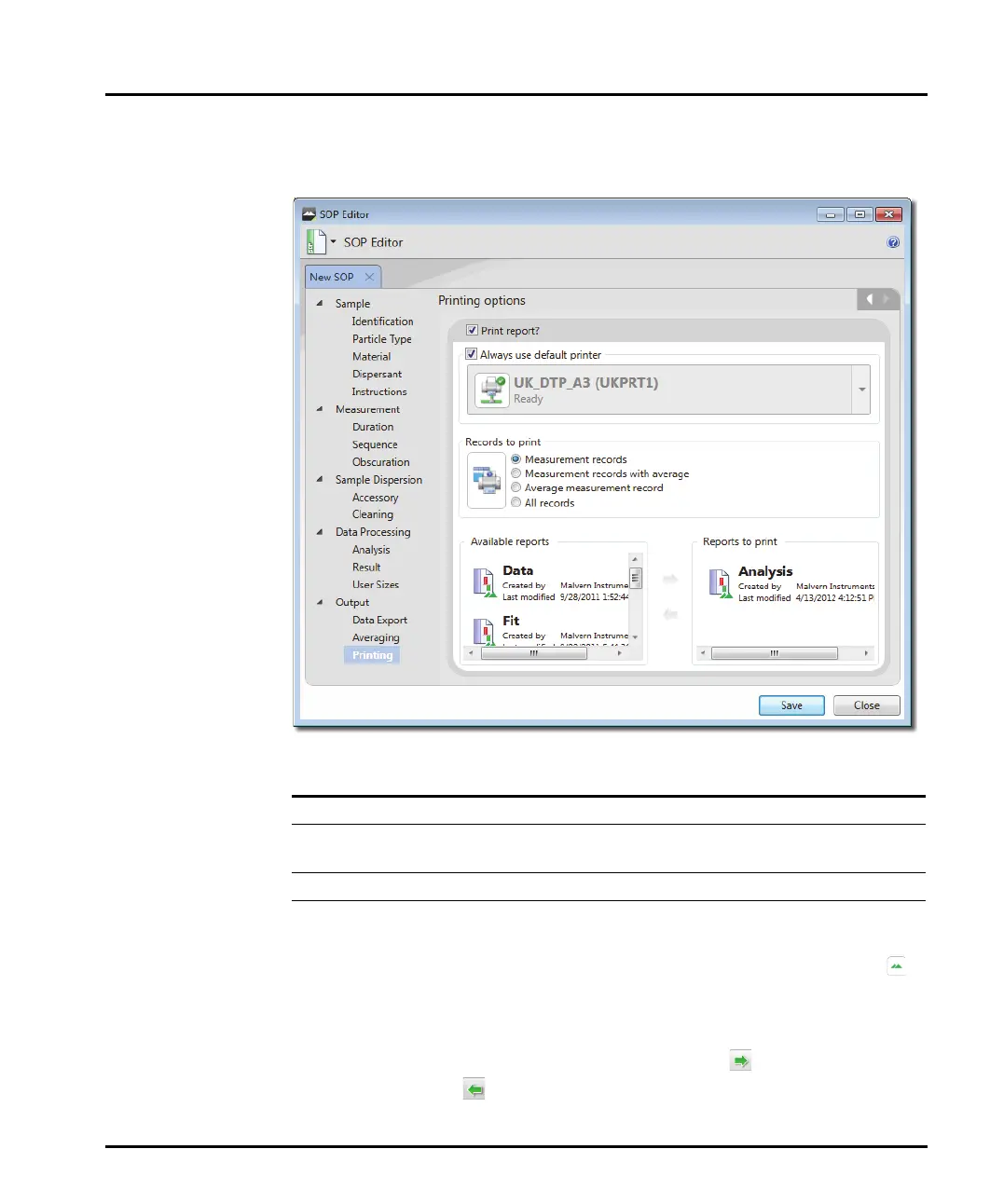
Output - Printing
The Output - Printing window allows specific reports to be selected for printing
Section/option Description
Print report? To enable printing select the Print report? check box
Always use
default printer
Select the Always use default printer check box if a certain
printer is to be used, otherwise select from the list.
Records to print Select the radio button as required for selecting the records.
Available reports Select the reports required for printing.
This window contains a list of Available Reports on the left
and Selected Reports on the right. Reports shown with
are reports that were created by Malvern Instruments.
Move reports from the Available Reports column to the
Selected Reports column (and back as required) by select-
ing them and then clicking the Add button or Remove
button as appropriate



 To Next Page