Chapter 4 Making measurements
Page 4-14 MAN 0474
7. Choose an appropriate SOP for the Aero dispersion unit (ensure also that the
SOP is optimized for the venturi type that is fitted to your Aero unit - either
stainless steel or ceramic venturi) and then click OK.
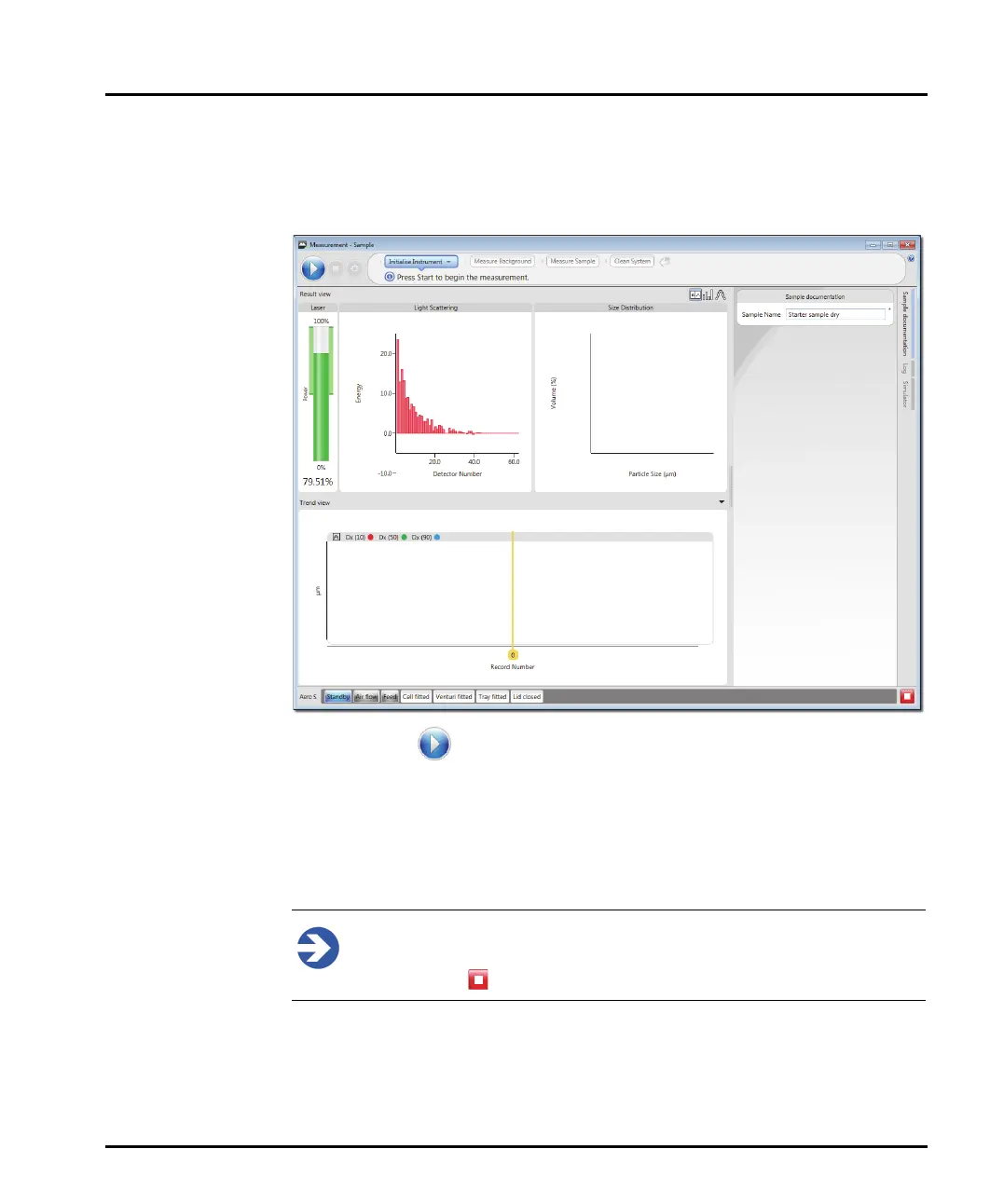
The Measurement Display window shown below is displayed:
8. Click Start – the SOP automatically aligns the optical system and then
measures the background using the red light (blue light is not used in dry
measurements).
9. After this, the sample tray starts vibrating and the SOP-specified air pressure is
applied. The overall rate at which the sample is fed into the cell is a function of
the combination of air pressure, vibration rate and hopper flow-rate setting.
Note
To stop both the SOP and the accessory during a measurement, click the
Abort button .
10. The SOP selected should be optimized for the dry dispersion unit and will
only make a measurement once the obscuration is within the specified range
(1-10% obscuration is the rough guide for a dry dispersion unit).



 To Next Page