3-48
Confirming Machine Information
The information of this machine can be confirmed.
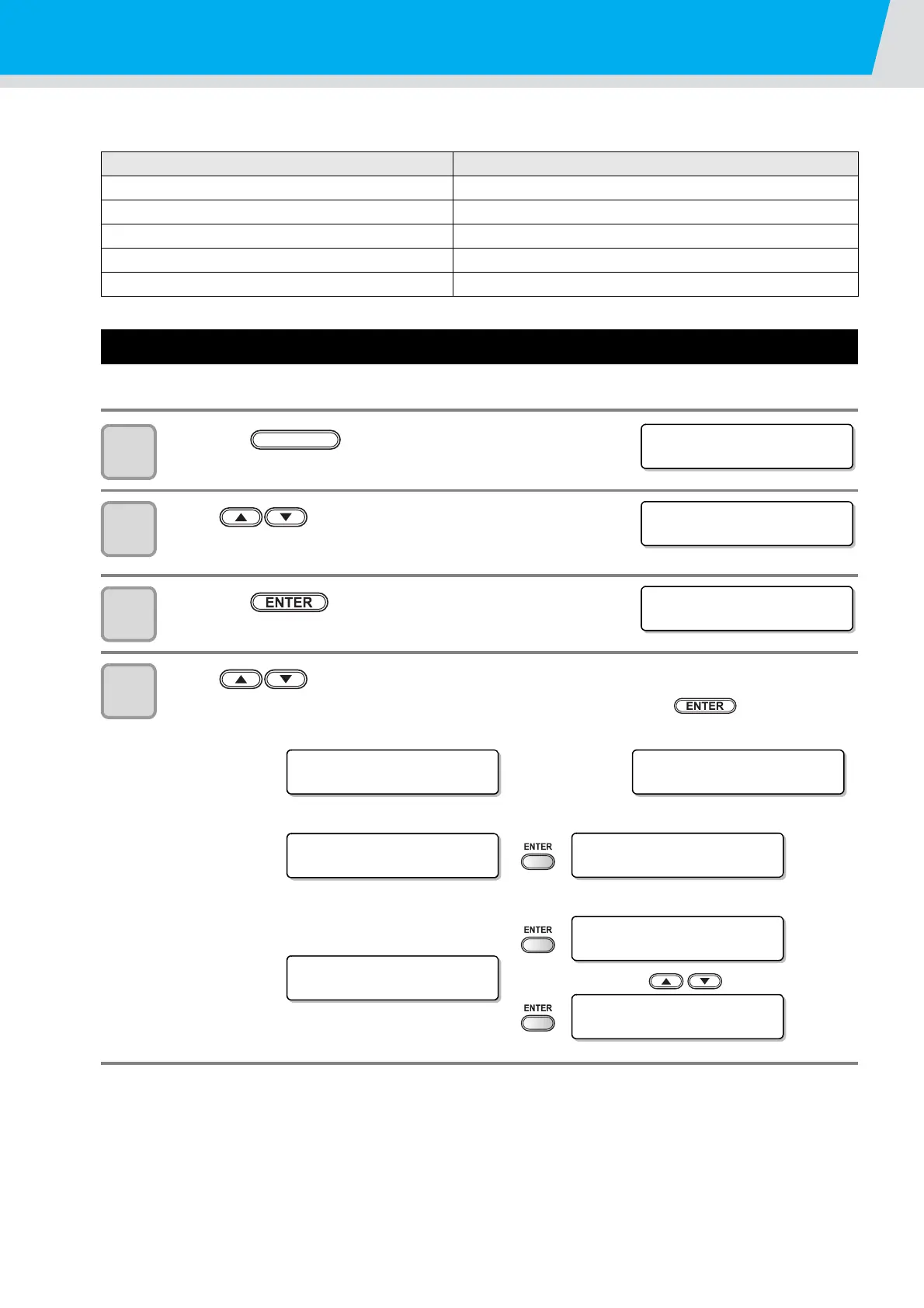
The following items can be confirmed as machine information.
Displaying the Information / IP address
7
Press the key in LOCAL.
8
Press to select [INFORMATION].
9
Press the key.
10
Press to select the machine information to display.
• Information on IP address and firmware version are confirmed by pressing key.
Item Description
MODEL This displays the model name of the machine.
SERIAL No. This displays the serial number of the machine.
IP Address This displays the IP address of the machine.
F/W ver. This displays the firmware version of the machine.
Command Ver. This displays the command version of the machine.
MODEL
Displays model
name.
Serial No.
Displays serial
number.
IP address
Displays IP
address in use.
F/W version
Displays
firmware
version.
<FUNCT ION>
SET UP [ ENT ]
FUNCTION
<FUNCT ION>
INFORMATION [ENT]
< I NFORMA T I ON >
MOD E L : C F L - 6 0 5 R T
< I NFORMAT I ON>
MOD E L : C F L - 6 0 5 R T
< I NFORMA T I ON >
SERIAL No . 00000000
< I NFORMAT I ON>
IP Address [ENT]
IP Address Info.
0. 0. 0. 0
< I NFORMAT I ON>
F/W Ver. [ENT]
<F /W Ve r . >
Ve r . 1 . 00
<Command Ve r . >
Ve r . 1 . 00


 To Next Page