117
Measurement
5
5.8. Measurement in recipe mode
&RQ¿UPWKHVHWWLQJV
&RQ¿UP>5(&,3(02'(@
The setting is completed if the item set by the step
2) appears under [RECIPE MODE].
(2) Settings of recipe contents
Set the recipe number, the recipe name, combination of brands for recipe, etc.
POINT
- You can set up to 100 recipe contents.
- To set brands for recipe, you need to set brands in advance. Refer to "5.2.3.
Brand settings" for more information.
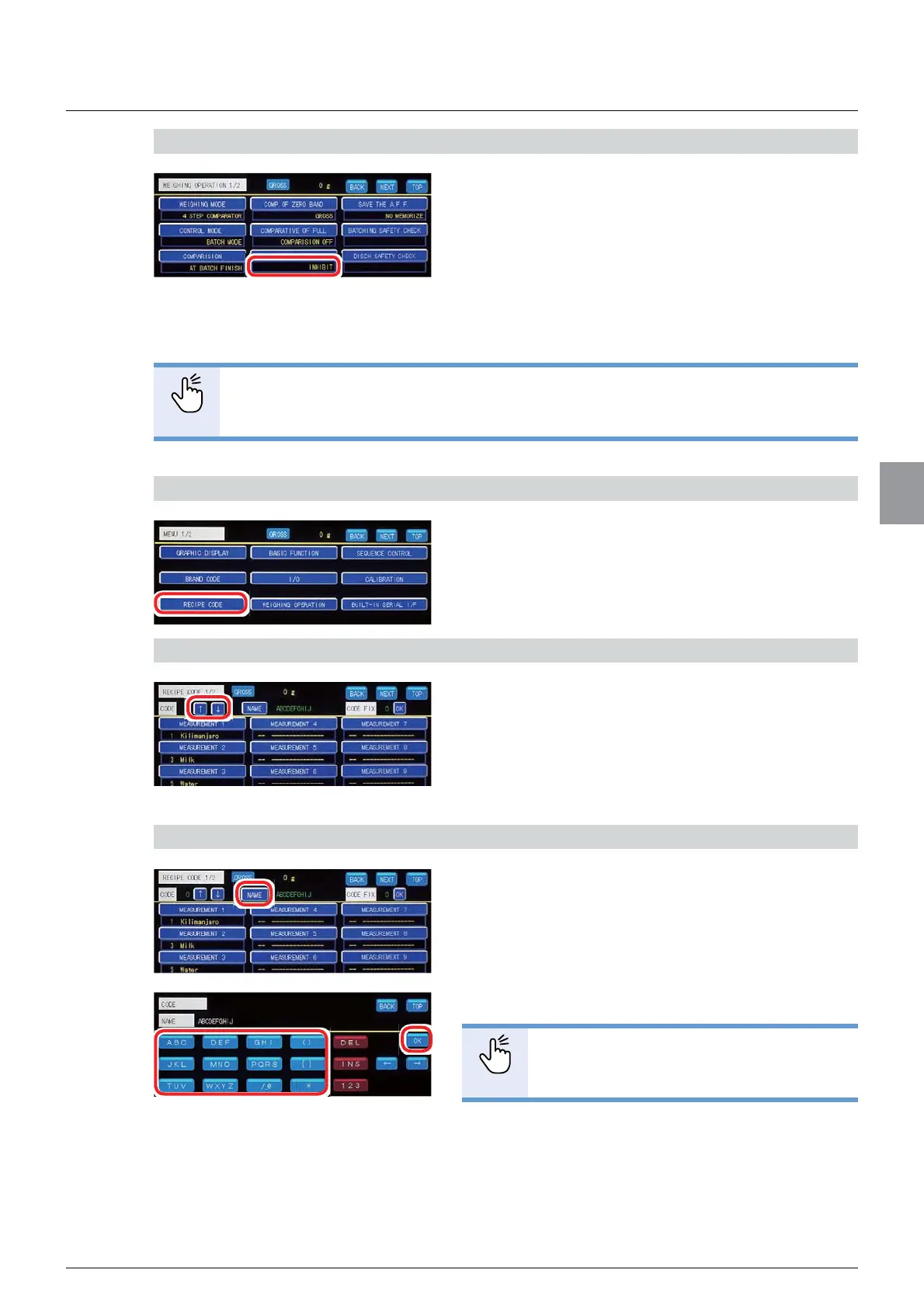
1) Display the [RECIPE CODE] screen
1. Tap [RECIPE CODE] on [MENU 1/2].
>5(&,3(&2'(@VFUHHQZLOOEHGLVSOD\HG
2) Select the recipe number
7DS>Ĺ@>Ļ@WRVHOHFWWKHUHFLSHQXPEHU
7RVHWDQHZEUDQGIRUUHFLSHVHOHFWDQXPEHULQ
ZKLFKQREUDQGKDVEHHQVHW7RFKDQJHWKH
contents of the brand that has already been set for
recipe, select the number of the brand to change.
3) Set [NAME]
1. Tap [NAME].
&KDUDFWHULQSXWVFUHHQZLOOEHGLVSOD\HG
2. Enter [NAME].
POINT
- Refer to "3.6. Input of characters" for
PRUHLQIRUPDWLRQDERXWKRZWRHQWHU
characters.
3. Tap [OK].
>1$0(@KDVEHHQVHWDQG>5(&,3(&2'(@
ZLOOEHGLVSOD\HG



 To Next Page