118
Measurement
5
5.8. Measurement in recipe mode
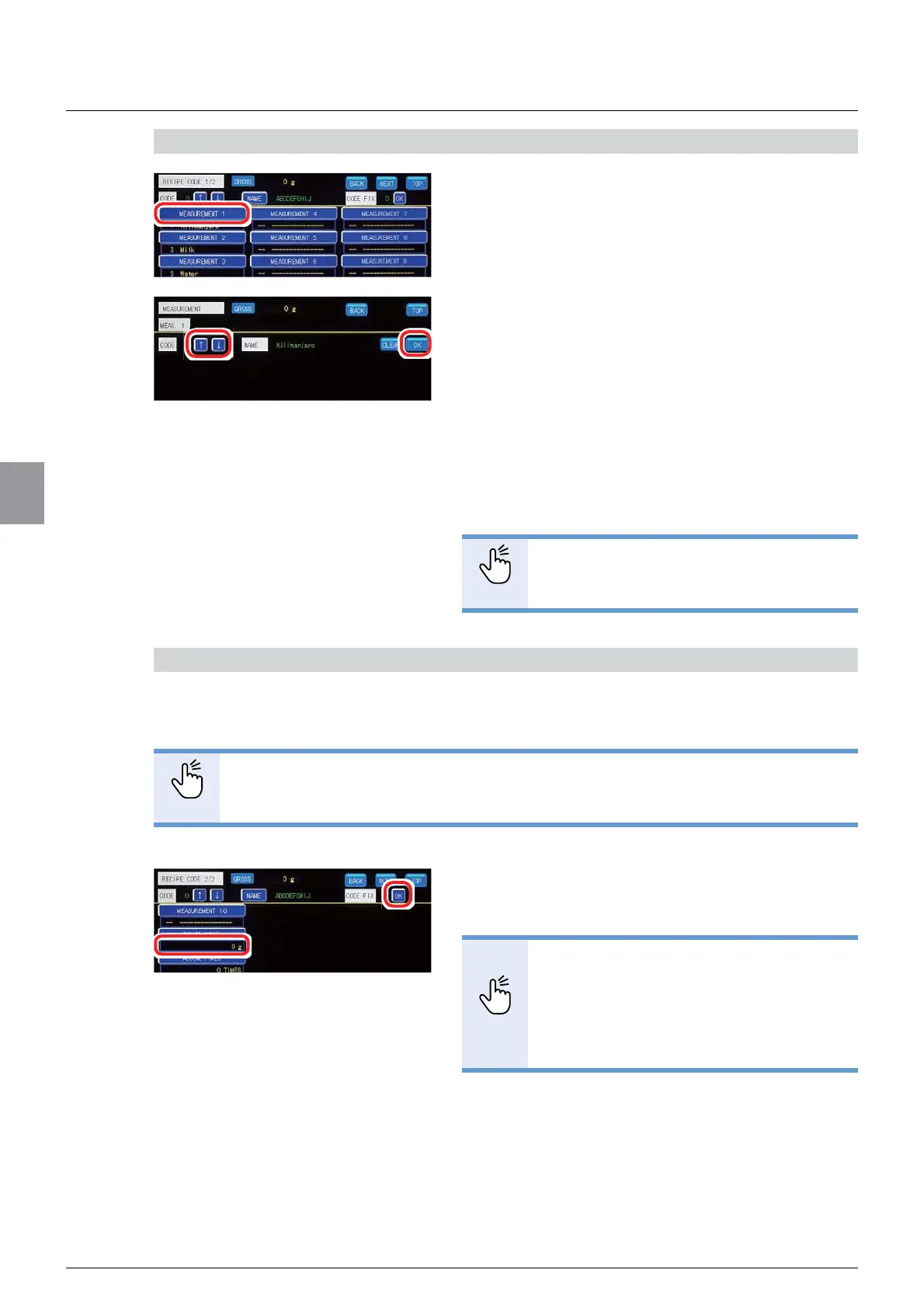
4) Set brands for recipe
1. Tap [MEASUREMENT 1] on [RECIPE CODE
1/2].
%UDQGVHOHFWLRQVFUHHQZLOOEHGLVSOD\HG
7DS>Ĺ@>Ļ@WRVHOHFWWKHEUDQGQXPEHU
3. Tap [OK].
7KHEUDQGKDVEHHQVHWDQG>5(&,3(&2'(@
ZLOOEHGLVSOD\HG
4. Set brands in Measurement 2 to Measurement
10 according to the number of the brands to
combine for recipe.
POINT
- Set brands in the order they are actually
fed for recipe.
&RQ¿UP'HOHWH>$&&809$/8(@
$VIRUUHFLSHVWKDWKDYHEHHQPHDVXUHG\RXFDQFKHFN>$&&809$/8(@RIWKHSDVW
measurements. You can also delete [ACCUM. VALUE].
POINT
- Refer to "5.11.10. Automatic accumulation settings" for more information about
the automatic accumulation function.
&RQ¿UPWKHDFFXPXODWLRQYDOXHGLVSOD\HG
under [ACCUM. VALUE] on [RECIPE CODE 2/2].
POINT
- To delete [ACCUM. VALUE], tap
[ACCUM. VALUE] to display the
numerical value input screen, then tap
>$&@ĺ>2.@LQVHTXHQFH
- Deleting [ACCUM. VALUE] deletes
[ACCUM. TIMES], too.



 To Next Page