131
Measurement
5
5.9. Measurement in 4 steps comparator mode
(1) Settings of comparison values
Set a comparison value for (up to four) conditions.
1) Display the screen to set a comparison value for Condition1
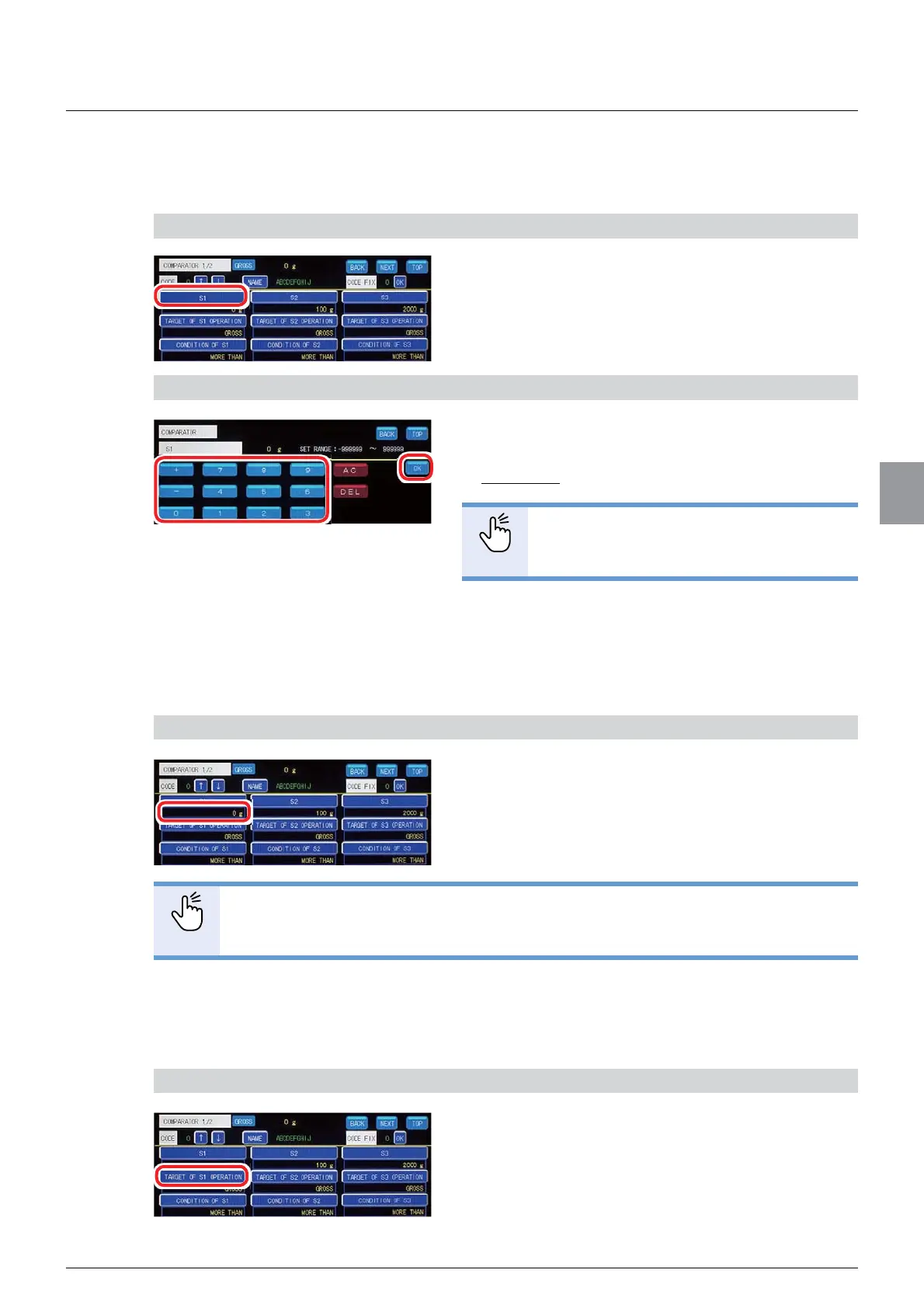
1. Tap [S1] on [COMPARATOR 1/2].
The screen to set set a comparison value for
&RQGLWLRQZLOOEHGLVSOD\HG
2) Set the comparison value
1. Enter the comparison value.
$OORZDEOHUDQJHWR
Default: 0
POINT
- Refer to "3.5. Input of numerical values"
IRUPRUHLQIRUPDWLRQDERXWKRZWRHQWHU
numerical values.
2. Tap [OK].
The comparison value for Condition1 has been set,
DQG>&203$5$725@ZLOOEHGLVSOD\HG
&RQ¿UPWKHVHWWLQJV
&RQ¿UPWKHFRPSDULVRQYDOXHV
The setting is completed if the value set by the step
2) appears under [S1].
POINT
- To set comparison values for Condition2 to Condition4, tap [S2] to [S4] and repeat
the same operation.
(2) Settings of comparative target
6HWJURVVZHLJKWVRUQHWZHLJKWVDVWKHFRPSDUDWLYHWDUJHW
1) Display the screen to set the comparative target for Condition1
1. Tap [TARGET OF S1 OPERATION] on
[COMPARATOR 1/2].
The screen to set set the comparative target for
&RQGLWLRQZLOOEHGLVSOD\HG



 To Next Page