134
Measurement
5
5.9. Measurement in 4 steps comparator mode
(5) Settings of the value of [FULL]
6HWWKHYDOXHLQZKLFKWKHZHLJKLQJYDOXHLVGHWHUPLQHGDVIXOO(QWHUWKHVHWWLQJVDVQHHGHG
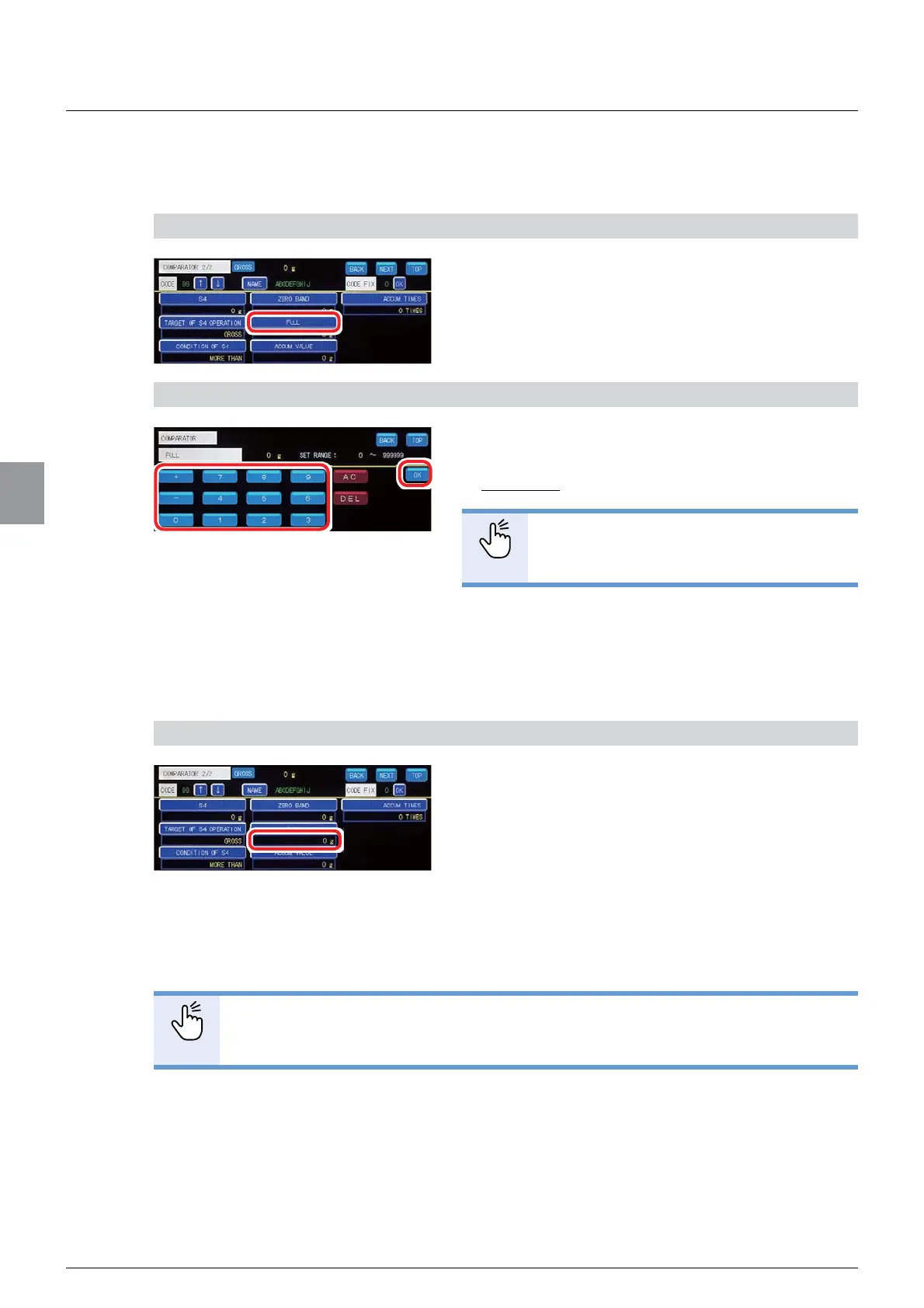
1) Display the screen to set the value of [FULL]
1. Tap [FULL] on [COMPARATOR 2/2].
7KHVFUHHQWRVHWWKHYDOXHRI>)8//@ZLOOEH
displayed.
2) Set the value of [FULL]
1. Enter the value of [FULL].
$OORZDEOHUDQJHWR
Default: 0
POINT
- Refer to "3.5. Input of numerical values"
IRUPRUHLQIRUPDWLRQDERXWKRZWRHQWHU
numerical values.
2. Tap [OK].
The value of [FULL] has been set, and
>&203$5$725@ZLOOEHGLVSOD\HG
&RQ¿UPWKHVHWWLQJV
&RQ¿UPWKHYDOXHRI>)8//@
The setting is completed if the value set by the step
2) appears under [FULL].
&RQ¿UPDWLRQ'HOHWLRQRI>$&&809$/8(@
,IDPHDVXUHPHQWLQVWHSVFRPSDUDWRUPRGHZDVPDGHLQWKHSDVW\RXFDQFKHFN
[ACCUM. VALUE] of the past measurement. You can also delete [ACCUM. VALUE].
POINT
- Refer to "5.11.10. Automatic accumulation settings" for more information about
the automatic accumulation function.



 To Next Page