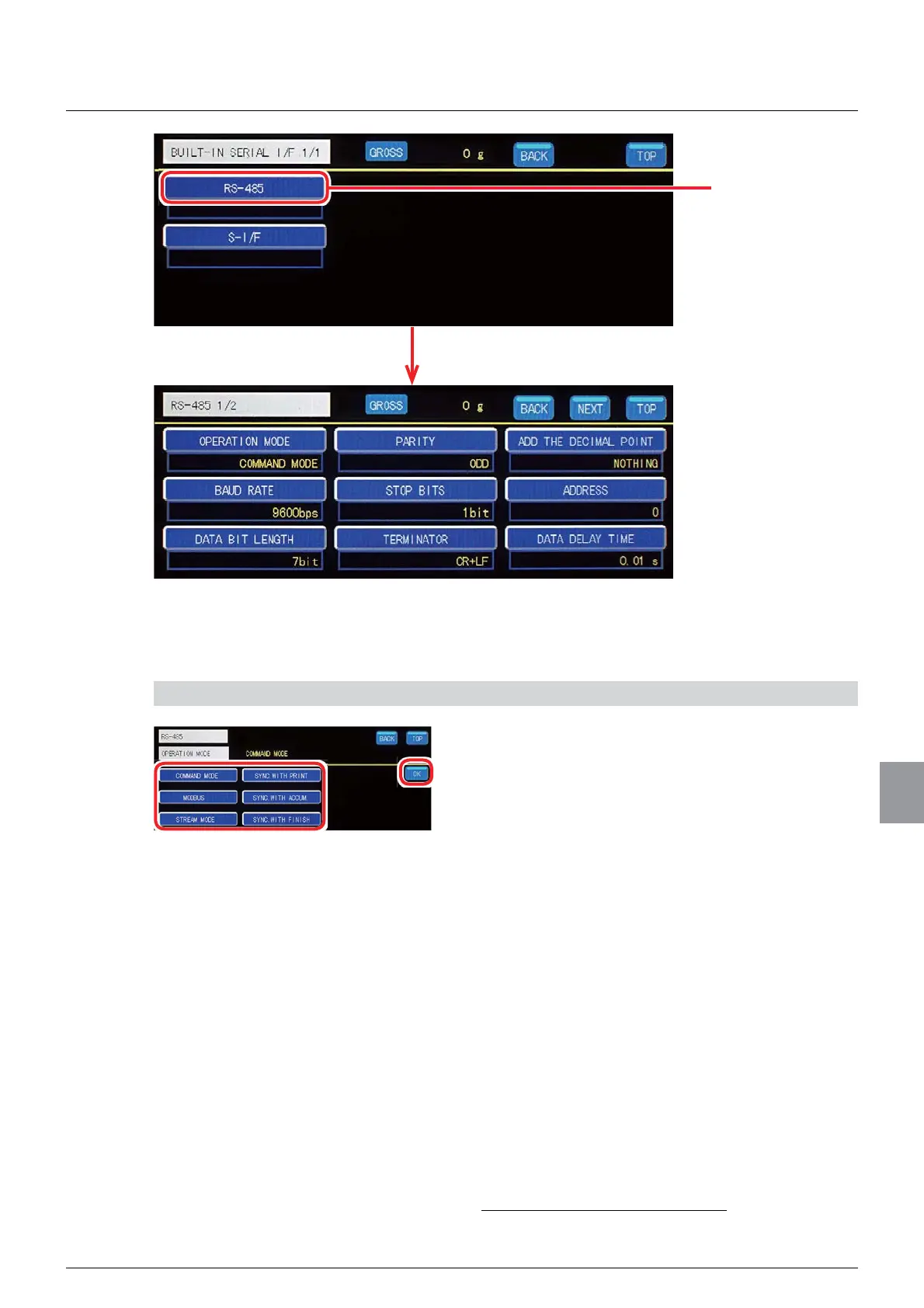
9.1.Standard RS-485 interface
207
External equipment
9
(1) Operation mode setting
Sets an operation mode of the standard RS-485 interface.
1) Set an operation mode
1. Select an operation mode.
COMMAND MODE:KHQFRPPDQGGDWDWKDWLV
in accordance with a format, is sent from the host,
such as a PC or a sequencer, to CSD-912B, data
corresponding to the sent command data is sent
back from CSD-912B to the host.
MODBUS8VHV0RGEXVFRPPXQLFDWLRQ
STREAM MODE&RQWLQXRXVO\RXWSXWVWKHODWHVW
data of the data that has been set as an output
target.
SYNC. WITH PRINT2XWSXWVGDWDWKDWKDVEHHQ
set as a target of output in synchronization with a
print command from external control input
SYNC. WITH ACCUM. 2XWSXWVGDWDWKDWKDV
been set as a target of output in synchronization
with an accumulation signal.
SYNC. WITH FINISH2XWSXWVGDWDWKDWKDV
been set as a target of output in synchronization
ZLWKD¿QLVKVLJQDO
,QLWLDOYDOXH&200$1'02'(
Tap [RS-485].
The RS-485 communication setting screen will be displayed.



 To Next Page