9.1.Standard RS-485 interface
212
External equipment
9
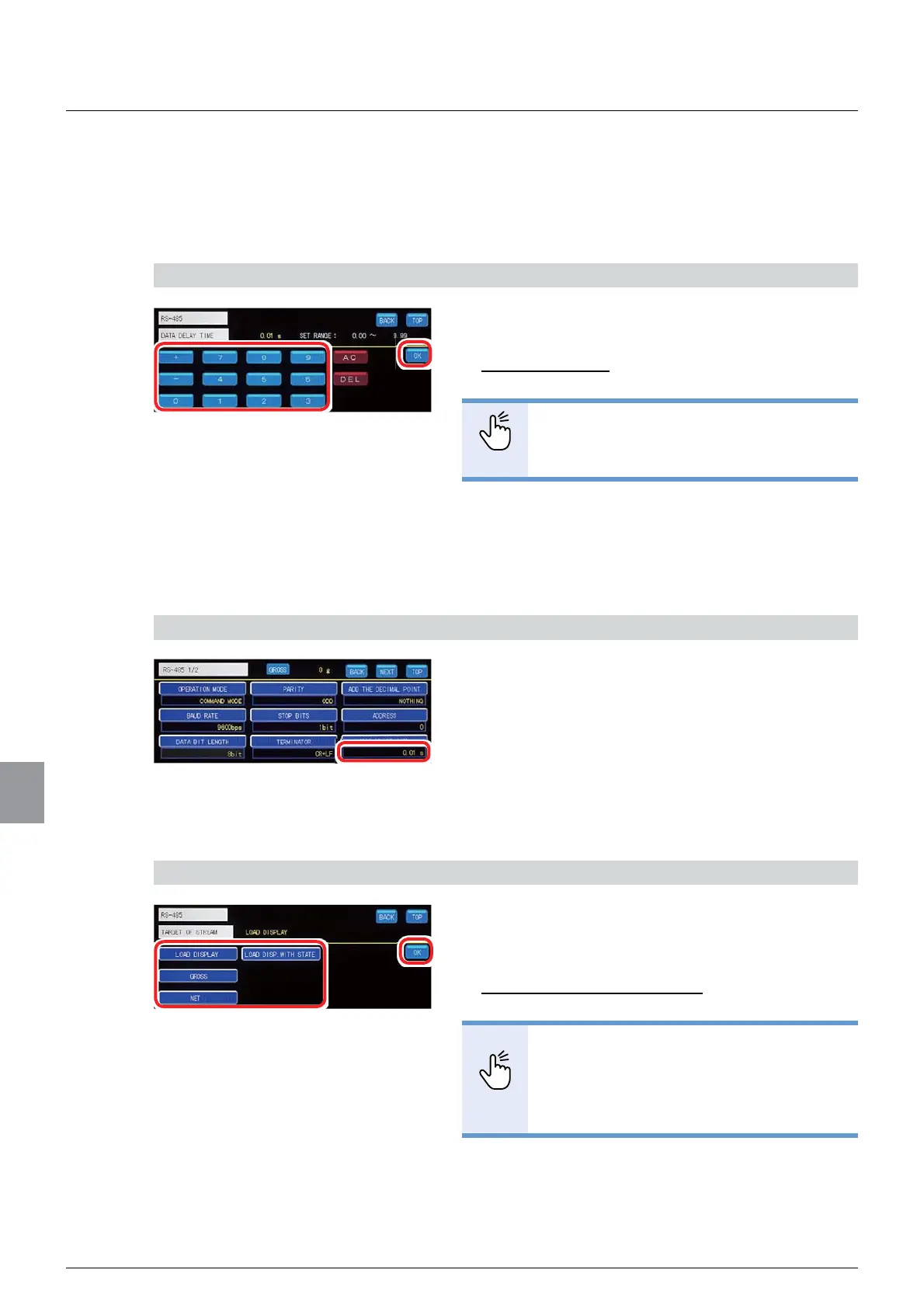
(9) Delay time setting
Sets a data delay time while communicating with RS-485. Data return from CSD-912B is
delayed when the sending terminal on the host side, such as a PC or a sequencer, is of low
impedance upon completion of the host-side transmission.
1) Set a delay time
1. Input a delay time.
6HWWDEOHUDQJHWR
,QLWLDOYDOXH
POINT
- Refer to “3.5. Input of numerical values”
for more information about how to enter
numerical values.
2. Tap [OK].
The delay time will be set, and [RS485 1/2] will be
displayed.
2) Check the setting that you set
1. Check the delay time.
The setting is completed if the value set by the step
1) above appears under [DATA DELAY TIME].
(10) Output target setting for stream mode
Sets data to be output when the operation mode is in stream mode.
1) Set an output target for stream mode
1. Select an output target in stream mode.
6HOHFWLRQV/2$'',63/$<*52661(7
/2$'',63:,7+67$7(
,QLWLDOYDOXH/2$'',63/$<
POINT
- The target that has been set here will be
DOVRRXWSXWZKHQ>6<1&:,7+35,17@
>6<1&:,7+$&&80@RU>6<1&
:,7+),1,6+@LVVHOHFWHGIRUWKH
operation mode.
2. Tap [OK].
The output target for stream mode will be set, and
[RS485 2/2] will be displayed.



 To Next Page