9.1.Standard RS-485 interface
211
External equipment
9
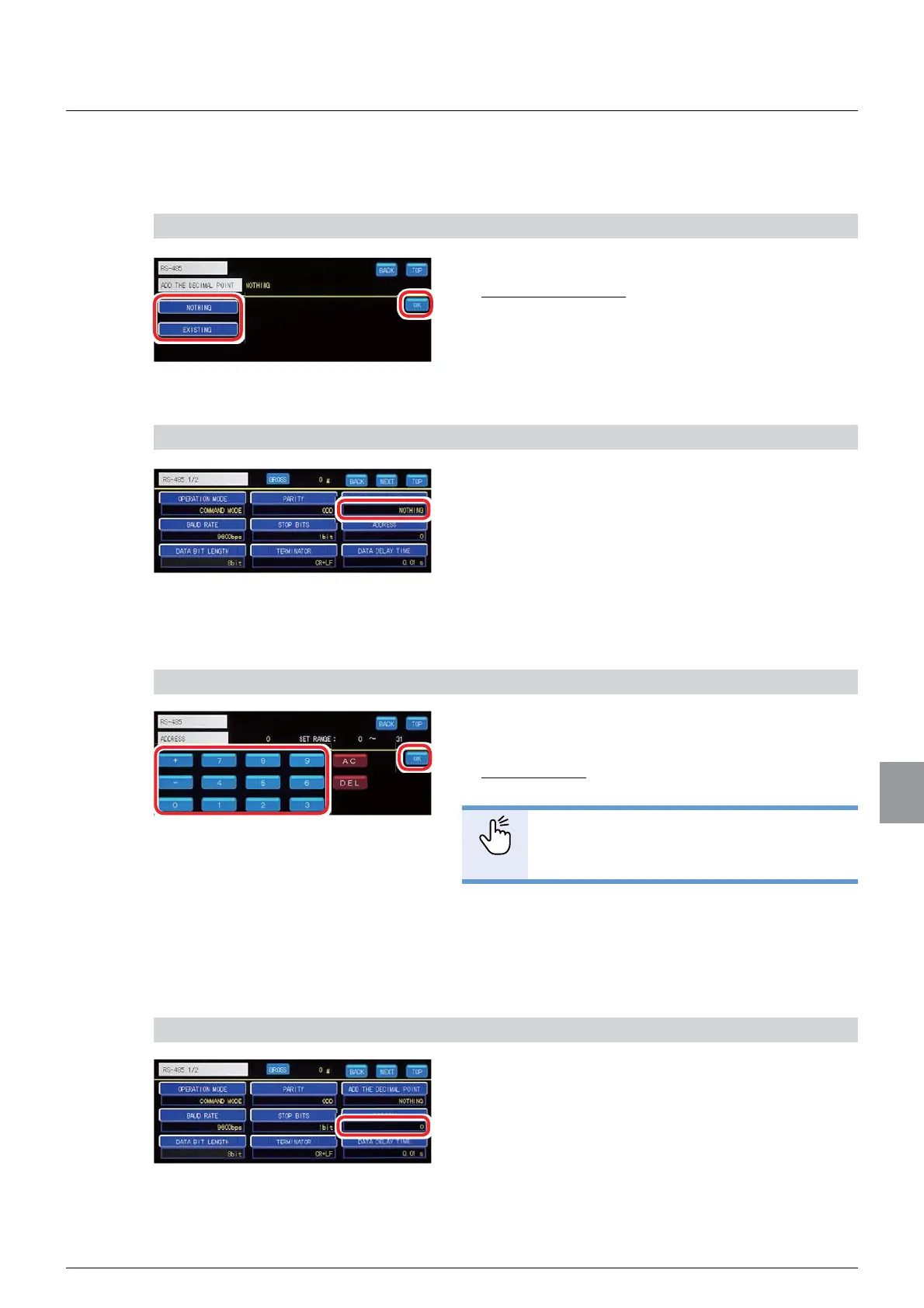
(7) Decimal point addition setting
Sets whether or not a decimal point is added to output data.
1) Set whether or not a decimal point is added
1. Tap [NONE]/[EXISTING].
,QLWLDOYDOXH121(
2. Tap [OK].
:KHWKHURUQRWDGHFLPDOSRLQWLVDGGHGZLOOEHVHW
and [RS485 1/2] will be displayed.
2) Check the setting that you set
1. Check the decimal point addition setting.
The setting is completed if the item set by the step
1) above appears under [ADD THE DECIMAL
POINT].
(8) Address setting
Sets an address number for communication.
1) Set an address number
1. Input an address number.
6HWWDEOHUDQJHWR
,QLWLDOYDOXH
POINT
- Refer to “3.5. Input of numerical values”
for more information about how to enter
numerical values.
2. Tap [OK].
The address number will be set, and [RS485 1/2]
will be displayed.
2) Check the setting that you set
1. Check the address number.
The setting is completed if the value set by the step
1) above appears under [ADDRESS].



 To Next Page