9.3.External control I/O
227
External equipment
9
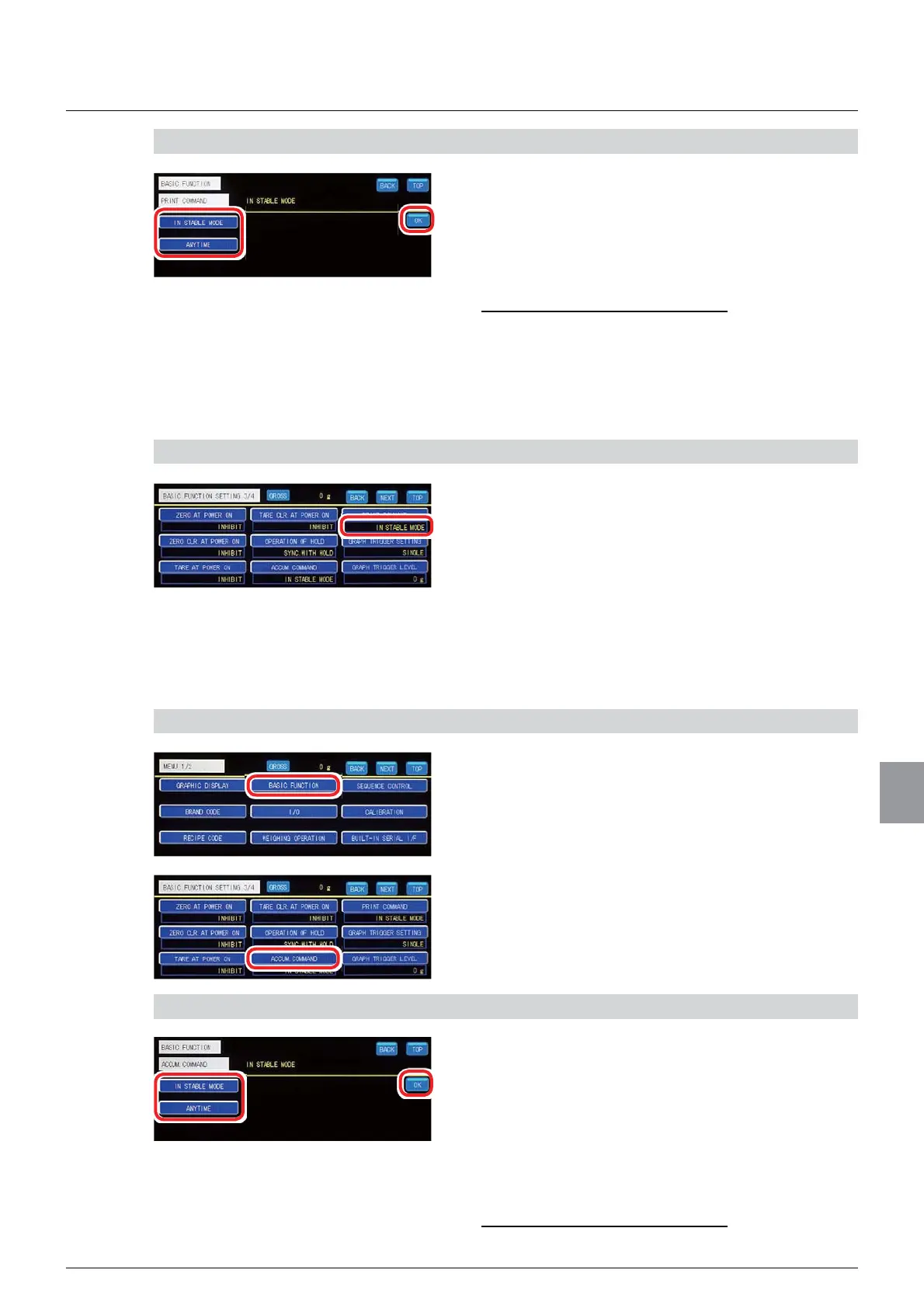
2) Set a print command acceptance condition
1. Select a print command acceptance condition.
IN STABLE MODE: Accepts the print command
only while the [STABLE] lamp on the weighing
screen is ON.
ANYTIME: Always accepts the print command.
,QLWLDOYDOXH,167$%/(02'(
2. Tap [OK].
The print command acceptance condition will be set,
and [BASIC FUNCTION 3/4] will be displayed.
3) Check the setting that you set
1. Check the print command acceptance
condition.
The setting is completed if the item set by the step
2) above appears under [PRINT COMMAND].
(6) Accumulation command acceptance condition setting
Sets an acceptance condition applicable when an accumulation command is input from
external control I/O, etc.
1) Display the accumulation command acceptance condition setting screen
1. Tap [BASIC FUNCTION] on [MENU 1/2].
[BASIC FUNCTION 1/4] will be displayed.
2. Tap [ACCUM. COMMAND] on [BASIC
FUNCTION 3/4].
The accumulation command acceptance condition
setting screen will be displayed.
2) Set an accumulation command acceptance condition
1. Select an accumulation command acceptance
condition.
IN STABLE MODE: Accepts the accumulation
command only while the [STABLE] lamp on the
weighing screen is ON.
ANYTIME: Always accepts the accumulation
command.
,QLWLDOYDOXH,167$%/(02'(



 To Next Page