9.3.External control I/O
226
External equipment
9
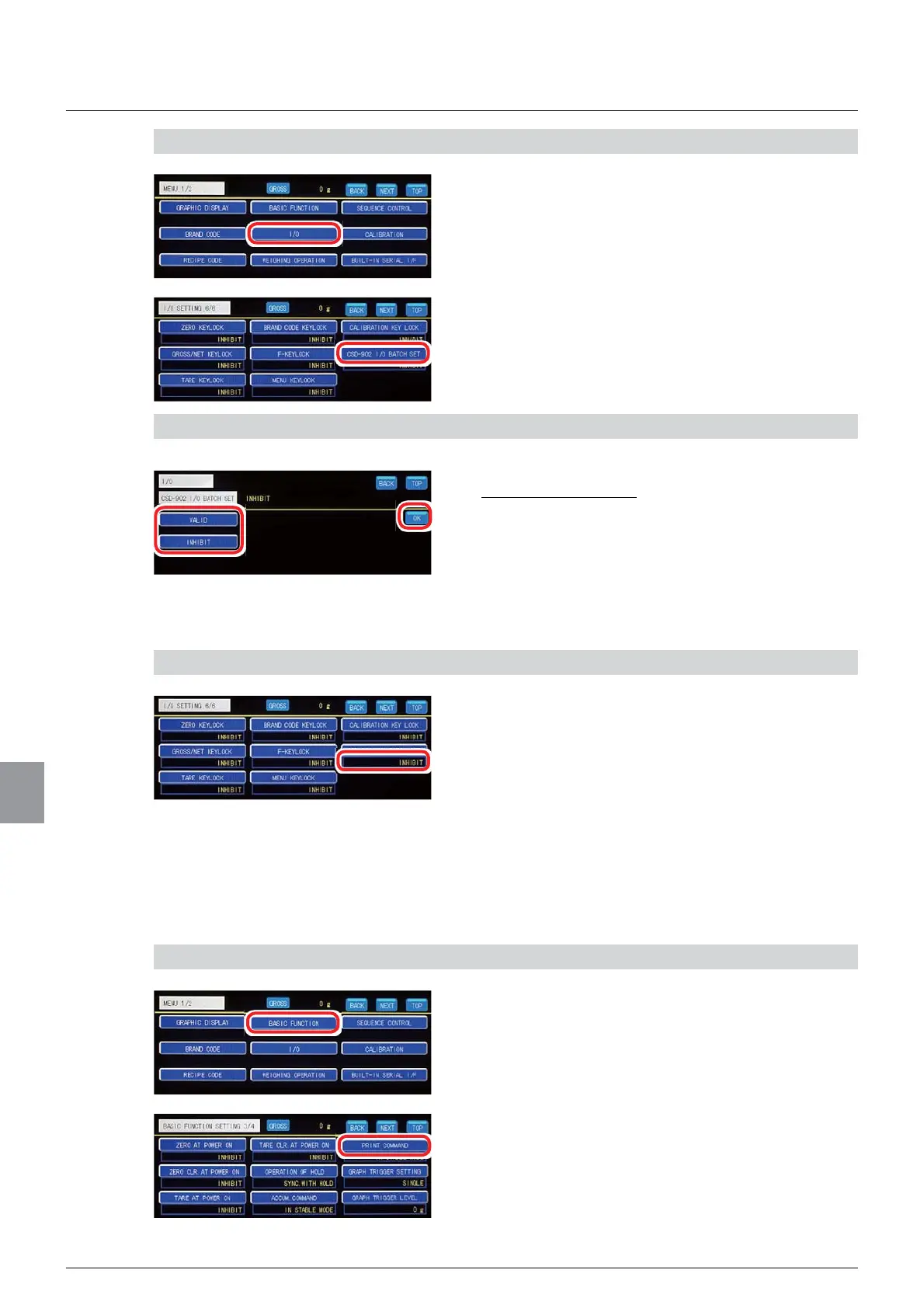
1) Display the I/O input/output batch setting screen
1. Tap [I/O] on [MENU 1/2].
[I/O SETTING 1/6] will be displayed.
2. Tap [CSD-902 I/O BATCH SET] on [I/O
SETTING 6/6].
The I/O input/output batch setting screen will be
displayed.
2) Batch set the I/O input/output
1. Tap [VALID]/[INHIBIT].
,QLWLDOYDOXH,1+,%,7
2. Tap [OK].
The I/O input/output settings will be batch set to
suitably set CSD-912B, and [I/O SETTING 6/6] will
be displayed.
3) Check the setting that you set
1. Check the I/O input/output batch setting.
The setting is completed if the item set by the step
2) above appears under [CSD-902 I/O BATCH
SET].
(5) Print command acceptance condition setting
Sets an acceptance condition applicable when a print command is input from external control
I/O, etc.
1) Display the print command acceptance condition setting screen
1. Tap [BASIC FUNCTION] on [MENU 1/2].
[BASIC FUNCTION 1/4] will be displayed.
2. Tap [PRINT COMMAND] on [BASIC
FUNCTION 3/4].
The print command acceptance condition setting
screen will be displayed.



 To Next Page