9.3.External control I/O
225
External equipment
9
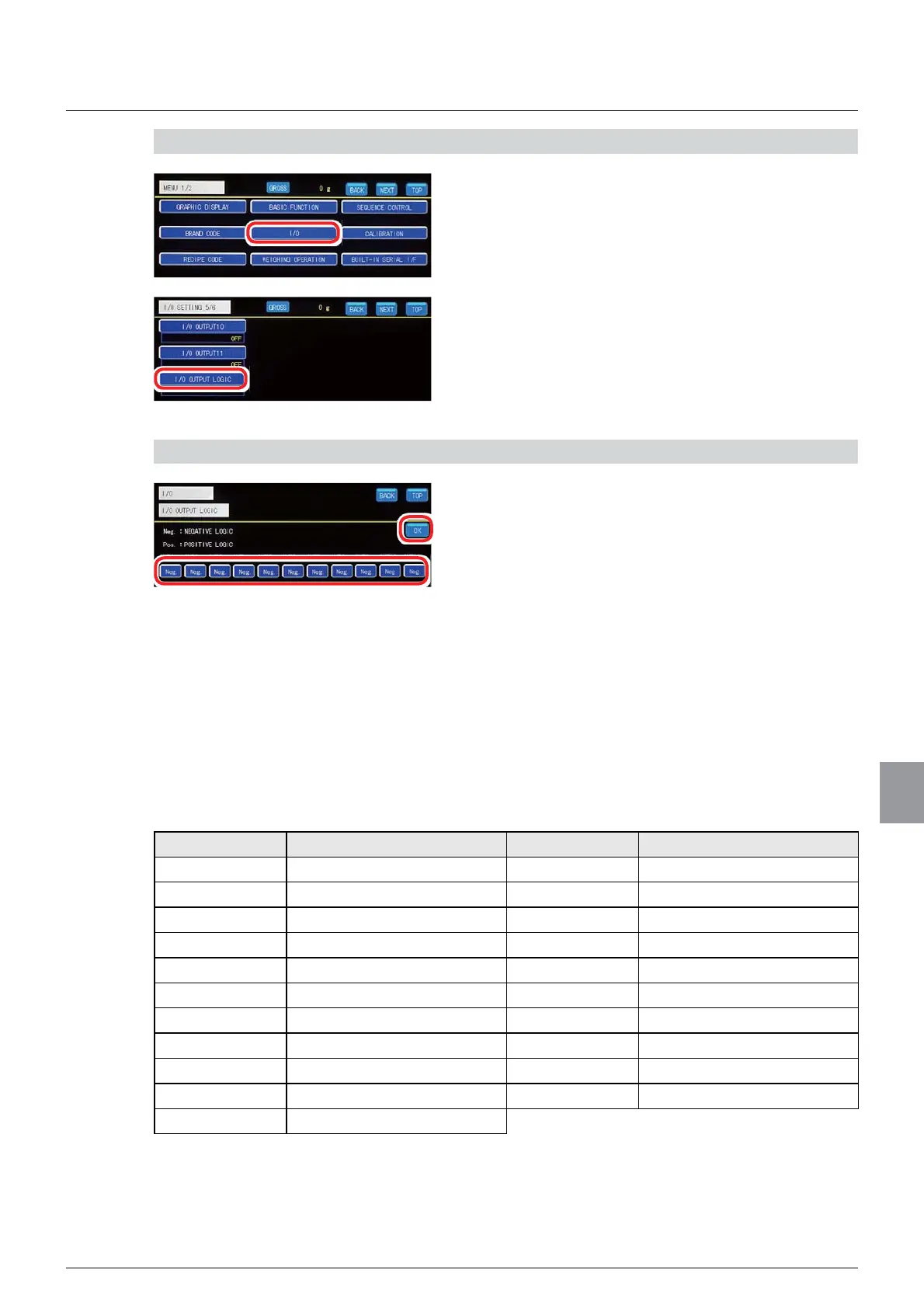
1) Display the I/O output logic setting screen
1. Tap [I/O] on [MENU 1/2].
[I/O SETTING 1/6] will be displayed.
2. Tap [I/O OUTPUT LOGIC] on [I/O SETTING
5/6].
The I/O output logic setting screen will be displayed.
2) Set an output logic for the I/O output
1. Switch between the two output logics for an
I/O output key.
Tap [Pos. ] (negative logic) or [Neg. ] (positive logic)
for your desired I/O output key. Each pressing
switches between [Pos. ] and [Neg. ].
2. Tap [OK].
The output logic of the I/O output will be set, and
[I/O SETTING 5/6] will be displayed.
(4) CSD-902 (or equivalent) I/O batch setting
Batch setting of the I/O input/output settings can be executed to suitably set CSD-912B.
7KHVHWWLQJLWHPVDUHDVIROORZV
I/O input Description I/O output Description
I/O INPUT1 ZERO I/O OUTPUT1 2.
I/O INPUT2 TARE I/O OUTPUT2 ))/2:6
I/O INPUT3 TARE CLEAR I/O OUTPUT3 0)/2:6
I/O INPUT4 BATCH/DISCHARGE I/O OUTPUT4 ')/2:6
I/O INPUT5 BATCH START I/O OUTPUT5 29(56
I/O INPUT6 FORCED BATCH FINISH I/O OUTPUT6 UNDER
I/O INPUT7 CODE NO. 1 I/O OUTPUT7 ERROR
I/O INPUT8 CODE NO. 2 I/O OUTPUT8 STABLE
I/O INPUT9 CODE NO. 4 I/O OUTPUT9 ZERO BAND
I/O INPUT10 CODE NO. 8 I/O OUTPUT10 BATCH FINISH
I/O INPUT11 HOLD



 To Next Page