9.3.External control I/O
224
External equipment
9
Function name Description
HOPPER1 to 10 FULL
)/2:
2XWSXWVDVLJQDOVXFKDVIXOOÀRZPHGLXPÀRZRUGULEEOHÀRZWRD
hopper number that has been directly set without AND control.
Up to 10 brand hoppers can be controlled.
HOPPER1 to 10
0(',80)/2:
HOPPER1 to 10
'5,%%/()/2:
IN. SIMILARTY OUT. Outputs the input signal for similarity output when external control
input is input.
Before use, be sure to set [IN. FOR·SIMILAR OUT. ] of the external
control input as well.
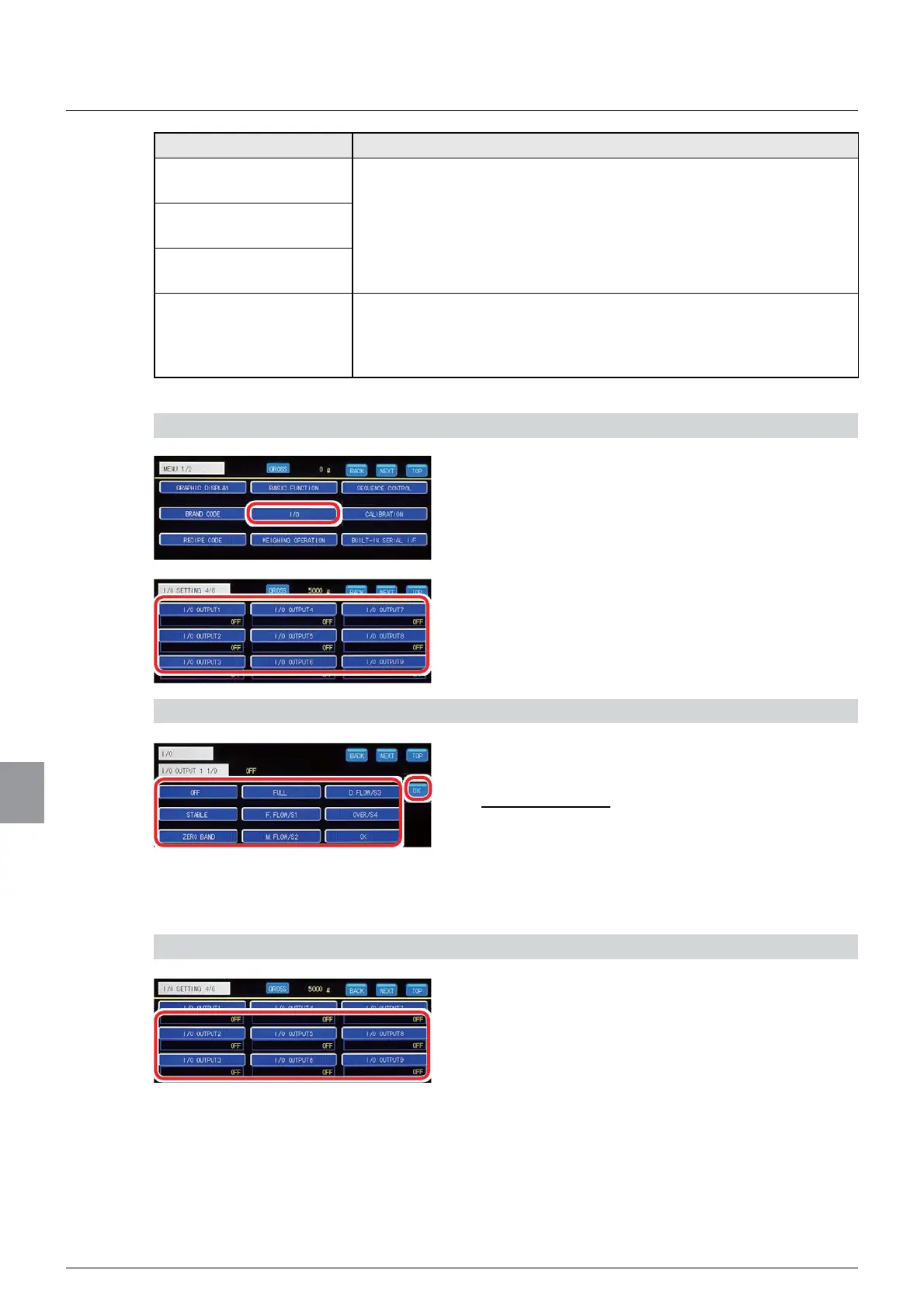
1) Display the I/O output setting screen
1. Tap [I/O] on [MENU 1/2].
[I/O SETTING 1/6] will be displayed.
2. Tap your desired I/O output key on [I/O
SETTING 4/6] or [I/O SETTING 5/6].
The I/O output setting screen will be displayed.
2) Set a function to the I/O output
1. Select a function to be assigned to the I/O
output.
,QLWLDOYDOXH2))
2. Tap [OK].
The function will be assigned, and [I/O SETTING
4/6] or [I/O SETTING 5/6] will be displayed.
3) Check the setting that you set
1. Check the I/O output setting.
The setting is completed if the item set by the step
2) above appears under each I/O output key.
(3) CONTROL I/O connector output logic setting
7KHRXWSXWORJLF>1(*$7,9(/2*,&@RU>326,7,9(/2*,&@LVVHWIRUHDFK,2RXWSXW



 To Next Page