9.7.RS-422/485 interface
258
External equipment
9
(1) RS-422/RS-485
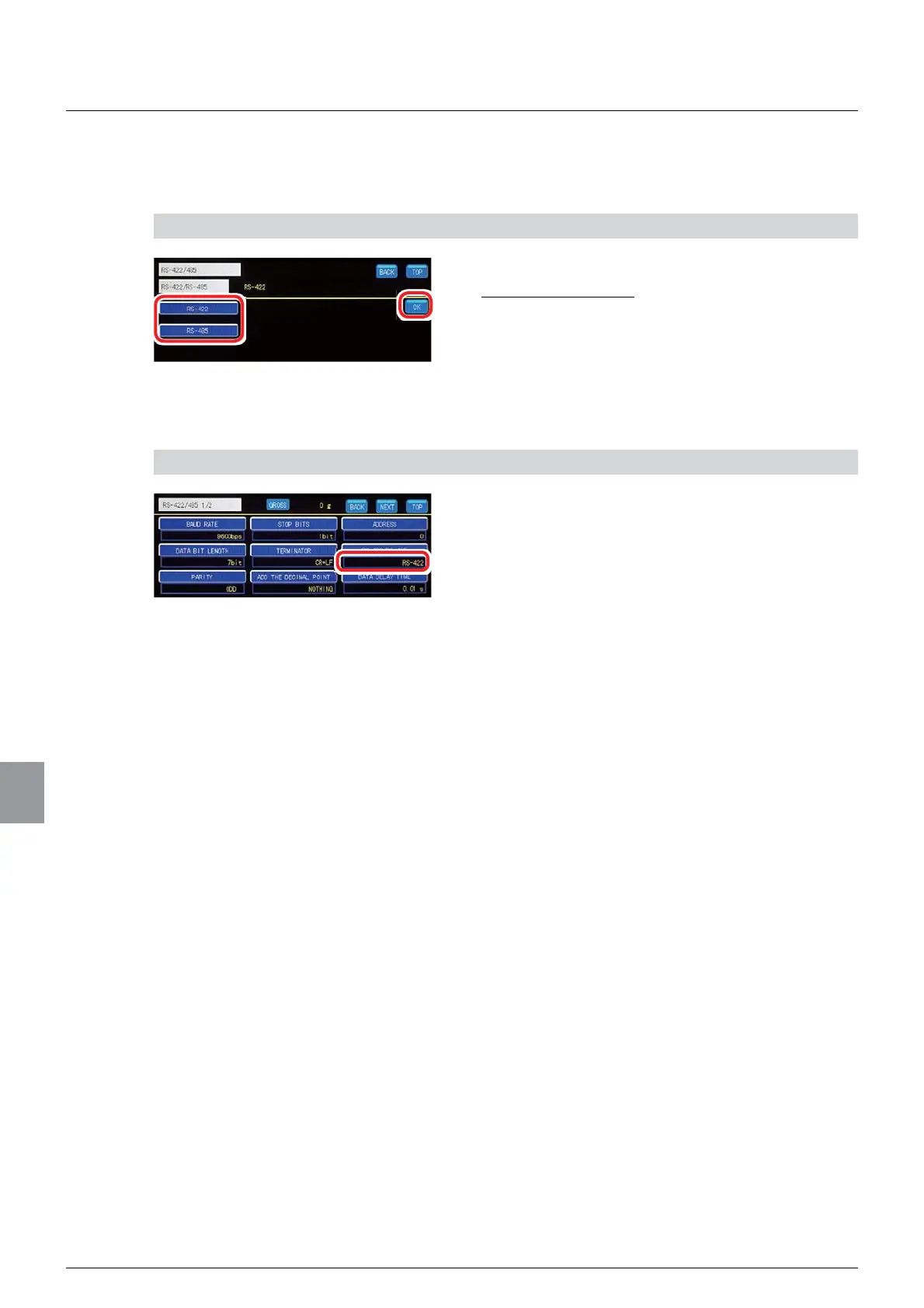
Switches the communication method between RS-422 and RS-485.
1) Switch the communication method
1. Tap [RS-422]/[RS-485].
,QLWLDOYDOXH56
2. Tap [OK].
The communication method will be switched, and
the RS-422/485 communication setting screen 1/2
will be displayed.
2) Check the setting that you set
1. Check the communication method.
The setting is completed if the item set by the step
1) above appears under [RS-422/RS-485].



 To Next Page