4.4.Adjustment after calibration
41
4
Calibration
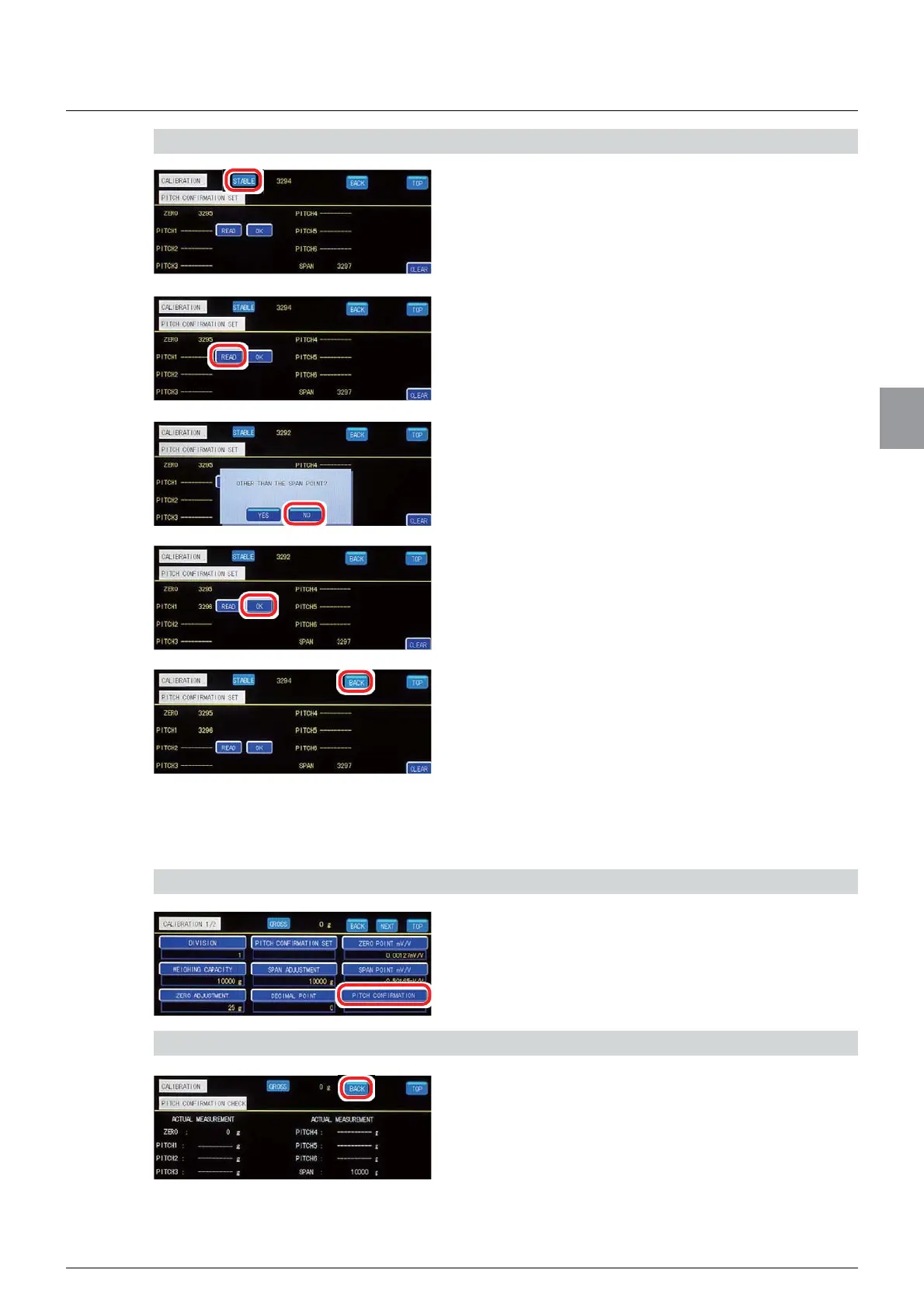
3) Register the span point
1. Place a load whose mass is the same as that
of the span point.
Wait until the [STABLE] lamp lights on [PITCH
CONFIRMATION SET] screen.
2. Tap [READ] of the number of the last pitch
point.
A message [OTHER THAN THE SPAN POINT?] will
be displayed.
3. Tap [NO].
The A/D count value of the span point appears.
&RQ¿UPWKDWWKHGLVSOD\HG$'FRXQWYDOXH
corresponds to the span point, then tap [OK].
The span point has been registered.
5. Tap [BACK].
The screen returns to [CALIBRATION 1/2].
&RQ¿UPWKHSLWFKSRLQWV
&RQ¿UPWKH$'FRXQWYDOXHRIHDFKUHJLVWHUHGSLWFKSRLQW
'LVSOD\3LWFKFRQ¿UPDWLRQVFUHHQ
1. Tap [PITCH CONFIRMATION] on
[CALIBRATION 1/2].
3LWFKFRQ¿UPDWLRQVFUHHQZLOOEHGLVSOD\HG
&RQ¿UP>$&78$/0($685(0(17@
&RQ¿UP>$&78$/0($685(0(17@RIWKH
numbers of the registered pitches.
2. Tap [BACK].
The screen returns to [CALIBRATION 1/2].



 To Next Page