EasyManua.ls Logo

Minebea CSD-912B - User Manual

Default Icon
366 pages
Print Icon
To Next Page IconTo Next Page
Loading...
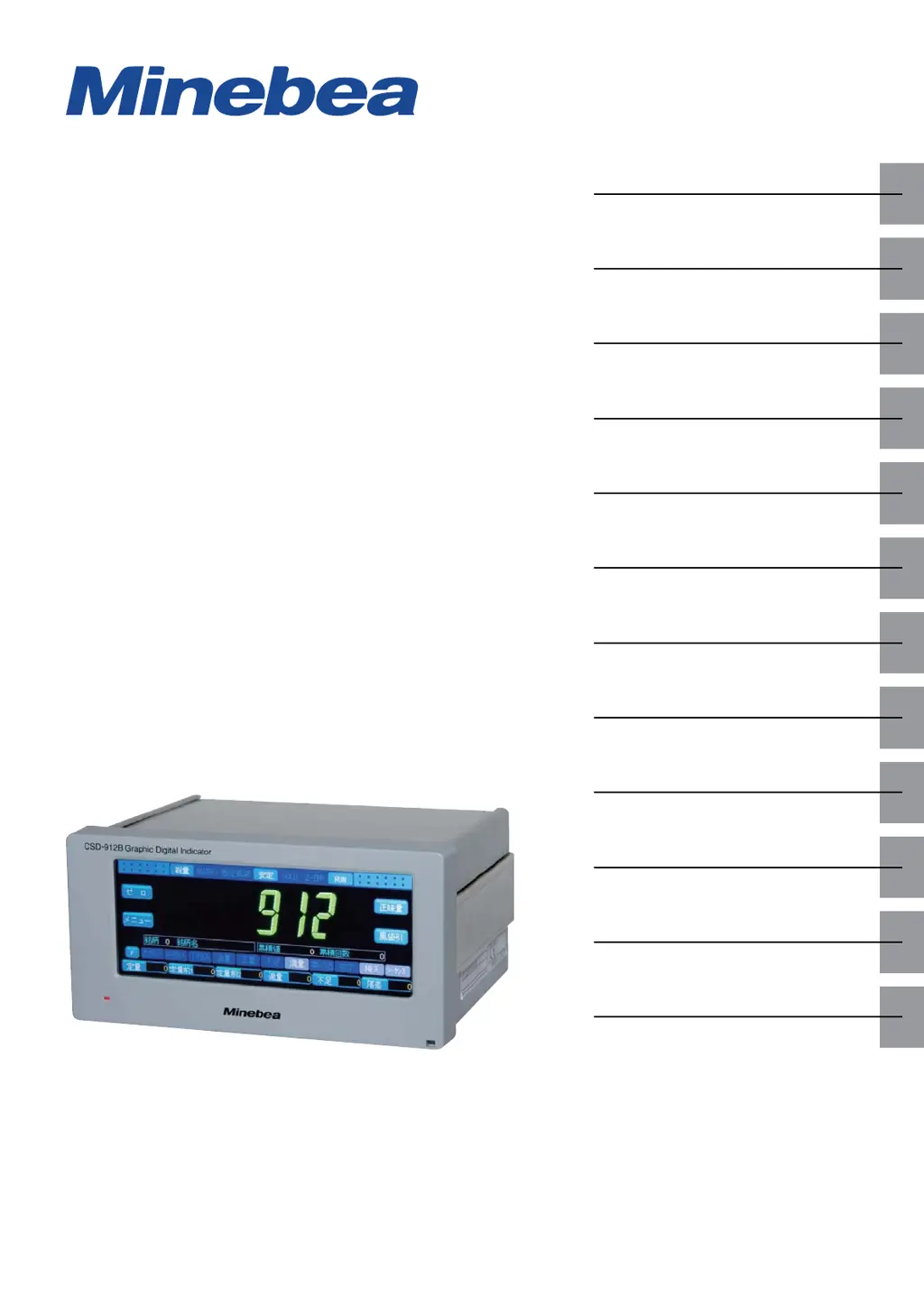
GRAPHIC DIGITAL INDICATOR
CSD-912B
Instruction Manual
EN294-1764-B
Product
summary
Wiring
Basic
operations
Calibration
Measurement
Graphic
display
Various
settings
Data
management
External
device
Maintenance
Troubleshooting
Appendix

Table of Contents

Questions and Answers

  • K
    Kenneth AvilaSep 9, 2025
    Why I cannot control communication on Minebea Touch Panel?
    • C
      christopher80Sep 9, 2025
      If you cannot control communication on your Minebea Touch Panel, it might be because the communication flow is being controlled by the host. To resolve this, configure the settings so that the communication flow is not controlled on the host side.
  • O
    Olivia DelgadoSep 7, 2025
    Why can't I use the RS-422 interface on my Minebea Touch Panel?
    • M
      Mr. Timothy SmithSep 8, 2025
      If the RS-422 interface cannot be used on your Minebea Touch Panel, the RS-422/RS-485 interface may have been incorrectly switched. Make sure to correctly switch the RS-422/RS-485 interface.
  • J
    Jennifer PenaAug 22, 2025
    How to fix Minebea Touch Panel when the power LED doesn't light?
    • F
      Frances TrujilloAug 22, 2025
      If the power LED on your Minebea Touch Panel doesn't light, it could be due to several reasons. First, ensure that the supply power voltage is within the range of 100 V AC to 240 V AC (allowable variable range: 85 V AC to 264 V AC). Also, check that the power cable is correctly wired. Finally, the fuse may have blown, in which case you should replace it.
  • S
    Stephanie AndersonSep 5, 2025
    What to do if Minebea Touch Panel host doesn't respond?
    • E
      Ebony HarperSep 5, 2025
      If the host does not respond to the Minebea Touch Panel, the currently set data delay time for CSD-912B may be too short. Set the data delay time of the RS-485 interface to a higher value.
  • T
    Toni GrossSep 4, 2025
    How to resolve communication control issues with Minebea Touch Panel?
    • K
      Kevin GordonSep 4, 2025
      If communication cannot be controlled on your Minebea Touch Panel, the communication flow may be controlled by the host. Adjust the settings so that the communication flow is not controlled on the host side.
  • B
    Brendan VegaSep 2, 2025
    How do I resolve signal transmission issues with the BCD output on my Minebea Touch Panel?
    • J
      Jasmine PatelSep 2, 2025
      To address signal transmission issues with the BCD output on your Minebea Touch Panel, start by ensuring the BCD output is correctly wired with the external equipment. Also, verify that the functions related to the BCD output of CSD-912B are set according to the specifications of the external equipment, ensuring that an output other than BCD is not being sent.
  • L
    Lucas WalkerSep 1, 2025
    How do I fix Minebea Touch Panel when signals are not transmitted through the analog output?
    • L
      Lori AtkinsSep 1, 2025
      If signals are not transmitting through the analog output on your Minebea Touch Panel, first, ensure that the analog output is correctly wired. Also, check that the voltage output load resistance is appropriate for the specifications: Voltage output load resistance should be 20KΩ or more, and current output load resistance should be 250Ω or less.
  • S
    Susan MckeeAug 31, 2025
    Why is my Minebea Touch Panel host not responding and how can I fix it?
    • M
      martinezkimberlyAug 31, 2025
      If the host is not responding to your Minebea Touch Panel, the data delay time for CSD-912B may be too short. Try setting the data delay time of the standard RS-485 interface to a higher value.
  • E
    Earl BridgesAug 30, 2025
    How to troubleshoot signal transmission issues with Minebea Touch Panel using a 2-wires method serial interface?
    • D
      Dennis JonesAug 30, 2025
      To resolve signal transmission problems when using the 2-wires method serial interface on your Minebea Touch Panel, check that the interface is correctly wired. Also, verify that the communication protocol is correctly set according to the data format.
  • T
    Tiffany RobertsAug 28, 2025
    What causes signal transmission failure in Minebea Touch Panel external control I/O and how to fix it?
    • T
      Timothy RodriguezAug 29, 2025
      If signals are not being transmitted through the external control I/O on your Minebea Touch Panel, it may be due to incorrect wiring or assignment. Ensure that the external control I/O is correctly wired and properly assigned on the CSD-912B.

Minebea CSD-912B Specifications

General IconGeneral
BrandMinebea
ModelCSD-912B
CategoryTouch Panel
LanguageEnglish

Related product manuals