Operation and Maintenance
206
Mitel 415/430 as of R4.1
syd-0580/1.2 – R4.1 – 08.2016
Tab. 98 Warning Mode combination patterns
6. 4. 3. 8 Boot Mode
The boot mode enables an Emergency Upload via the Ethernet interface. This is re-
quired whenever there is no longer any executable system software stored on the com-
munication server for whatever reason or if a downgrade to an older software version
is to be carried out.
The Boot Mode is indicated by the SYS-LED flashing red.
To access the boot mode press the control key during the LED test red, which is exe-
cuted during the start-up phase (see pattern[1]
, Tab. 92). The length of time the pilot
key is pressed is irrelevant. The red LEDs go off once the control key is pressed. After
a wait time of approx. 30 seconds, Pattern [21]
of the boot mode is displayed.
Tab. 99 Combination patterns in Boot Mode
The boot mode remains active until the Emergency Upload is completed or the system
is restarted manually.
6. 4. 3. 9 Shutdown Mode
If, for maintenance purposes, the communication server is disconnected from the
power supply, it must be shut down under control (see "
Shutting down the communica-
tion server", page 209). It then remains in Shutdown Mode for three minutes before it
starts again automatically. During this period the communication server can be discon-
nected from power supply.
Notes:
Never disconnect the communication server from the power supply to trigger a restart. This can
result in data losses and prevent a restart.
Combination pattern [22] is displayed in shutdown mode.
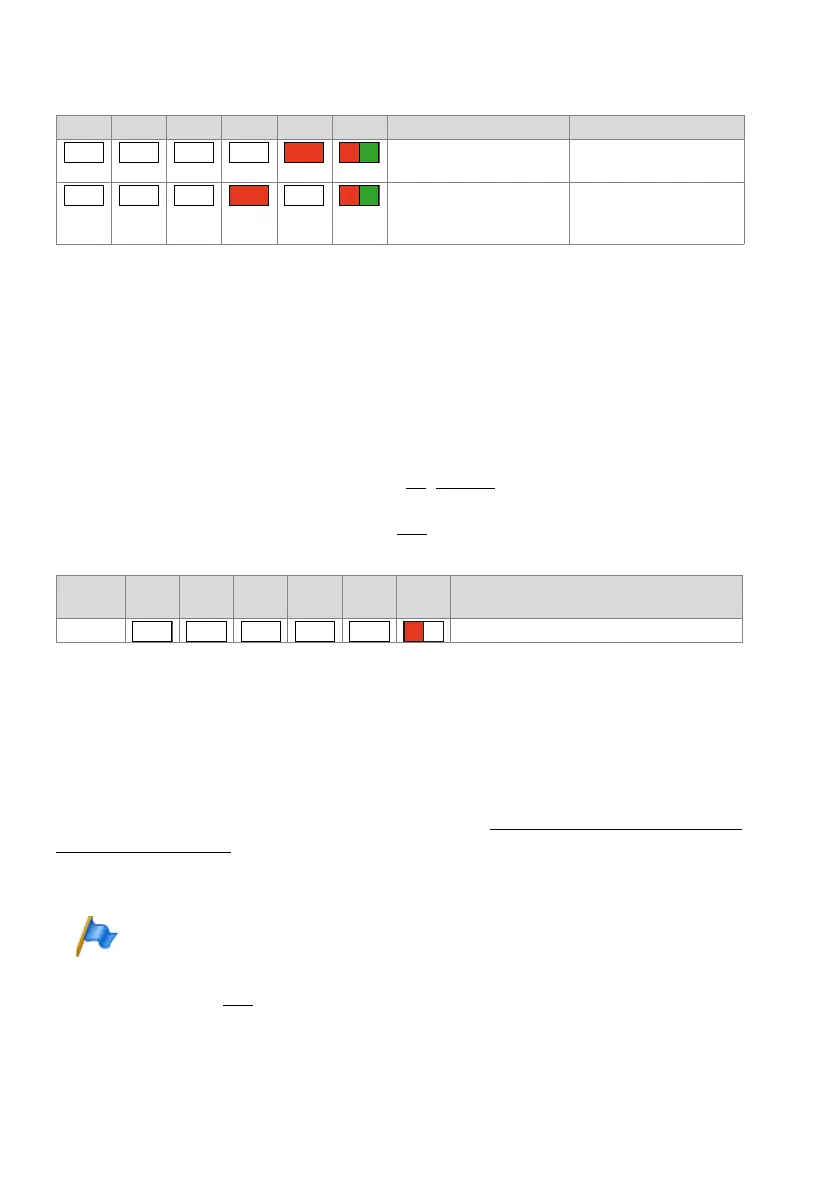
F0 F1 F2 F3 F4 SYS Category / Description Remedy
Fan out of operation Check connections or
replace fan
Oscillator Tuning Block miss-
ing (can cause DECT prob-
lems)
Contact Support. The Oscil-
lator Tuning Block has to be
loaded.
Pattern
No.
F0 F1 F2 F3 F4 SYS Meaning
[21] Boot Mode active
– – – –
– – –
–
– – – – –



 To Next Page