Installation
102
Mitel 415/430 as of R4.1
syd-0580/1.2 – R4.1 – 08.2016
4. 6. 1 Direct connection
Standard commercial cables are used to connect directly to the telephone network. De-
tails can be found in the Chapter "Network interfaces", page 106.
4. 6. 2 Indirect connection
There are two possibilities for connecting the communication server indirectly to the
telephone network and terminal-side cabling:
• Connection via main distribution board
• Connection to a universal building cable installation (UBC)
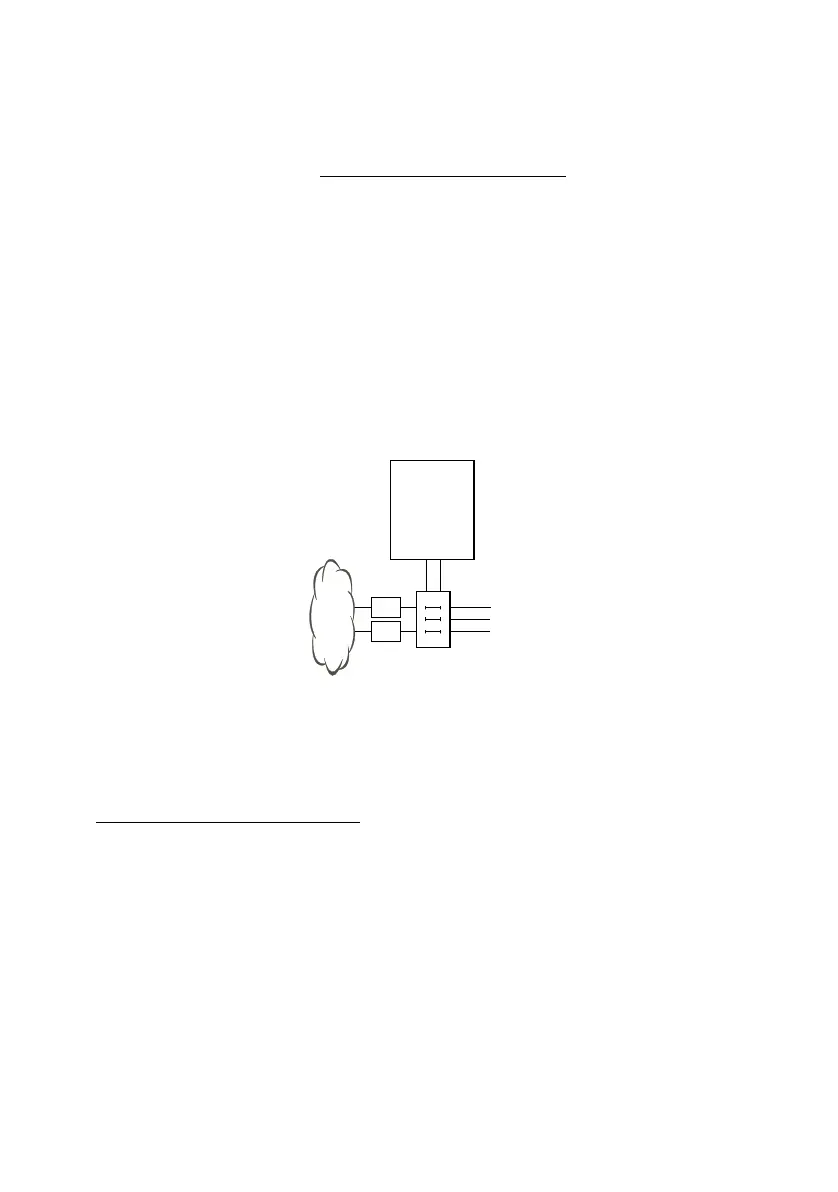
4. 6. 2. 1 Connection via main distribution board
Fig. 26 Connection via main distribution board
The interface sockets on the front panel are connected with the (main) distribution
frame or the patch panels using either patch cables or prefabricated system cables
(see "
Equipment Overview", page 245).
Prefabricated system cable 12 x RJ45
The cable is 6 m long and, at one extremity, has 12 RJ45 connectors for the interfaces
on the front panel. Two of them have 4 cores; the others, 2 cores. This means the ca-
ble is suitable for connecting the following interfaces:
• 2 network interfaces BRI-T or 2 terminal interfaces BRI-S or a combination thereof.
• 10 terminal interfaces (DSI, FXS) or a combination thereof.
NT1
NT1
Communica-
tion server
(Main)
distribution
board



 To Next Page