Operation and Maintenance
211
Mitel 415/430 as of R4.1
syd-0580/1.2 – R4.1 – 08.2016
Note:
You are strongly advised to keep the remote access to the AIN via an external dial-up connec-
tion open only for as long as necessary. There is no time limit to the access and it remains in
place even after a system restart.
6. 4. 4. 6 Carrying out a first start
The following sequence carries out a system first start.
Note:
A first start deletes all the configuration data already stored and replaces it with the default val-
ues of the sales channel. Therefore, always back up the configuration data before a first start.
The system-specific data such as the system ID, system type, sales channel, licence code, soft-
ware generation and IP address of the system are preserved.
Requirement:
The system is in "Boot Command Mode", page 205.
1. Press the pilot key briefly.
→ "F1" lights up red.
2. Press the pilot key with a long keypress (LC).
→ After 2 second keypress "F1" lights up green by way of confirmation.
→ The first start is initiated once the key is released.
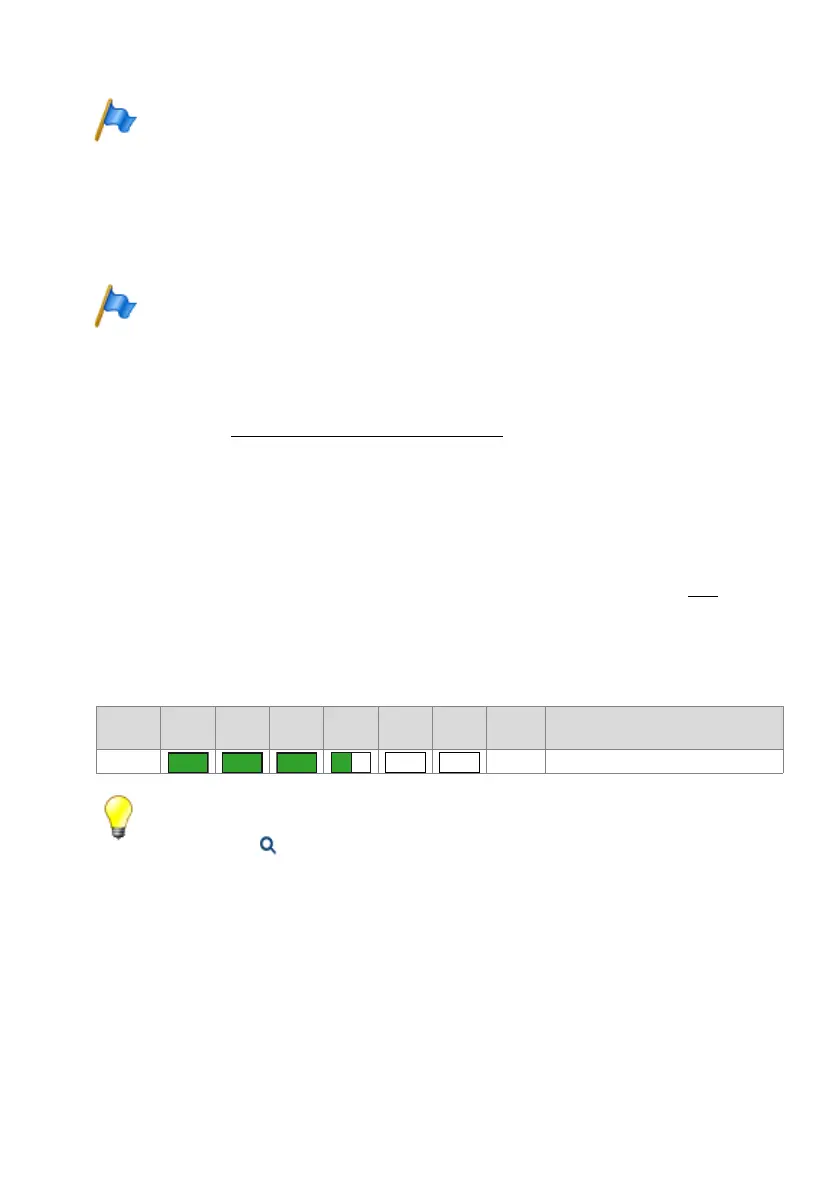
→ The system now deletes the database. This is indicated with Pattern [19]
. There-
after, the system changes to Normal Mode after a brief interruption. It now still re-
mains up to five minutes until the communication server is accessible with
WebAdmin.
Tab. 102 Patterns while the database is deleted as a result of a first start
Tip:
You can also initiate a first start of the communication server via WebAdmin in the Maintenance
/ System reset ( =4e) view. There you can also reset the sales channel in addition to a first
start.
Pattern
No.
F0 F1 F2 F3 F4 SYS
Dura-
tion [s]
Meaning
[19] ~5 Deleting the database
– –



 To Next Page