Installation
147
Mitel 415/430 as of R4.1
syd-0580/1.2 – R4.1 – 08.2016
4. 8 Installing, powering, connecting and registering termi-
nals
4. 8. 1 IP system phones
Accesses
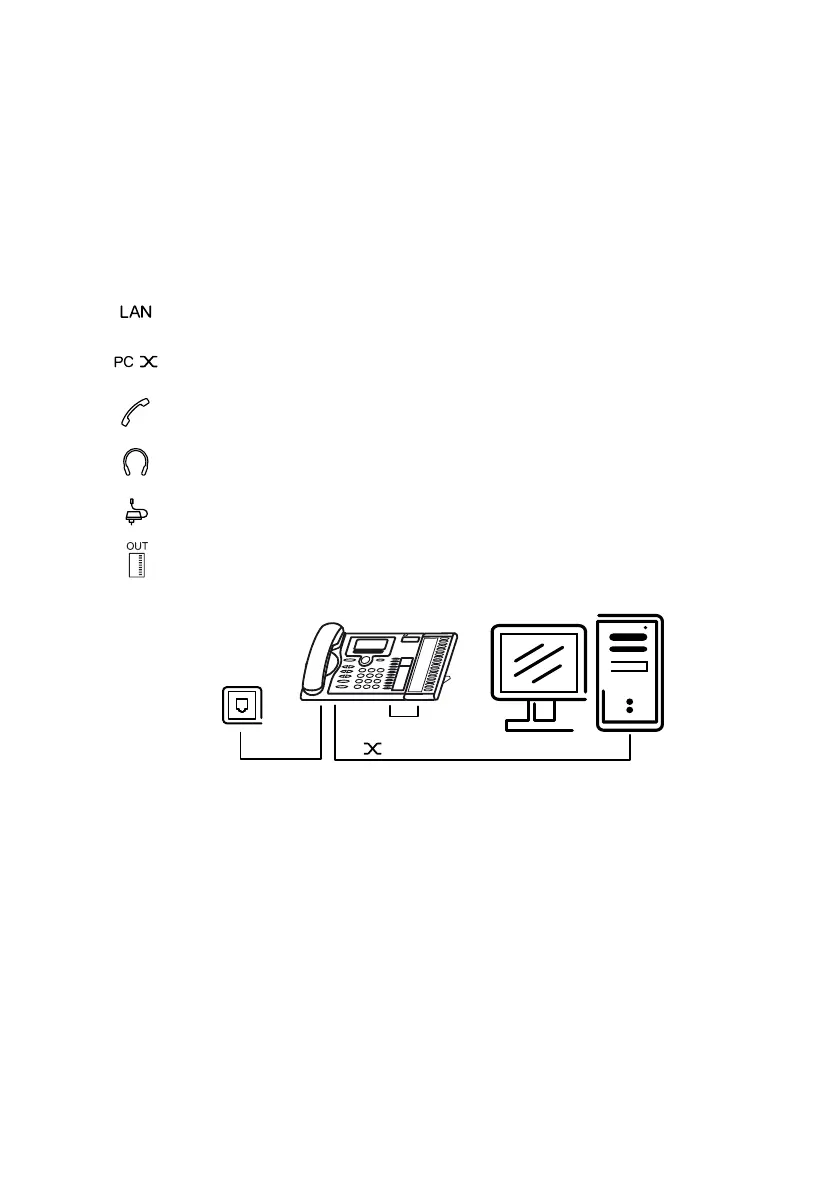
Tab. 76 Socket connections of the IP system phones of the MiVoice 5300 IP series
Integrated switch (MiVoice 5370 IP and MiVoice 5380 IP)
You can use the integrated 100Base-T mini-switch to connect other network terminals
(e.g. PC, printer), thereby reducing the amount of cabling required.
Power supply
If your network supports Power-over-Ethernet, the IP system phone is powered directly
via the LAN connection and there is no need to connect the power supply available as
an option.
PoE Ethernet interface for connection to the IP network
Socket connection for a workstation PC (integrated 100Base-T switch, available on MiVoice 5370 IP
and MiVoice 5380 IP)
Handset socket
Headset socket
Power supply socket for connecting a power supply if PoE is not available
Connect expansion key module MiVoice M530⁄MiVoice M535 (available on MiVoice 5370 IP and
MiVoice5380IP)



 To Next Page