Morgana DocuMaster MFC - Service Manual 243
7. Electrical and Control System - Crease Control Software Updates though a PICkit 2 Programmer
The creaser control software file can be downloaded from the dealer portal on the
Morgana website (see Section 7.4.2).
Note: If you do not have PICkit 2 programmer, you can replace
the creaser processor PCB to update the creaser control
software (see Section 4.12.1).
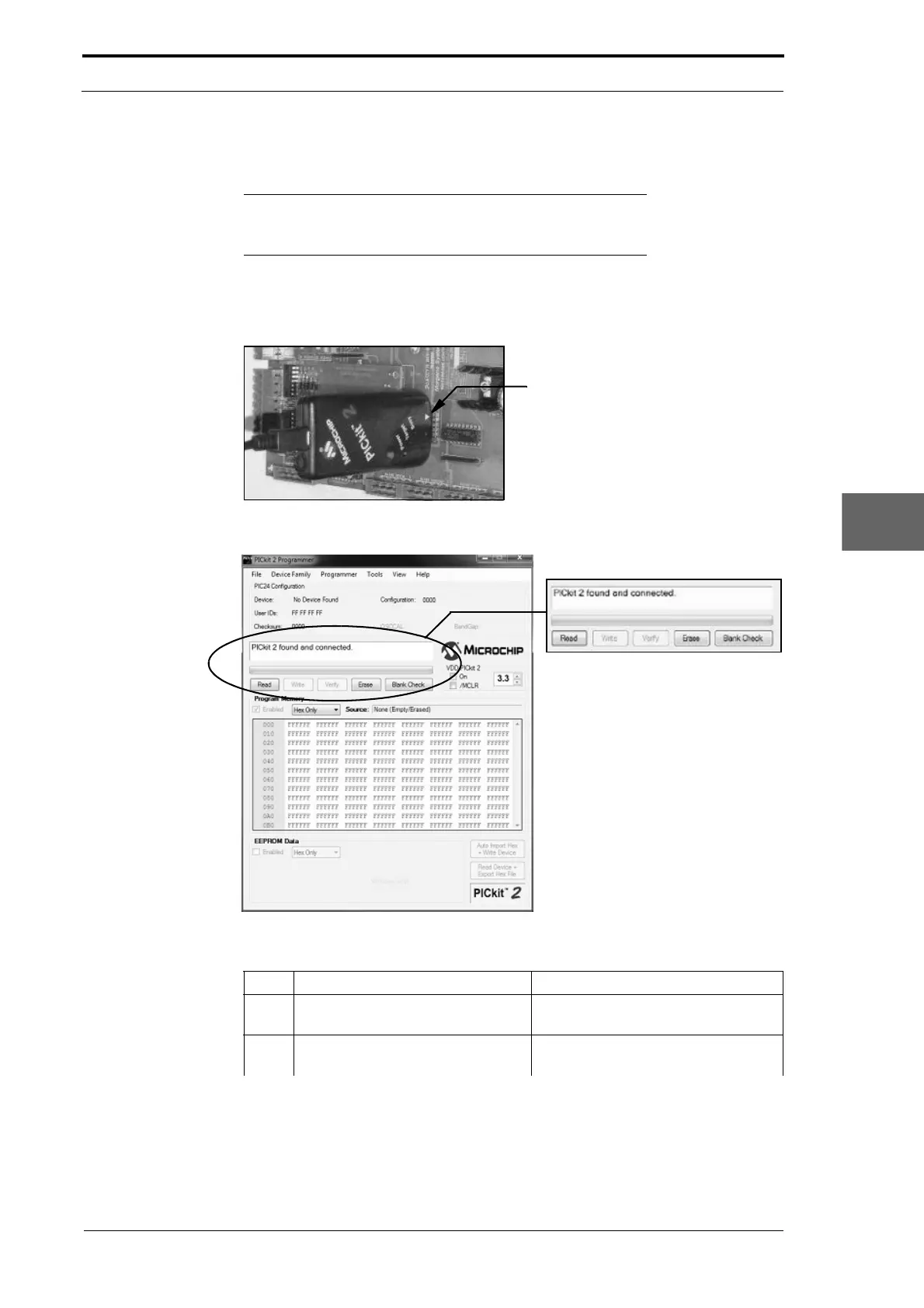
7.8.1 Create the PICkit 2 Connection
The white indicator arrow on
the programmer must align
with the white dot on the
controller PCB
Figure 7.39 Connect The Pickit 2 Programmer To The Creaser Controller PCB
Figure 7.40 PIckit 2 Programmer Application Window And Status Dialogue Box
Step Action Information
1 Remove the electrical cabinet
cov
er.
(See Section 4.2.12).
2 Connect the PICkit programmer to
a
USB port on the computer.



 To Next Page