PTS 400.3 PLUS Operation Manual_R02 Page 101/306
7.5.7
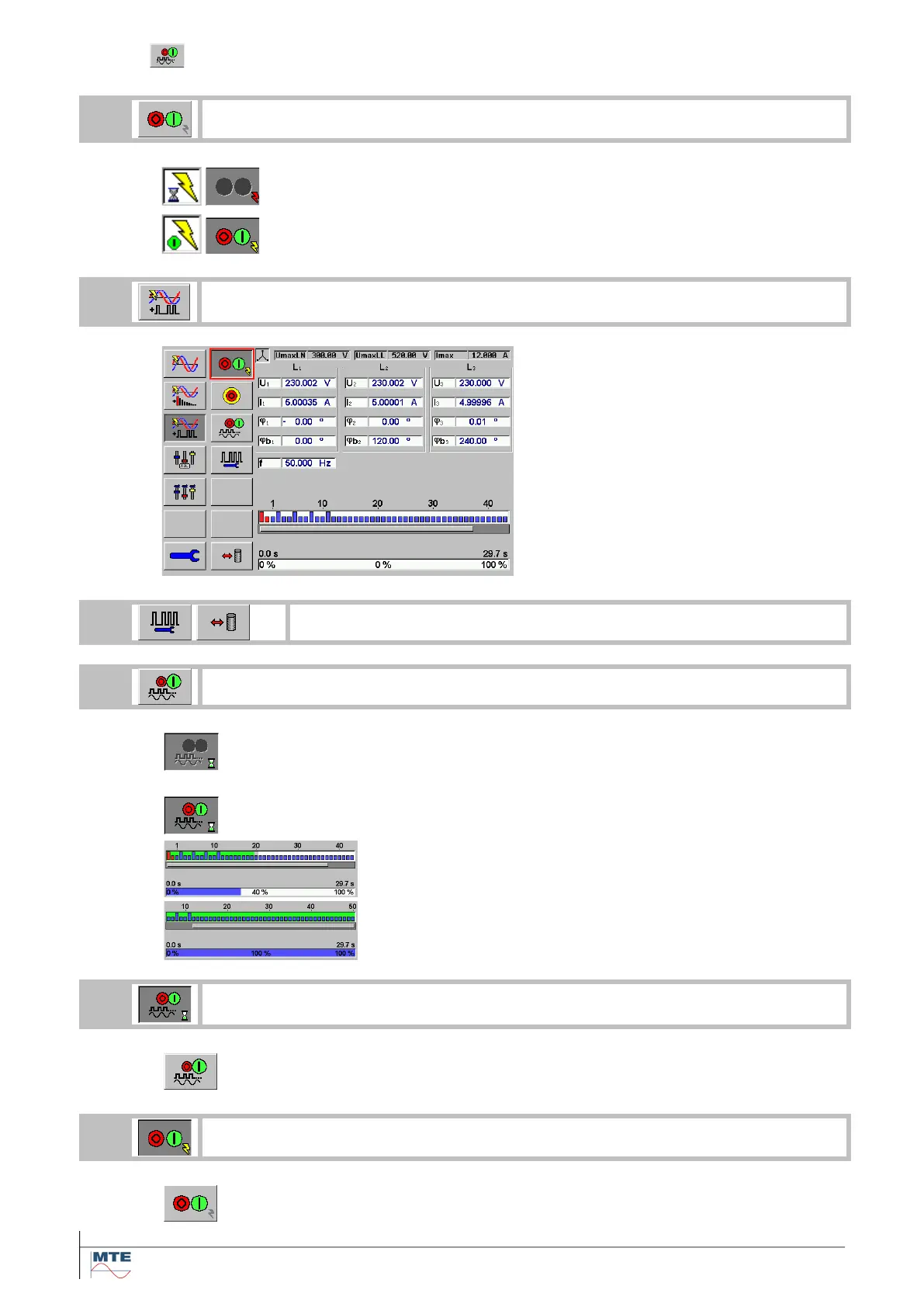
Switch RCS telegram ON / OFF
Switch on the power source first
Status indication during ramping up voltage and current to the set value.
Status indication when the power source is switched ON
Select the ripple control menu
• Ripple control menu on
• Display with ripple control monitor
Define or select the ripple control signal
Switch on the selected ripple control signal
Indication that the ripple control telegram is switched on and
will be prepared for execution. Needed time for preparation
will be up to 1 minute.
Indication that the ripple control telegram is switched on and
is in execution.
The ripple control telegram is in execution.
The total run time for the selected telegram can vary from
several seconds up to several minutes.
Switch off ripple control signal (if necessary during execution)
Indication ripple control signal switched off
Switch off the power source
Indication power source switched off



 To Next Page