PTS 400.3 PLUS Operation Manual_R02 Page 45/306
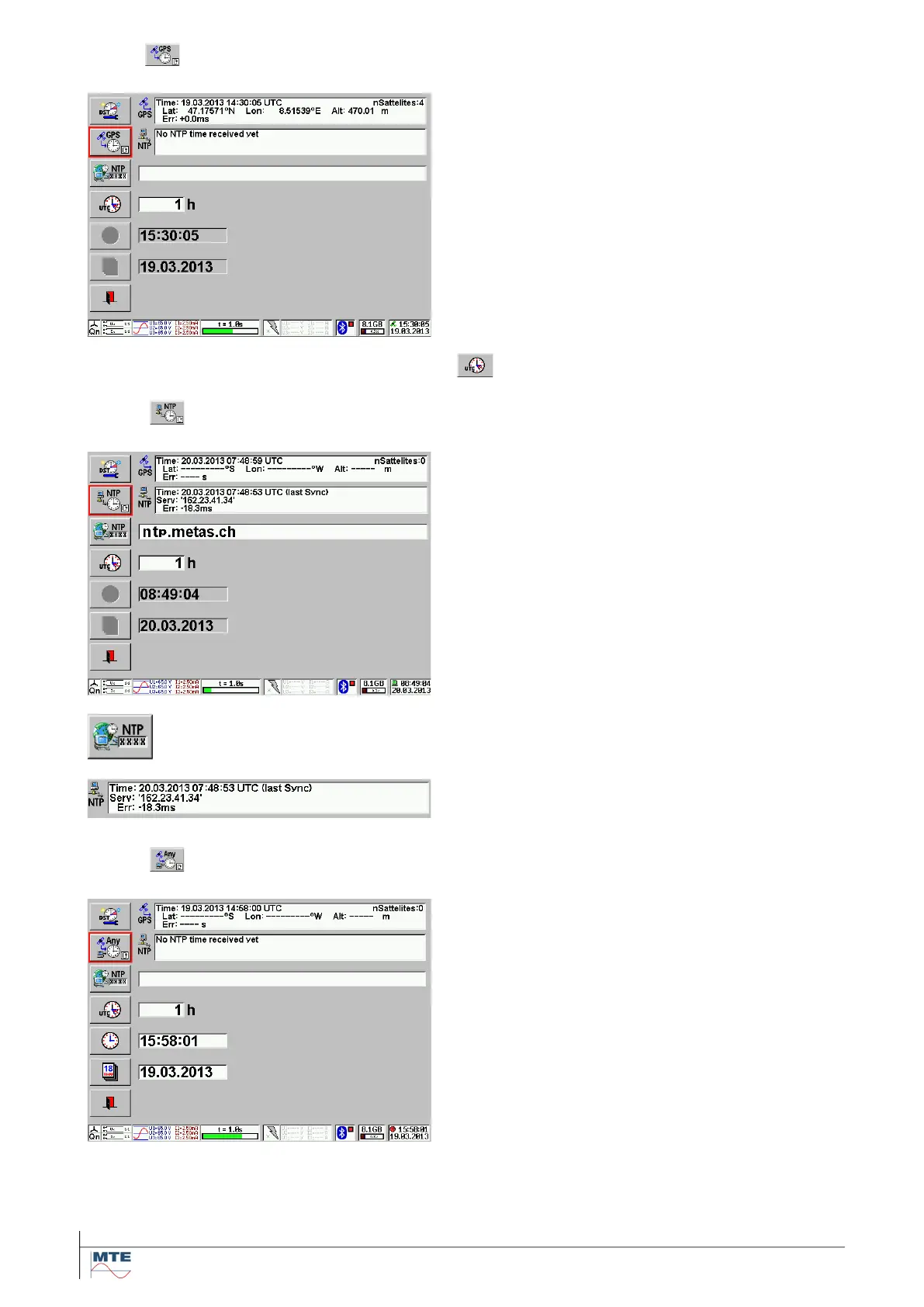
5.1.3 GPS time synchronization
GPS time synchronization
The internal clock and date are synchronized to the
exact Universal Time Coordinated UTC transmitted
by the satellites of the Global Positioning System
GPS.
The status indication in the right lower corner
shows a satellite symbol.
The time synchronization is successful, if three or
more satellites are received and the satellite sym-
bol in the status becomes permanently green.
Additionally, also the coordinates (latitude, longi-
tude) and the altitude of the actual position are in-
dicated.
Enter time shift of local time to UTC time.
5.1.4 NTP time synchronization
NTP time synchronization
NTP (Network Time Protocol) is a protocol de-
signed to synchronize the clocks of computers over
a network.
The status indication in the right lower corner
shows a computer symbol.
Note: An internet connection must be established
in order to use this feature.
For the setup of a Ethernet communication refer to
chapter [5.3.1].
Press the NTP button and enter the NTP server
address, name or list using the virtual keyboard.
The time synchronization is successful, if it is dis-
played as in the example shown.
Any time mode
In this mode time synchronization happens ran-
domly between GPS and NTP - whatever is availa-
ble.
The status indication for the Any time mode in the
right lower corner shows a red clock symbol. Once
a GPS or NTP signal is received the status indica-
tion will change accordingly.



 To Next Page