PTS 400.3 PLUS Operation Manual_R02 Page 37/306
Terminate input
Press the enter key to terminate
the input. The virtual keyboard
disappears.
4.3.3 Alphanumerical field input
The virtual keyboard for alphanumerical inputs is displayed, if a field input of numbers and/or text is
required.
The input can also be made with an external keyboard (option) connected to the USB type A con-
nector.
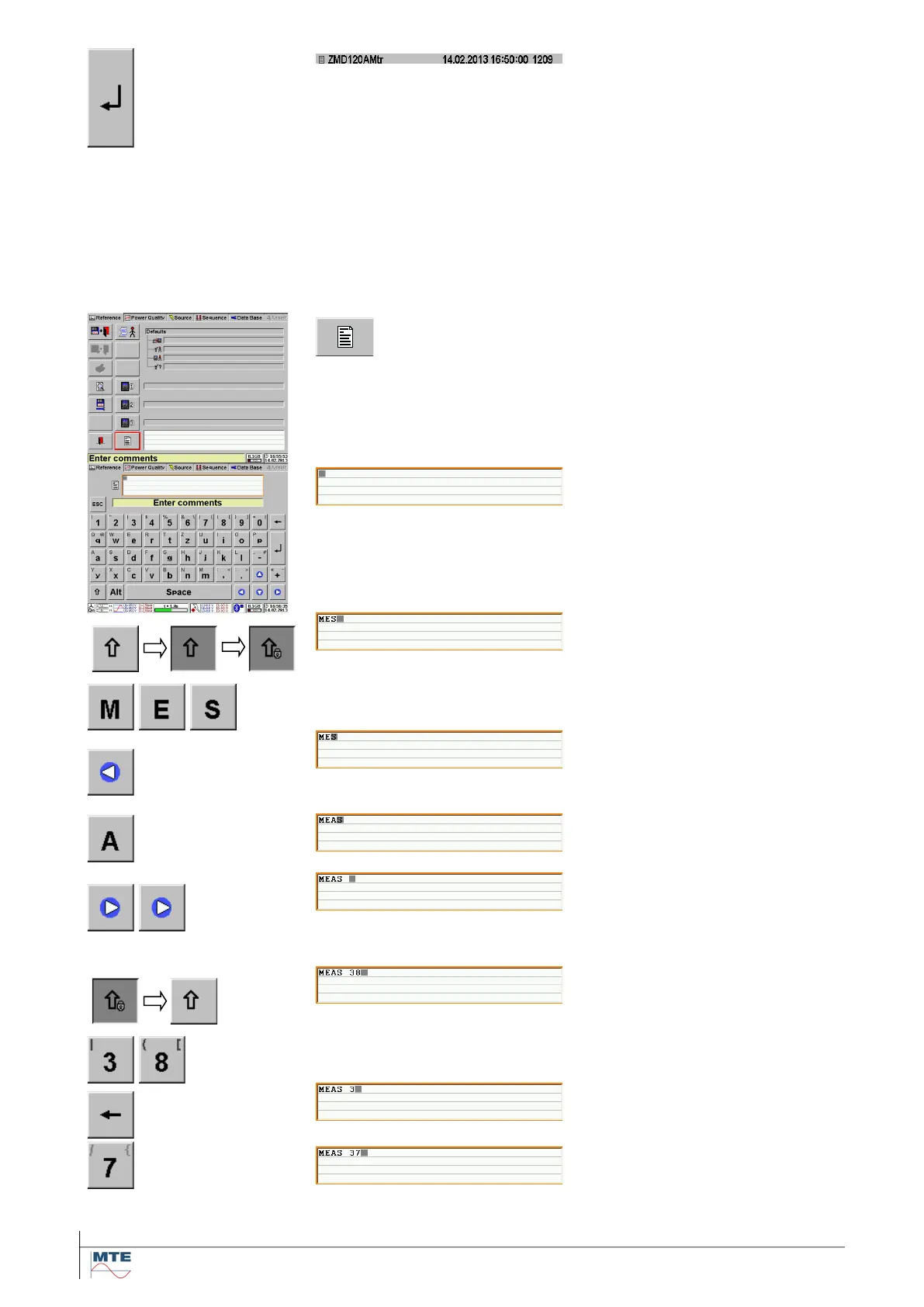
Example: Input of comment
Activate input
Touch the FB comment to acti-
vate the input of text and num-
bers.
The virtual keyboard for alphanu-
merical inputs is displayed. The
input field for comments is shown
on top with a grey cursor on the
first line in the left upper corner.
New text is always inserted at the
actual position of the grey cursor.
Input several capital letters
Touch the shift key twice to lock
input of capital letters (caps lock
active). Enter several capital let-
ters. The grey cursor key is
moved to the right
Move cursor to the left
Move the cursor over the charac-
ter S by operating the left cursor
key once.
Insert character
The character is inserted at the
position before the cursor.
Move cursor to the right
Press the right cursor key twice
moves the cursor two positions to
the right.
Change back to input of lower
case letters and numbers
Touch the locked shift key once
to change back to lower case let-
ters and enter numbers directly.
Delete character
Touch the delete key to delete
one character left to the cursor



 To Next Page