PTS 400.3 PLUS Operation Manual_R02 Page 34/306
Actual set voltage and current values of the source
Indication of the actual set values for each voltage output (phase - neutral voltage) and
each current output of the source. The values indicated here are switched on, when the
start button is operated.
Blue tooth wireless communication status
Indication of PRS 600.3 blue tooth module status and status indications for communica-
tion to device.
PRS 600.3 blue tooth module status
Black indicates blue tooth module is recognized
Orange indicates initialization / configuration of blue tooth module is running
Blue indicates blue tooth module is configured and ready for communication with
devices 1 and 2
Green indicates blue tooth module is searching for active blue tooth devices. Only
visible during search of devices in blue tooth connection setup.
Device communication status
White indicates idle, no communication attempt
Purple indicates searching for communication is active
Blue indicates communication is running
Red indicates no communication possible to configured device after three at-
tempts.
Note: There are no further attempts to communicate until the supply is switched
off/on or until the reconnect function [5.3.2] is called.
Input of data
The input of data is achieved using the virtual keyboard or by using an external keyboard (option).
4.3.1 Numerical inputs
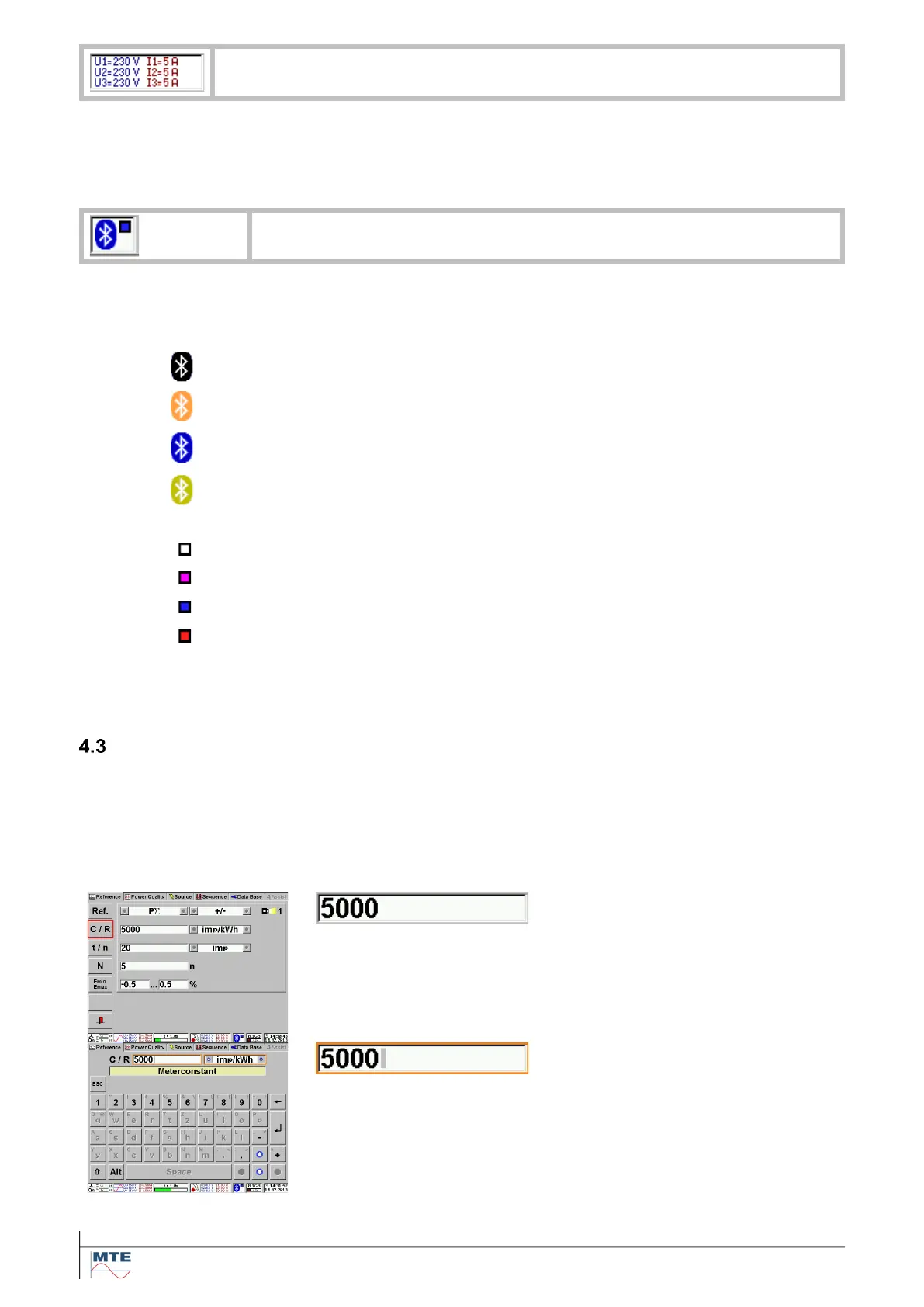
E.g. meter constant of device under test.
Input of numbers
Display of actual meter constant.
Touching the FB C/R or the input
field (5000) activates the input.
The virtual keyboard for numerical
inputs is displayed. The old value is
displayed in a red frame followed by
a grey cursor sign.



 To Next Page