PTS 400.3 PLUS Operation Manual_R02 Page 46/306
Save parameter setup
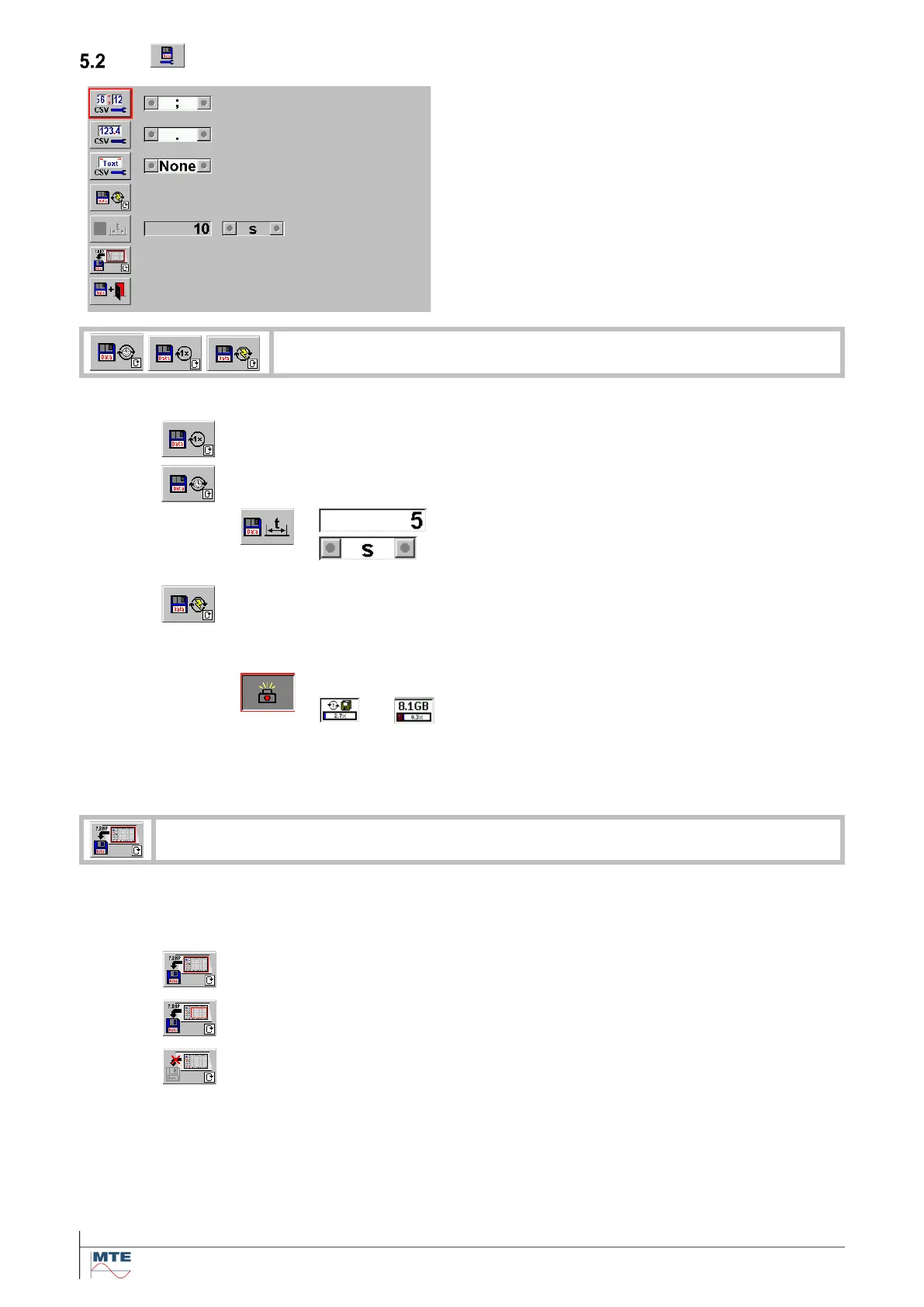
Save parameter setup menu
The following settings are displayed
• Test Assist function (set cell separator)
• Test Assist function (set value separator)
• Test Assist function (set text group)
• save mode
• time for save interval not selected
• set image save mode
Toggle mode between the three save modes.
The results will be saved one time. The FB interval with the according input
field is ‘grayed out’
The results will be saved at the defined interval time. This mode will be used
for load analysis.
Input of number between 1 and 99999
Select s, min or hr
h: hour, m: minute, s: second
The results will be saved on every new event (e.g. during error measurement -
every new result corresponds to a new event). The FB interval with the accord-
ing input field is ‘grayed out’
Indication of active save mode
The camera key is shown depressed
The CF card status indication is periodically
changing between disk symbol and size indi-
cation.
To stop the periodical saving the camera key must be pressed
once again.
If activated, an image of the display at time of pressing the camera FB can be saved to-
gether with the actual result data set.
Save display image
The whole display content is saved
Save results image
The result window of the display is saved
No image
The image save function is disabled.
The images are saved in the same directory as the result file in the format:
<4 char name><4 digit number>.BMP
<4 char name> First 4 characters of the result file name
<4 digit number> Automatically incremented number starting at 0000
.BMP Windows BMP Bitmap File Format



 To Next Page