PTS 400.3 PLUS Operation Manual_R02 Page 85/306
7.2.1
Edit load point
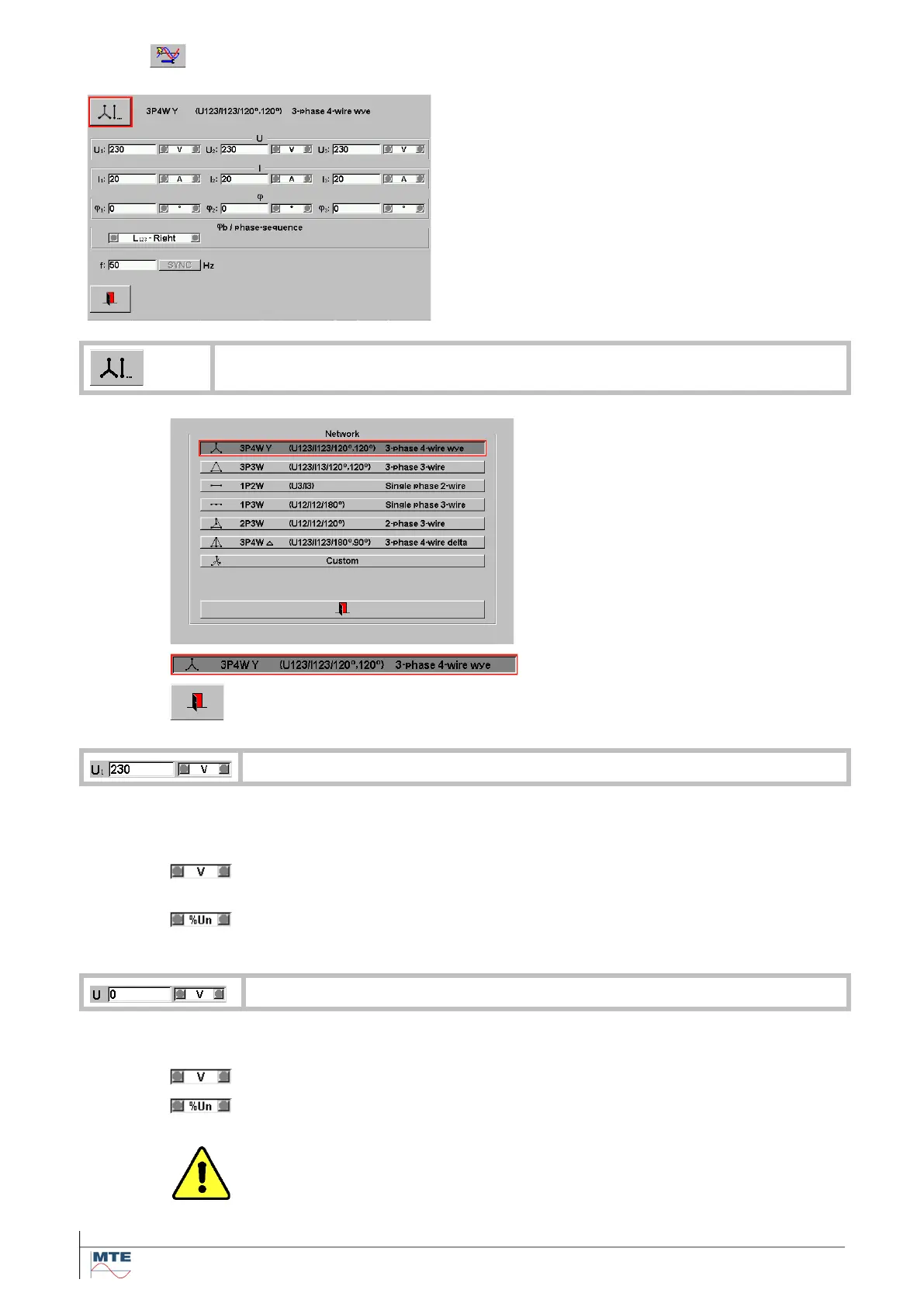
Edit load point menu
This menu contains the following submenus and
functions:
• Network selection menu
• Edit voltage U or U1, U2, U3
• Edit phase current I1, I2, I3
• Edit phase angle current to voltage φ1, φ2, φ3
• Phase sequence selection
• Edit frequency
Network selection menu
This menu contains the following func-
tions:
• The predefined network types are
displayed
• One Network Type can be selected
Exit and accept selection, back to call-
ing menu.
Edit phase to neutral voltage U1, U2, U3
Changing only the setting of voltage U
1
will cause an automatic setting of U
2
and U
3
with
the set value of U
1.
The value for the phase to neutral voltage can be set between 0V...300V.
The voltage will be limited to <UmaxLN>.
The value for the phase to neutral voltage can be set in % of voltage Un.
The phase to neutral voltage will be limited to UmaxLN.
The voltage will be limited either to <UmaxLN> or <UmaxLL>.
The value for the voltage can be set between 0V...600V.
The value for the voltage can be set in % of voltage Un.
Warning!
The voltage U can be either the phase-phase voltage or the phase-neutral
voltage. See table Settings of voltage U depending on network type
[7.2.2]



 To Next Page