PTS 400.3 PLUS Operation Manual_R02 Page 191/306
10.2.2 Save single measurement
Call storage of results menu
Load / edit administrative data (optional)
Preview results (optional)
Call save results and exit to create or select a new file
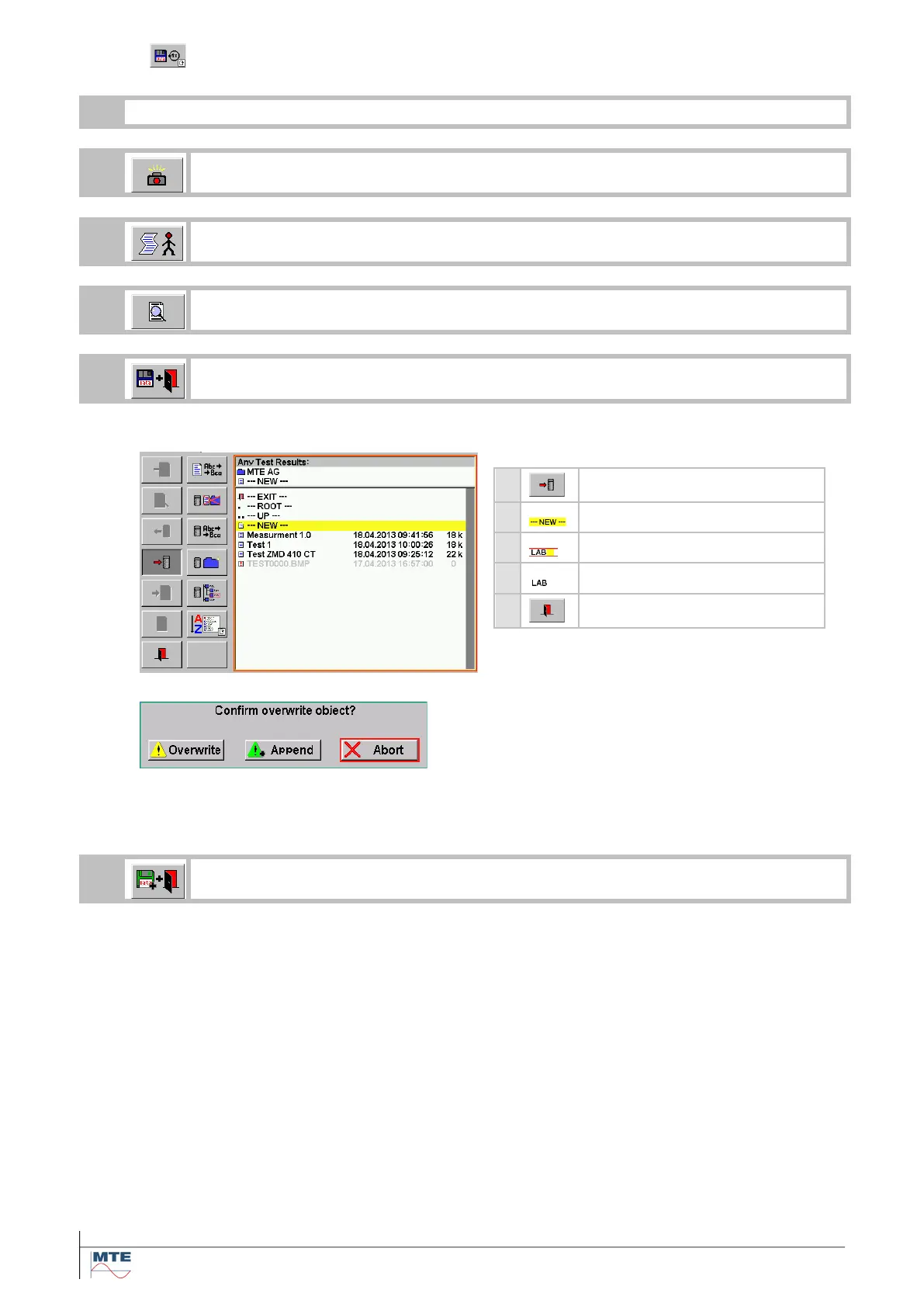
The file selection menu [6.1] is called with the directory Any Test Results displayed.
Select line new in directory
Enter name for result file
Press enter to terminate save
Save to existing file
Confirm overwriting file or append new re-
sults dataset to existing file.
With Append several measurements can be
saved in the same file and be transferred to
CALegration by readout of just one result
file.
Call append results and exit to save directly to the last selected file.
With this function, several measurements can be added to the same file (e.g. all measure-
ments of one customer).
The FB is only enabled, if a file was created/selected before and a data set saved already re-
garding point 5a.



 To Next Page