PTS 400.3 PLUS Operation Manual_R02 Page 222/306
13. Power Quality Online Measurement
Simple to configure and operate direct parallel recording and analysis at a common recording interval
(t
RMS
). This allows a quick on site analysis for troubleshooting of customer complaints and fault locali-
zation.
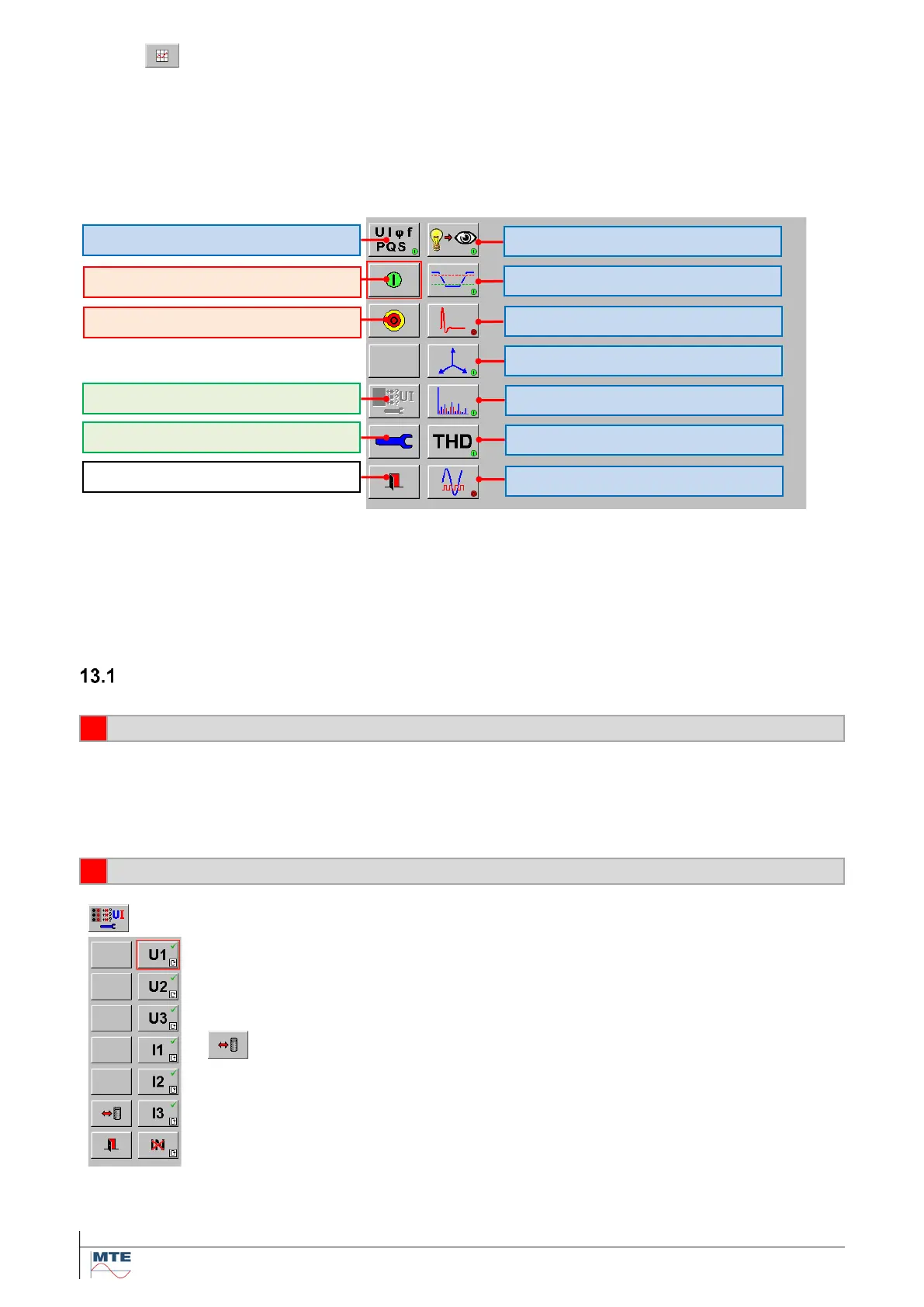
PQ Online main menu
One, a selection or all of the listed PQ parameters can be recorded at the same time and analysed
with trend graph, table or histogram view.
All available values and settings are always visible at the graphical user interface and selections and
settings can directly be changed.
Preparation of online measurements
Make measuring setup regarding installation to check
• Connect accessories (e.g. clamp-on CT’s) to the instrument.
• Connect the supply cable and switch on the PRS 600.3.
• Make voltage and current connections between instrument and installation.
Activate the connected voltage and current phases
Call the menu for the activation of connected phases U, I
Activate connected phases
Enable [] / disable [X] the available voltage and current phases by pressing on the
corresponding buttons (cyclical mode).
or
Load / save a configuration
Different configurations (e.g. voltages only, phase 1 (U1, I1) only etc.) can be saved
and recalled later.
Total Harmonic Distortion [12.1.3]
Setup of inputs U, I and time base [11.1]
Exit, back to PQ main menu
Magnitude UIfPQS [12.1.1]
Events (Dip, Swell, Interrupt, Inrush) [12.2.1]
Harmonics and Interharmonics [12.1.2]
Mains Signaling or Ripple Control [12.1.6]
Activation of connected phases U, I



 To Next Page