PTS 400.3 PLUS Operation Manual_R02 Page 228/306
Run a Power Quality recording
Make measuring setup regarding installation to check
• Connect accessories (e.g. clamp-on CT’s, communication interfaces) to the instrument.
• Connect the supply cable and switch on the PRS 600.3.
• Make voltage and current connections between instrument and installation.
Example: Connect voltages U1, U2, U3, N only to analyze a 3-phase 4-wire network regarding
the standard EN 50160.
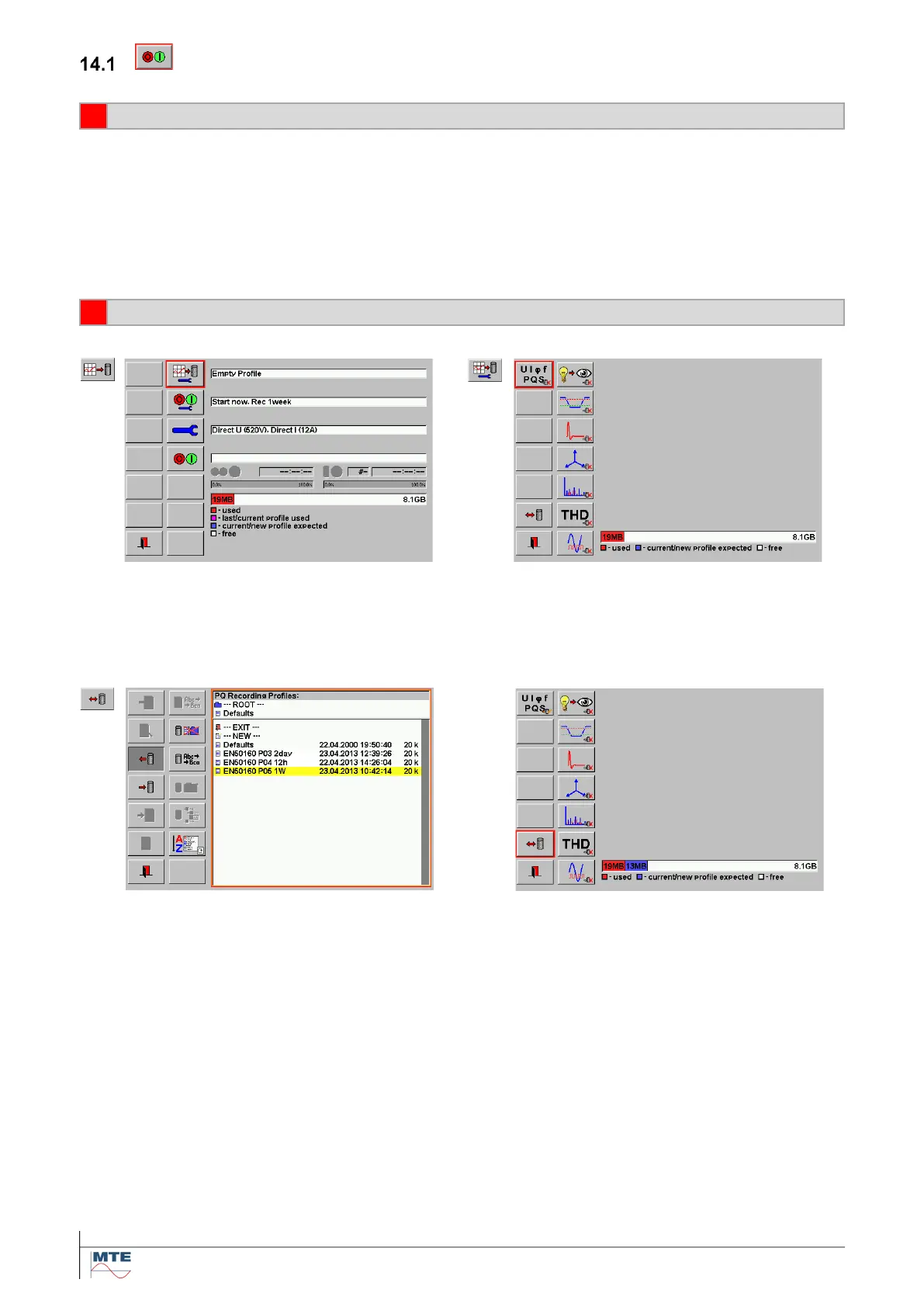
Go to the recording menu and then to the setup of recording and analysis profiles [14.2]
Define the recording and analysis settings of the different PQ parameters and phases directly or load
a predefined profile.
Example: Load recording and analysis profile for evaluation of the supply voltage regarding
standard EN 50160 for 1 week (e.g. EN 50160 P05 1W)
The expected memory usage of the loaded profile is indicated with a blue bar (13 MB).



 To Next Page