PTS 400.3 PLUS Operation Manual_R02 Page 52/306
5.3.2
Bluetooth configuration
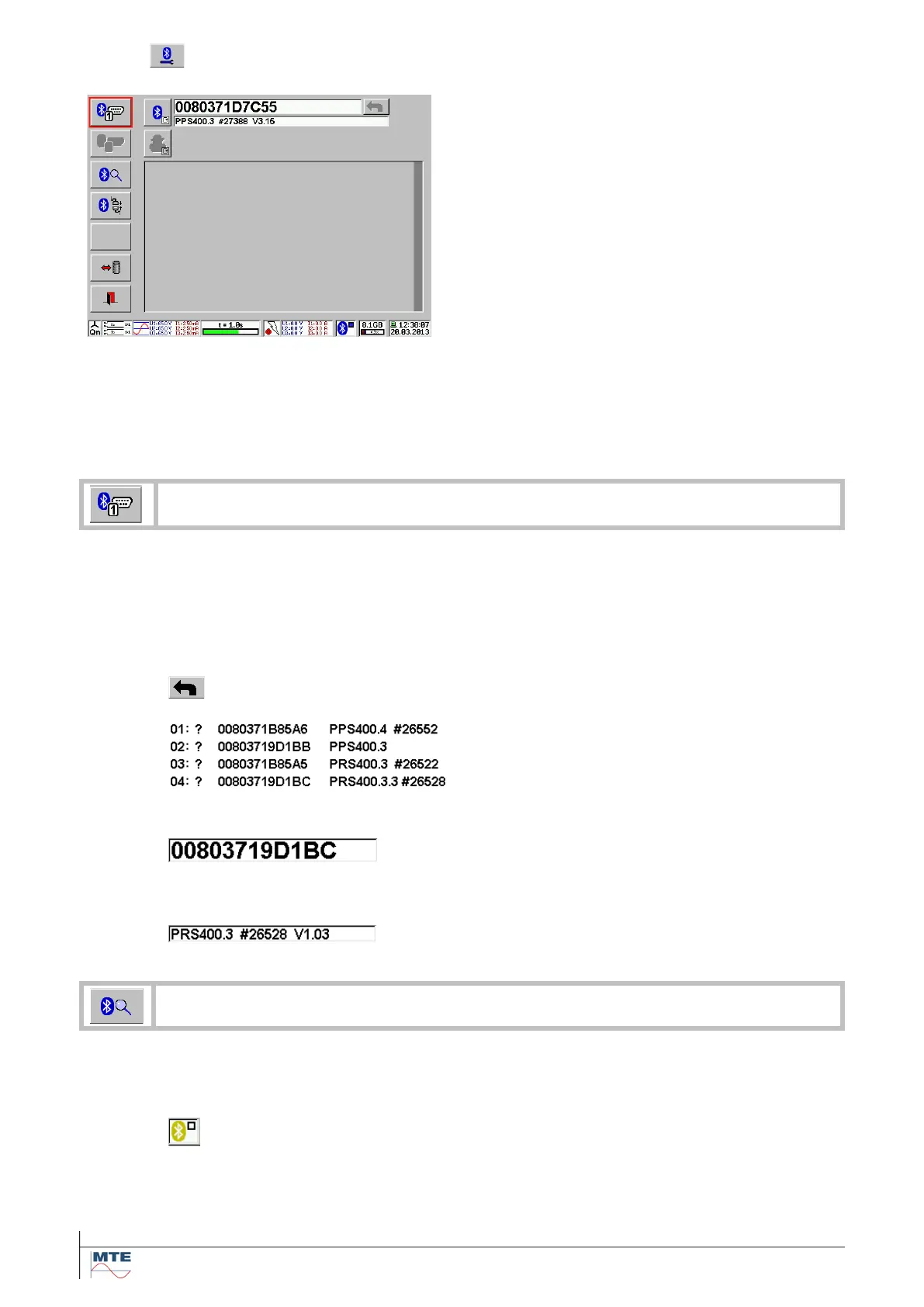
Bluetooth configuration menu
This menu contains the following functions and set-
tings:
• Defined bluetooth address
• Identification code of the device
• Table with available bluetooth devices
• Edit bluetooth device
• Search for device
• Reconnect device
• Load/save bluetooth settings
• Exit
• Status indication
We recommend switching on first the power supply of the power source and the reference meter.
The PRS600.3 then will easily detect other Bluetooth devices. The communication to the defined
Bluetooth device will be checked automatically. When the first call failed, the PRS600.3 will try to get
the communication a second and third time before turning the status to ‘communication failed’. See
status indication [4.2]
Typically, the bluetooth device is the power source PPS 400.3. Bluetooth devices have each a
unique bluetooth address. The bluetooth devices can be selected from the table by clicking on it or
the specific address can be set manually by typing it with the virtual keyboard.
We recommend starting with search devices first for getting all available bluetooth devices.
Selecting device from table
Select the table with the available bluetooth de-
vices
Display of table with the available bluetooth de-
vices. The desired device can be selected by
pressing on it.
Typing it with the virtual keyboard
Input of hex number 0...F for the bluetooth ad-
dress is possible. For entering numbers A...F
activate the shift key. For entering numbers 0...9
deactivate the shift key.
Display of received identification code of the
bluetooth device
The search for active bluetooth devices starts. Therefore, the actual connected devices
will be disconnected. The fields for the identification codes will turn gray. During the
search the green symbol will appear and the FB’s will be grayed out.
Status indication green: indicates that the
PRS600.3 bluetooth module searches for avail-
able devices. The search can run during sec-
onds up to minutes.



 To Next Page