PTS 400.3 PLUS Operation Manual_R02 Page 115/306
8.1.3
Selection of voltage measurement inputs
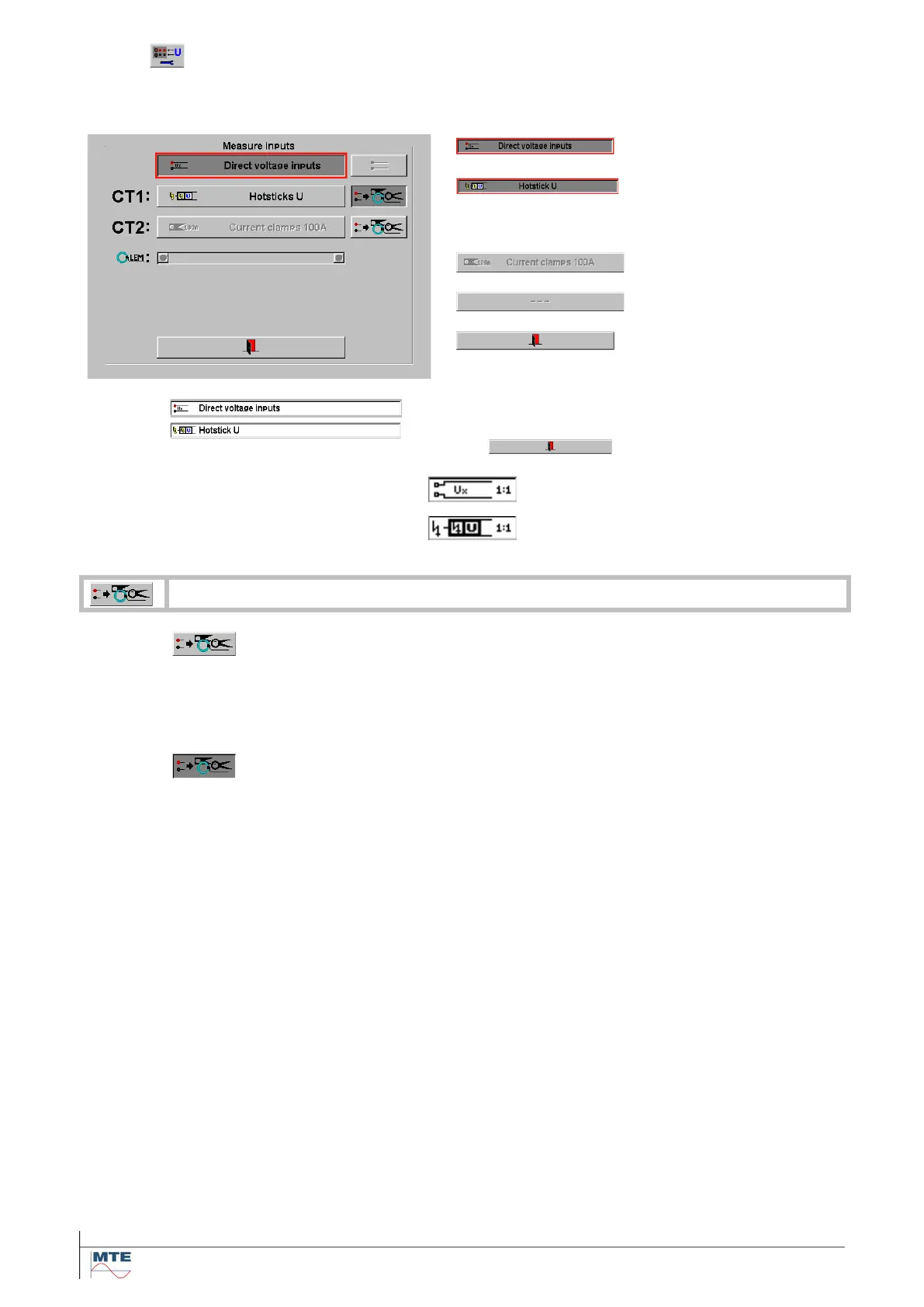
This function serves to select the voltage input used, direct connected voltage or hotstick connected
for high voltage measuring up to 40kV.
Selection of direct volt-
age measuring input
Selection of Hotstick
voltage measuring in-
put
Sensor detected but of
wrong type
Back to the main setup
screen
Indication on the main setup screen
Depending on what voltage input is chosen, after
pressing , on the main setup screen it
shows the corresponding voltage input.
Status symbol indication for direct
voltage measuring input.
Status symbol indication for hotstick
voltage measuring input
Activation of automatic selection of active voltage input CT1 or CT2
Use the up/down cursor to move the red selection frame to the recognized
type of voltage sensor at CT1 and/or CT2 and press the enter key to acti-
vate the selected input. Actually only the high voltage sensor Hotstick U is
supported (OPTION).
Automatic selection activated
As soon as a voltage sensor is plugged in and recognized, the voltage input
is automatically changed to this input and this type of sensor.
There is no need to go to the setup menu to select the voltage measure-
ment inputs. For further explanations to this function see 8.1.4.



 To Next Page