PTS 400.3 PLUS Operation Manual_R02 Page 66/306
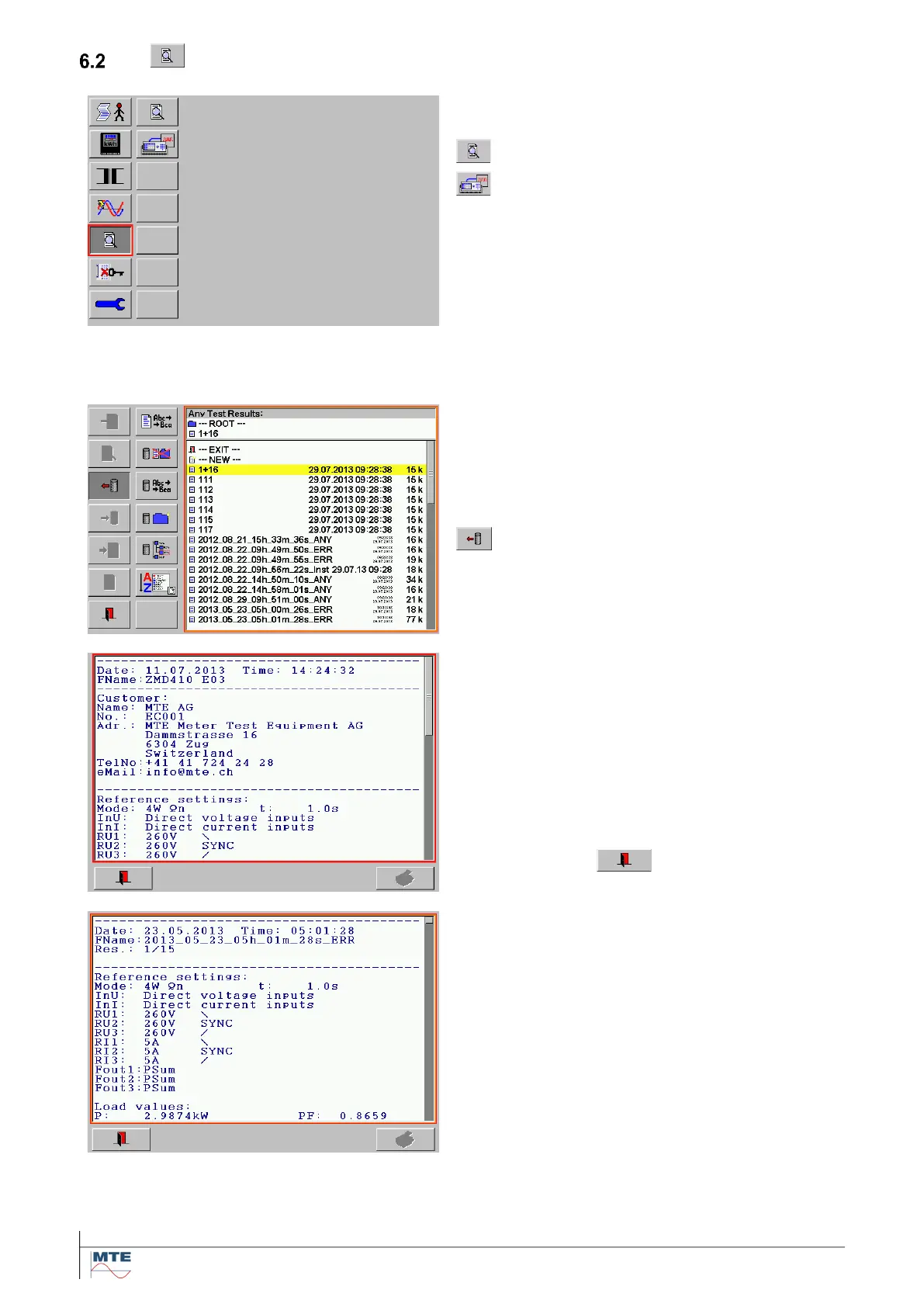
View of saved test results and measurement information
Call Any Test Results directory
Call FRef Test Results directory
Following some examples of viewing the results saved in the Any Test Results directory are shown.
The results of the other directory FRef Test Results can be viewed in the same way.
Any Test Results directory
All standard result files saved on the compact flash
card are listed in this directory. The result files con-
tain the combined results data with test results data
(TDS) and administrative data (ADS).
Select / load a result file
The view results menu is called
View results menu
The results are shown in a simple text format.
This allows a compact fast overview of the ADS
and TDS data saved in a result file
The first line shows date and time of saving. The
second line shows the result file name.
Scroll up and down with the scroll bar on the right
side to view further content.
Exit by pressing on
Result file with several data sets
In a result file with several data sets saved in con-
tinuous mode or with the append function the ac-
tual shown result dataset 1 of total 15 (1/15) is indi-
cated as third header line.
Scroll up and down with the scroll bar on the right
side to view all datasets.



 To Next Page