PTS 400.3 PLUS Operation Manual_R02 Page 24/306
4. Operation principles
Before operating carefully read the safety precautions in chapter [0].
The following section deals with manual operation of the PRS 600.3 and PPS 400.3. Operation of
the instrument via serial interface commands is explained in a separate operation manual.
Display and control elements
4.1.1 Display
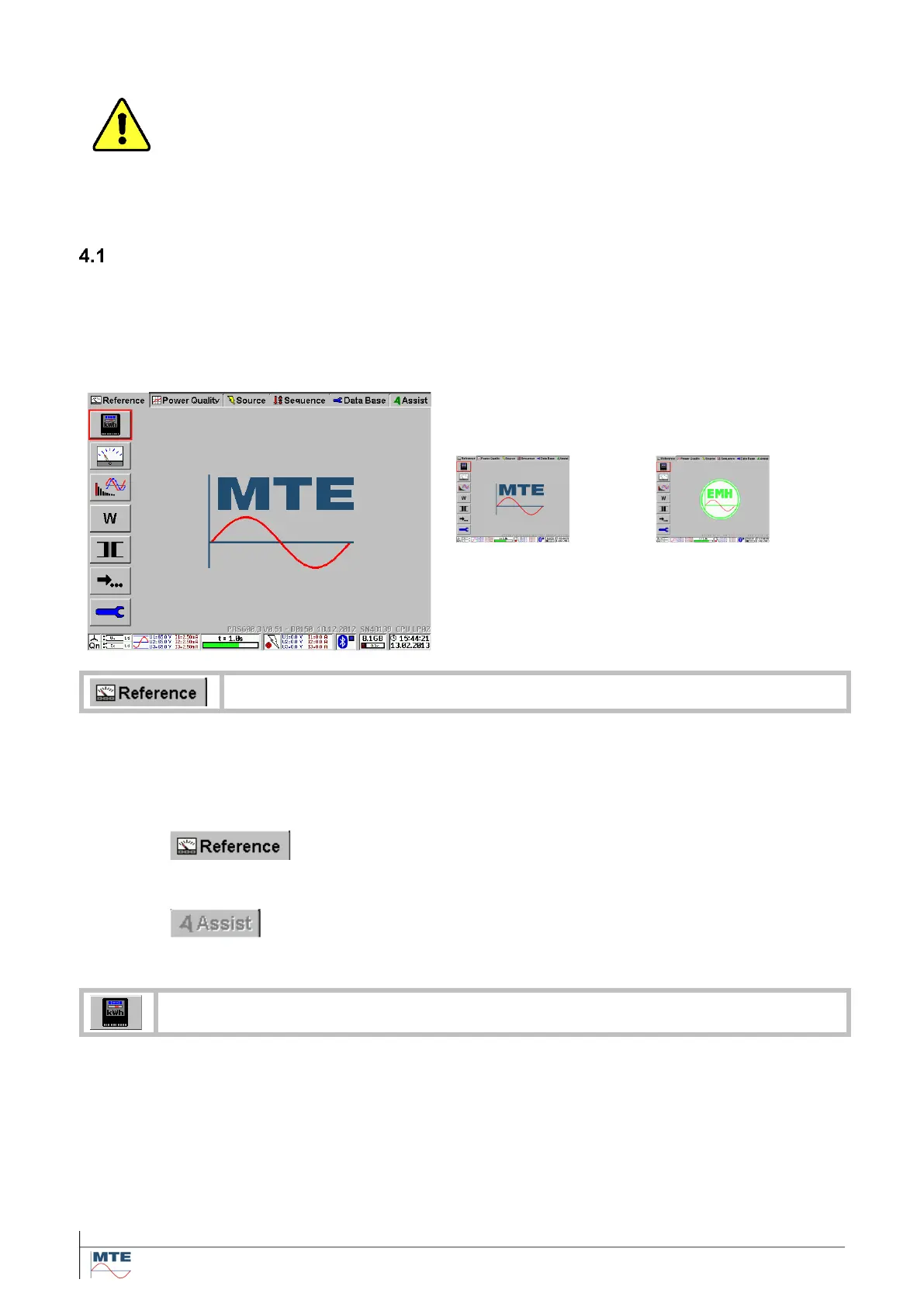
After start-up, the left and right display with touch screen show the same content. Both displays have
the same functionality and can at the same time or alternatively be used to operate the instrument.
If e.g. a PPS 400.3 source module is controlled via Bluetooth, one display can be used to control the
source and the other to control the reference standard.
After start up the Reference Menu Card (MC) is
displayed in the form of a register card with the
Logo cycling between MTE and EMH.
The various selectable functions of the menu are
shown at the left-hand side of the display in the
form of Functional Buttons (FB) with graphical in-
dication of the function.
At the bottom status information is displayed.
The function (Reference) is indicated in the menu card. This MC includes all operating
functions of the built-in reference standard. The MC Data Base, which includes basic set-
tings of the instrument, is always active.
MC status
Active MC
The function (Reference) is indicated in the menu card.
The MC’s Reference and Data Base are always active.
Inactive MC
The menu card Test Assist (option) is ‘grayed out’ and cannot be ac-
cessed.
The functional buttons are used to call sub menus or functions or to enter data or select
settings. The function is indicated in graphical from on the button directly. Further de-
scription can be found in section [4.1.3 / 4.1.4].



 To Next Page