PTS 400.3 PLUS Operation Manual_R02 Page 84/306
Connect currents 0A...12A to 12A sockets.
Connect currents 12.0001A...120A to 120A current connectors.
Warning!
Connect the 120A cables to the 120A current connectors. Re-
move the 12A cables and the 12A current bridges from the 12A
sockets.
Set the direct current inputs for the PRS 600.3 in reference me-
ter setup menu to Direct current inputs 120A.
Current output range 0A...12.0000A
Red 12A socket and red 120A current connector is connected if current out-
put has been switched on at least one time.
Current output range 12.0001A...120A
Red 12A socket and red 120A current connector are separated.
Call Power source system parameters menu
Load/save settings from/to directory Source Selections
Exit and accept settings, back to calling menu.
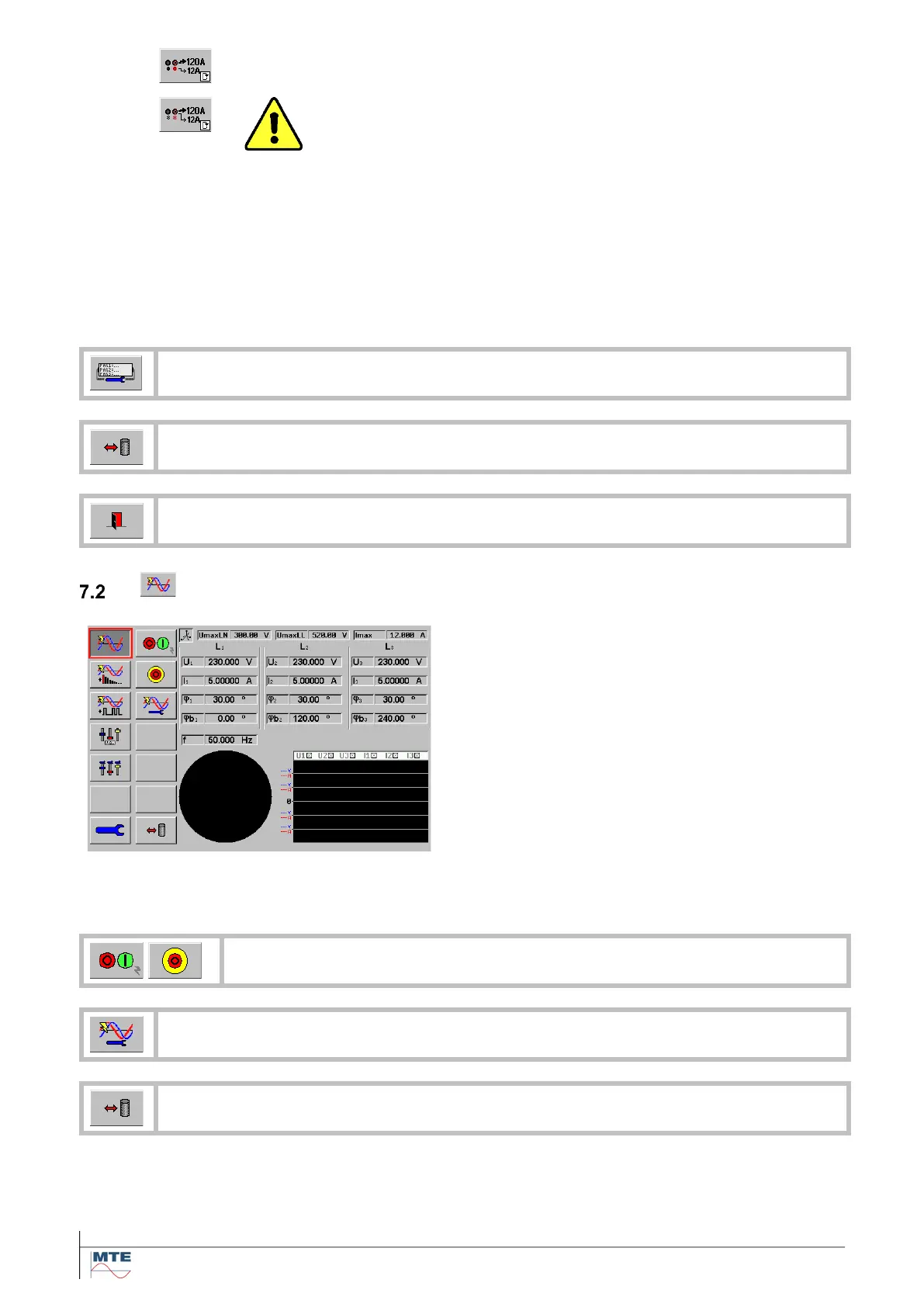
Load point menu
This menu contains the following menus and func-
tions additional to the power source menu:
• Start/Stop load point
• Fast Stop load point
• UIφf menu
• Display of network selection
• Load/save menu
• Display of UmaxImax settings
• Display of UIφf settings
• Vector diagram monitor
• Waveform monitor
Start/Stop power source and Fast Stop power source [7.5]
Call Edit Load point UIφf menu [7.2.1]
Load/save settings from/to directory Load Point Selections



 To Next Page