PTS 400.3 PLUS Operation Manual_R02 Page 57/306
Alternative Installation in Windows 7:
1. Copy the Driver file "EMH_CDC.inf" directly into following directory on your computer:
C:\Windows\inf
(USB driver file (EMH_CDC.inf) can be found on CALegration installation USB Memory Stick in folder
"usb driver" or directly on the CF Card of the PRS 600.3).
2. Connect PRS 600.3 to a free USB port on your computer.
3. Windows is searching for the USB driver file and will install it automatically. After successful instal-
lation, a beep from the PRS 600.3 is hearable.
5.5.2 CALegration settings
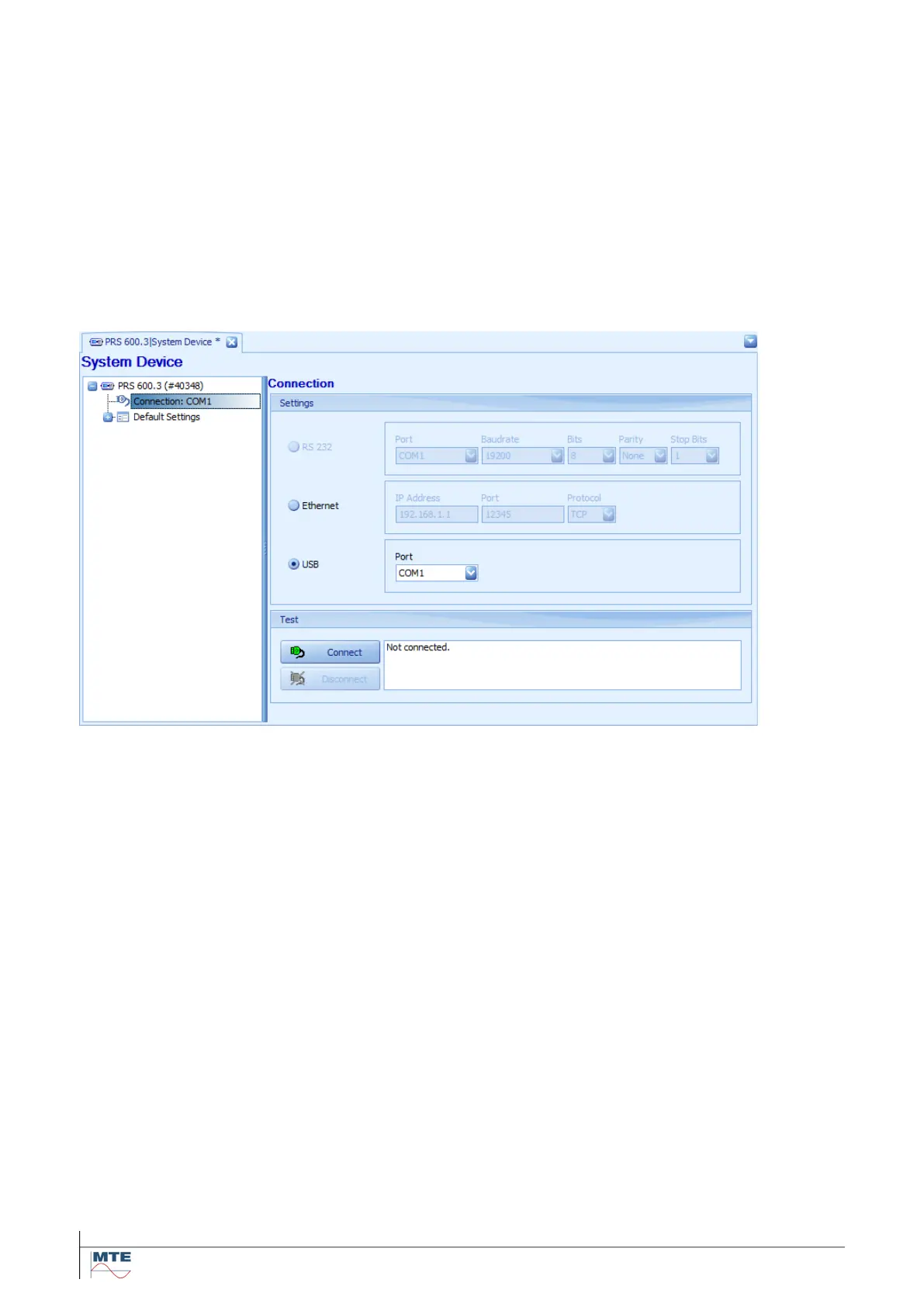
Select the USB COM-port in the CALegration System Device connection settings. CALegration is
only showing the COM-ports where the driver mentioned above is installed for.



 To Next Page