PTS 400.3 PLUS Operation Manual_R02 Page 56/306
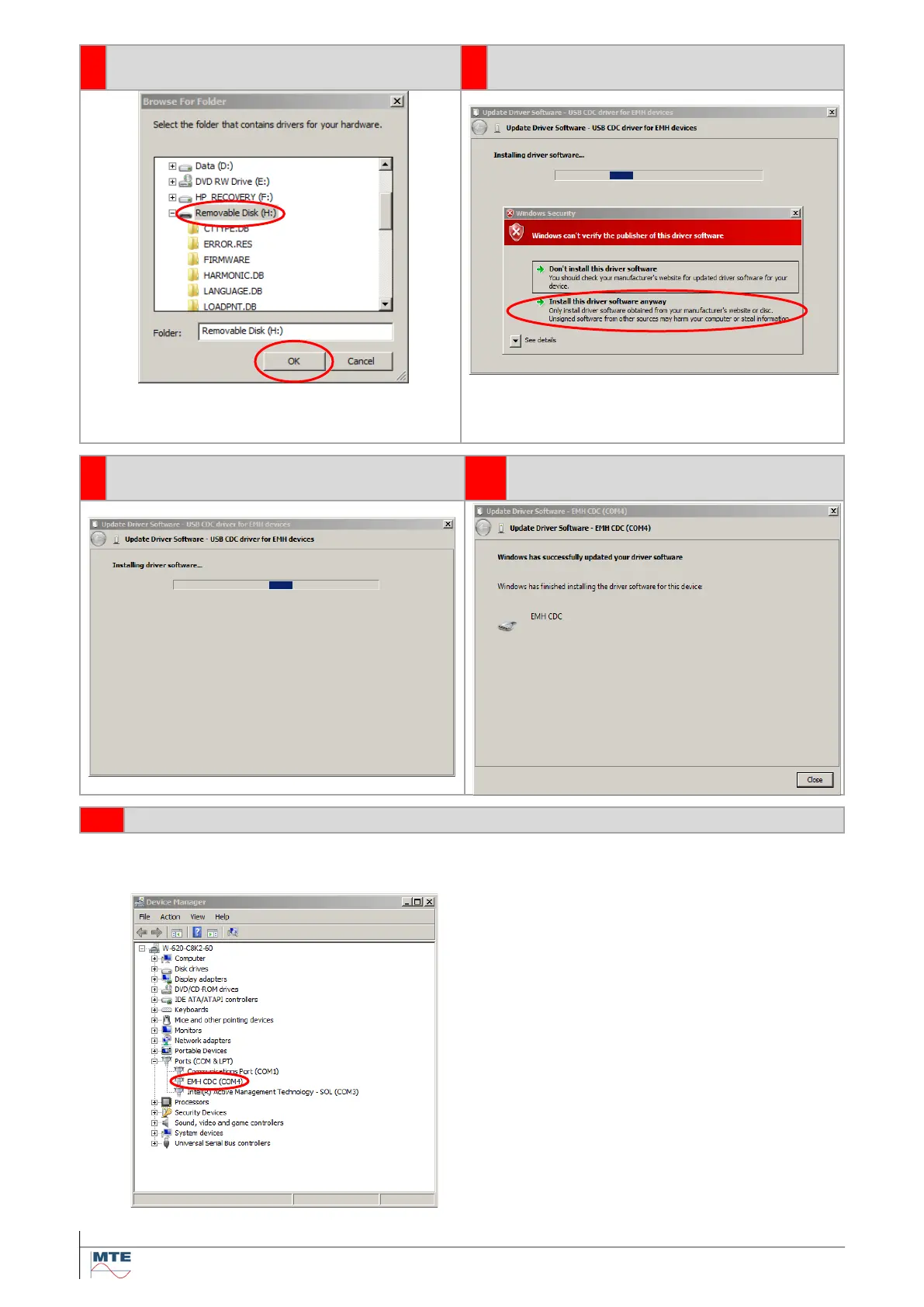
Select the folder where the driver is lo-
cated and press OK
Select Install the driver software anyway
The driver file can be found either on the CF
card of the PRS 600.3 (card reader required) or
on the software installation CD.or USB-Stick.
Installing driver software
After a successful installation, the fol-
lowing screen is shown.
Checking for correct installation
The correct installation of the driver can be checked in the device manager under Ports /COM & LPT.
The EMH CDC driver must be displayed.



 To Next Page