PTS 400.3 PLUS Operation Manual_R02 Page 41/306
5. Basic settings of the instrument
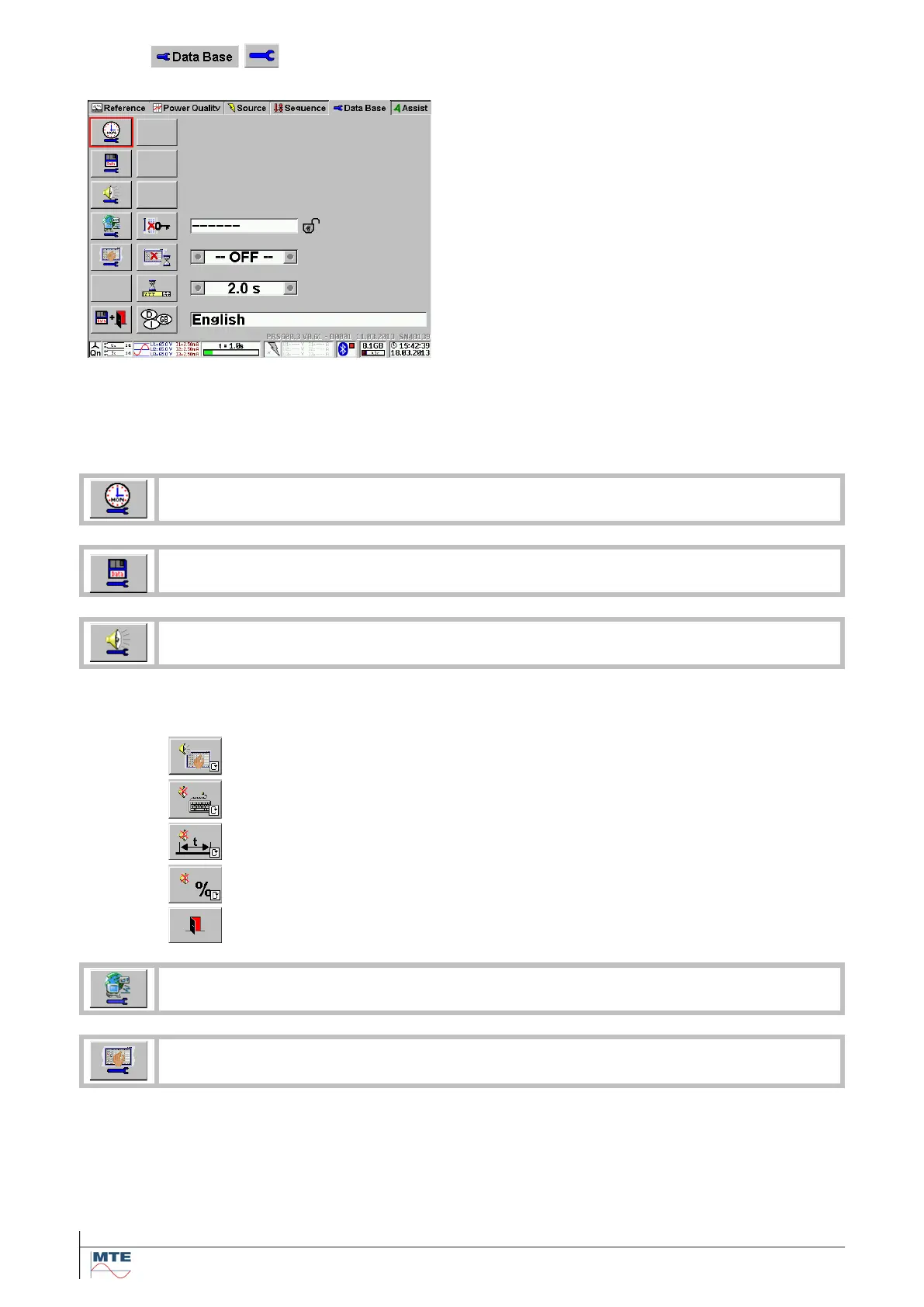
Basic settings of the instrument menu
1
st
column:
• Clock setup (time and date)
• Save parameter setup
• Beeper setup
• Communication setup (Ethernet, Bluetooth, Mo-
dem)
• Screen calibration
• Exit and save
2
nd
column:
• Set keyboard unlock password
• Set LCD switch off timeout
• Set Tool-Tip timeout
• Select language
Call clock setup menu [5.1].
Call save parameters setup menu [5.2].
The beep function is active when the loudspeaker sign is not crossed out. Press the but-
ton to change the status (cyclical mode).
Beep for each touch on the touch screen (Status: active)
Beep for each keystroke on external keyboard (Status: inactive)
Beep each time the time base starts (Status: inactive)
Beep each time a new error value will be displayed (Status: inactive)
Exit and accept settings, back to calling menu.
Call communication setup menu [5.3]
Both Screens on the PRS 600.3 can be calibrated by touching the indicated cross lines (+).



 To Next Page