PTS 400.3 PLUS Operation Manual_R02 Page 42/306
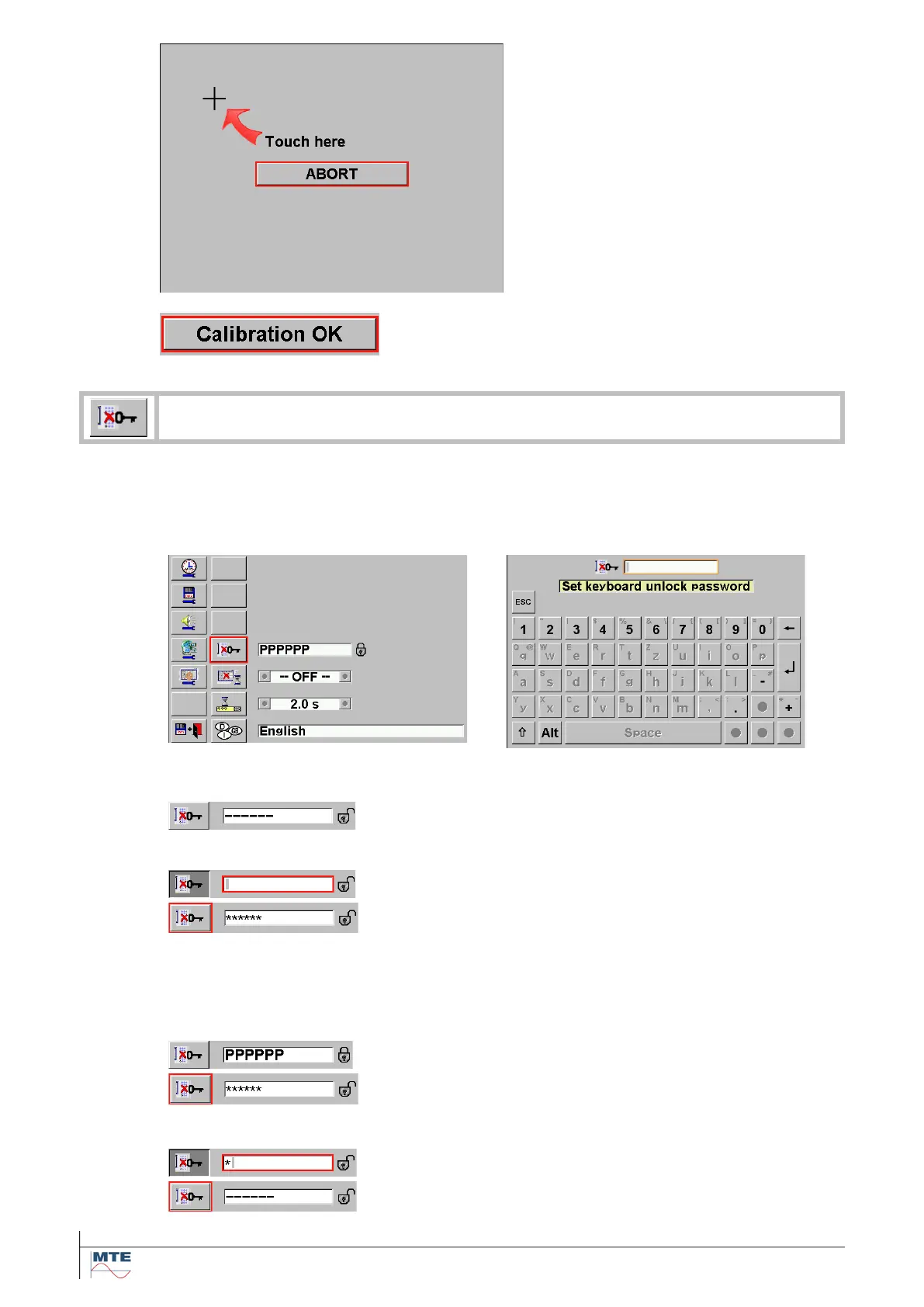
Following sequence will be displayed and
needs to be touched:
• Left upper corner
• Right lower corner
• Right upper corner
• Left lower corner
There is the possibility to abort the cali-
bration by pressing the ABORT button
and return to the call menu.
After successful calibration press the
Calibration OK button and automatically
return to Call menu.
Set keyboard unlock password
The keyboard can be locked in the data base main menu. This prevents e.g. unwanted
manipulations during longtime power quality recording sessions.
To set an unlock password press the Set
keyboard unlock password FB
Enter the unlock password with the virtual
keyboard and press enter.
No password defined
Note: The key lock FB in the data base menu is blocked, if
no password is defined.
Enter a new password
Enter a numerical password with 1 up to 17 digits. Correc-
tion of the password is possible by reentering a new pass-
word as long as the enter button is not pressed.
Attention! Memorize the password carefully, before leav-
ing the basic setting menu. If you are not sure, what you
have defined, enter 0 to reset the password function before
leaving the menu.
Password is defined
The old password needs to be entered, before changes
can be made. Stars are indicated and the lock is shown
open, if the password was correct entered and accepted.
Reset the password
Enter 0 to reset the password function. The key lock func-
tion is disabled.



 To Next Page