PTS 400.3 PLUS Operation Manual_R02 Page 59/306
Data Base functions
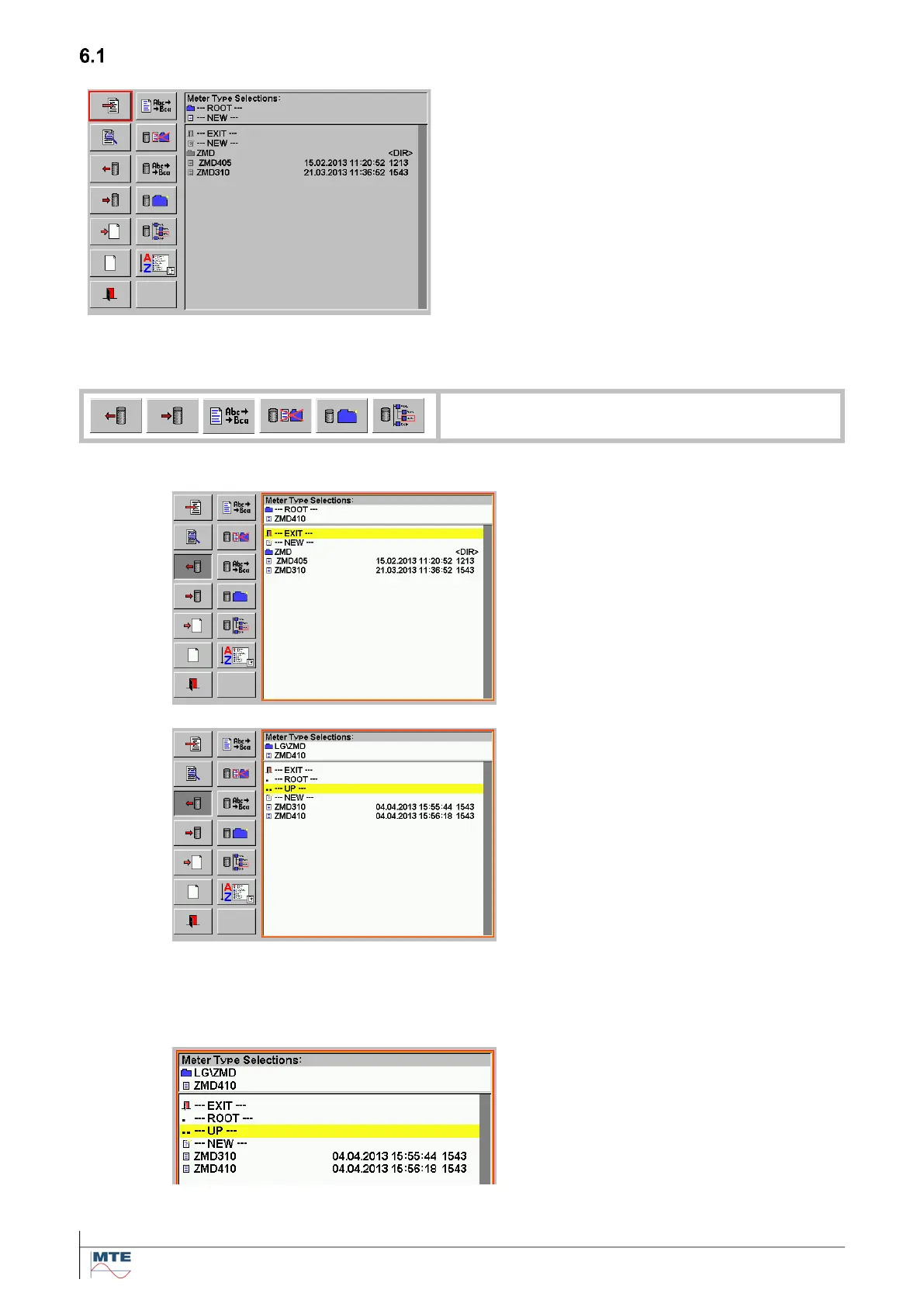
Data base file selection menu
The window on the right side shows a directory
(e.g. Meter Type Selections) with subfolders and
object files. There exist several object file types for
the different parts of the data base.
The two FB columns at the left side show all the
available data base functions, which can be ap-
plied on the object files.
The object file selection menu can be called from
different MCs and different locations. If some FB’s
are not used at a call of the object file selection
menu, they are shown “grayed out” and are not ac-
cessible in this case.
Basic file handling functions
Common functions for the listed FB’s (example shown for load object file)
Activate function
Select and activate FB by pressing on
it. The FB is shown depressed. A red
frame surrounds the file window and a
yellow selection line is shown.
Activate subfolder / select file
Select the corresponding subfolder by
pressing on it. The path with root di-
rectory (Meter Type Selections:) and
subfolders (LG\ZMD) is shown in the
header.
Select the desired file by pressing on
it. (e.g. ZMD410 for load or ---NEW---
for save).
Higher folder levels can also be se-
lected with --- UP --- or --- ROOT ---,
see description under browse.
Note: Direct selection of folders is not
working for delete and rename. Here
the browse function must be used.
Cancel function
Press EXIT to cancel the function.



 To Next Page