PTS 400.3 PLUS Operation Manual_R02 Page 60/306
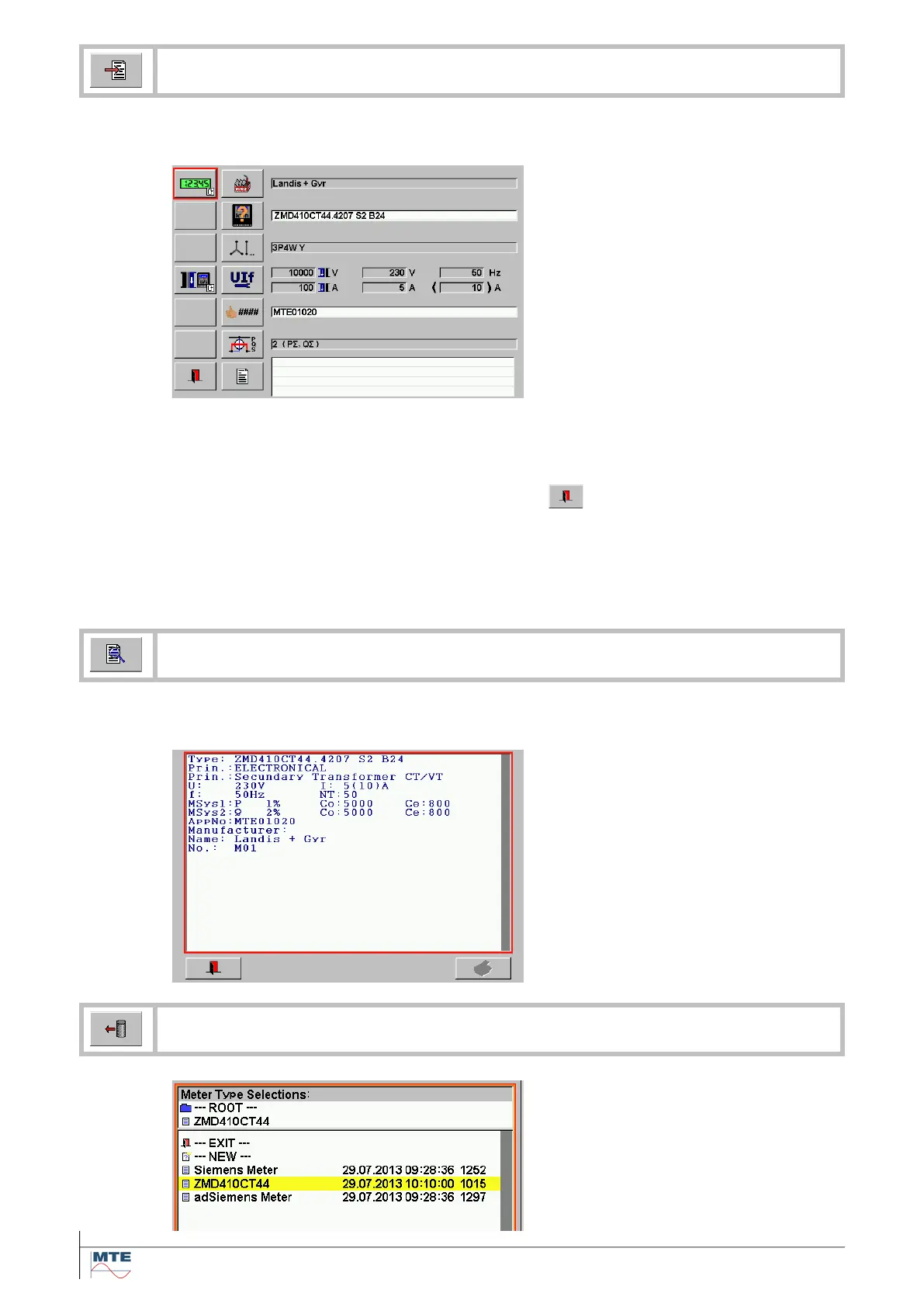
The editor menu of the object file type indicated in the root directory (e.g. Meter Type
Selections) is displayed.
Actual meter type dataset
The actual content of the object can
be viewed and changed directly.
The content of the entry fields de-
pend on the forgoing actions.
If an object was loaded before, the
content of this object file is shown.
If reset object to defaults or create /
edit new object was called before, the
fields are empty.
Some fields can directly be changed
(e.g. Approval Number: MTE01020),
other fields contain links to sub
menus (e.g manufacturer: Landis +
Gyr) or show object file names of
linked object files.
Exit, back to file selection
menu.
Note: To keep the changes, they
must be saved after leaving the
menu, otherwise they will be lost at
next power off.
The content of the actual object dataset of the file type indicated in the root directory
(e.g. Meter Type Selections) is displayed.
View actual meter type
The data of the actual object is dis-
played.
This function gives a good overview
over the actual object dataset, be-
cause all data, also the data of the
linked submenus and object files, is
shown at once.
Load object file
Load file by pressing on correspond-
ing name in the list.
The file is loaded and the editor of
the actual object dataset is shown
(see description for edit actual ob-
ject).



 To Next Page