PTS 400.3 PLUS Operation Manual_R02 Page 98/306
7.5.5
Change settings of load point
Check measuring setup and settings
Warning!
Check all connections in the test circuit.
Check the settings UmaxImax.
Check the settings UIφf.
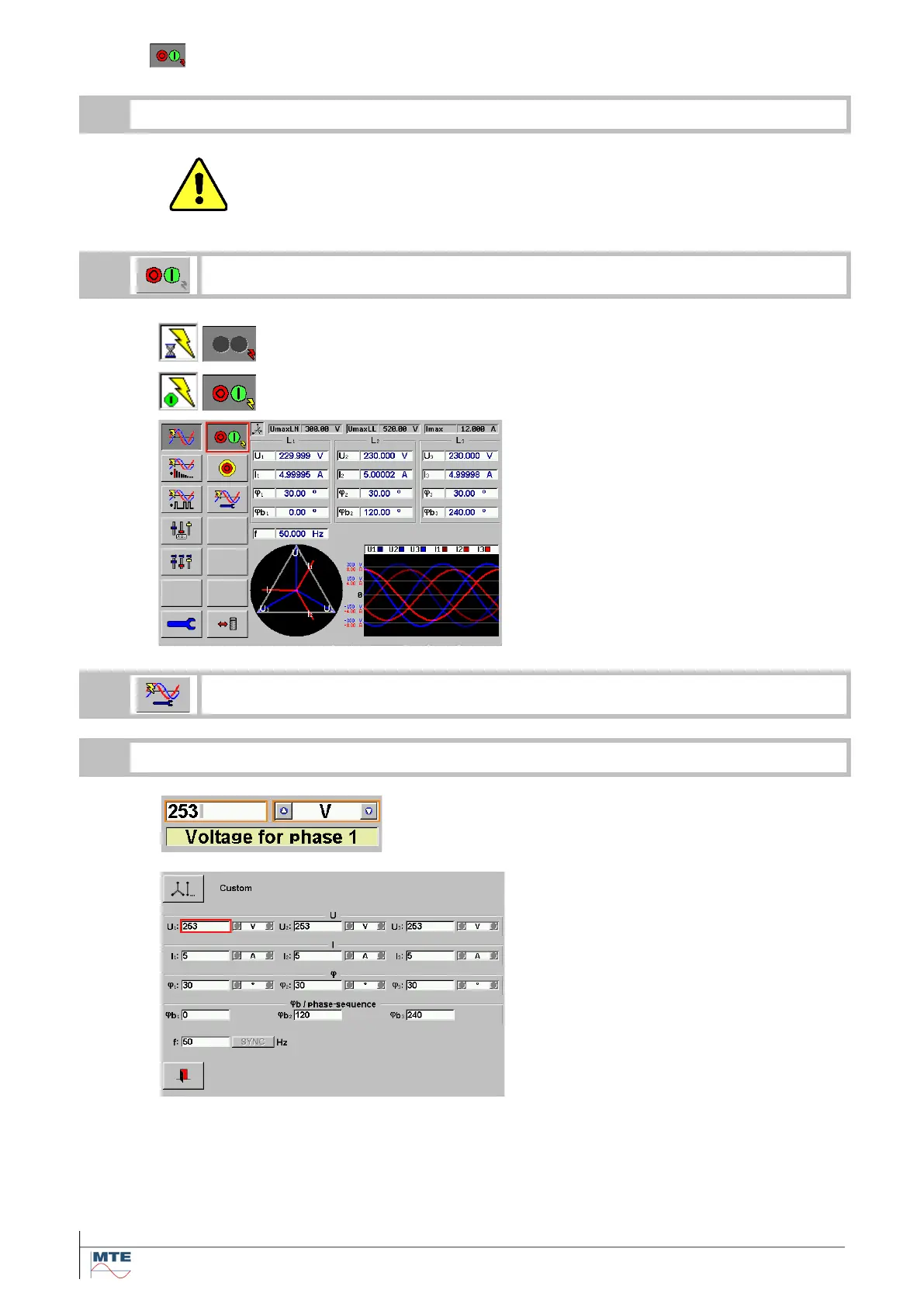
Status indication during ramping up volt-
age and current to the set value.
Status indication when the power source
is switched ON
The measured values of voltage, current,
phase angle, phase sequence and fre-
quency are shown.
One or several values can be changed.
In this example U
1
has been changed
from 230V to 253V. Changing only the
setting of voltage U
1
will cause an auto-
matic setting of U
2
and U
3
with the set
value of U
1
.



 To Next Page