PTS 400.3 PLUS Operation Manual_R02 Page 29/306
4.1.3 Functional Buttons (FB)
The rectangular fields shown in the display are simulating keys with different functions and settings.
Because the function of the keys is variable, and the function is indicated on the key itself depending
on the menu selected, they are called Functional Buttons, further in the manual abbreviated with
FB.
These keys together with the graphical symbols displayed on them, allow fast and easy operation of
the instrument.
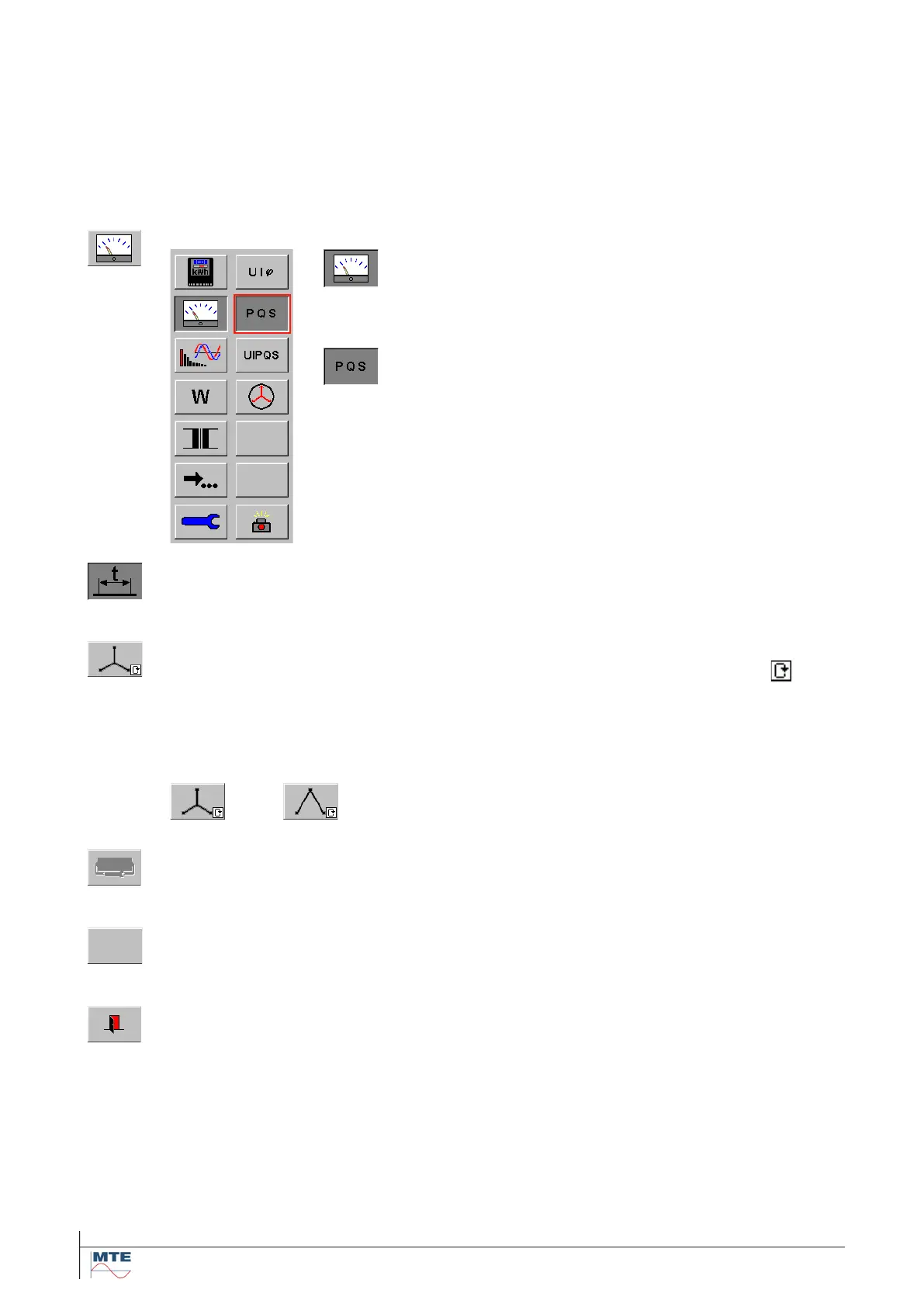
Different types of functional buttons
The pressed FB in the first column indicates that the
measurement sub menu is active. The FB’s in the sec-
ond column are changing. They belong to the activated
sub menu
The pressed FB in the second column indicates that
the PQS display is active.
The FB’s of the sub menu can directly be selected by touching
them or by moving the red frame to the desired FB with the cursor
keys of an external keyboard (option).
Pressed functional button
A key shown as depressed indicates that the function is in active state, e.g. input of time
base.
Selection with cyclic mode and status indication in the FB
Cyclic mode function is indicated in the lower right corner of the FB with the sign
Consecutive key presses cycle between the possible states. The actual state is indicated
in the FB itself.
E.g. the connection mode FB has two states. Each key press changes between these
two states. A cyclic change between two states is also called toggle mode.
Disabled key
If a key is disabled, it is shown ‘grayed out’. The function is blocked. The corresponding
FB is not selectable and executable.
Blank key
A blank key can be selected, but has no function. Blank keys are reserved for future ap-
plications.
Exit of sub menu
The next higher menu or the calling menu is displayed.



 To Next Page