PTS 400.3 PLUS Operation Manual_R02 Page 81/306
7.
Portable Power Source
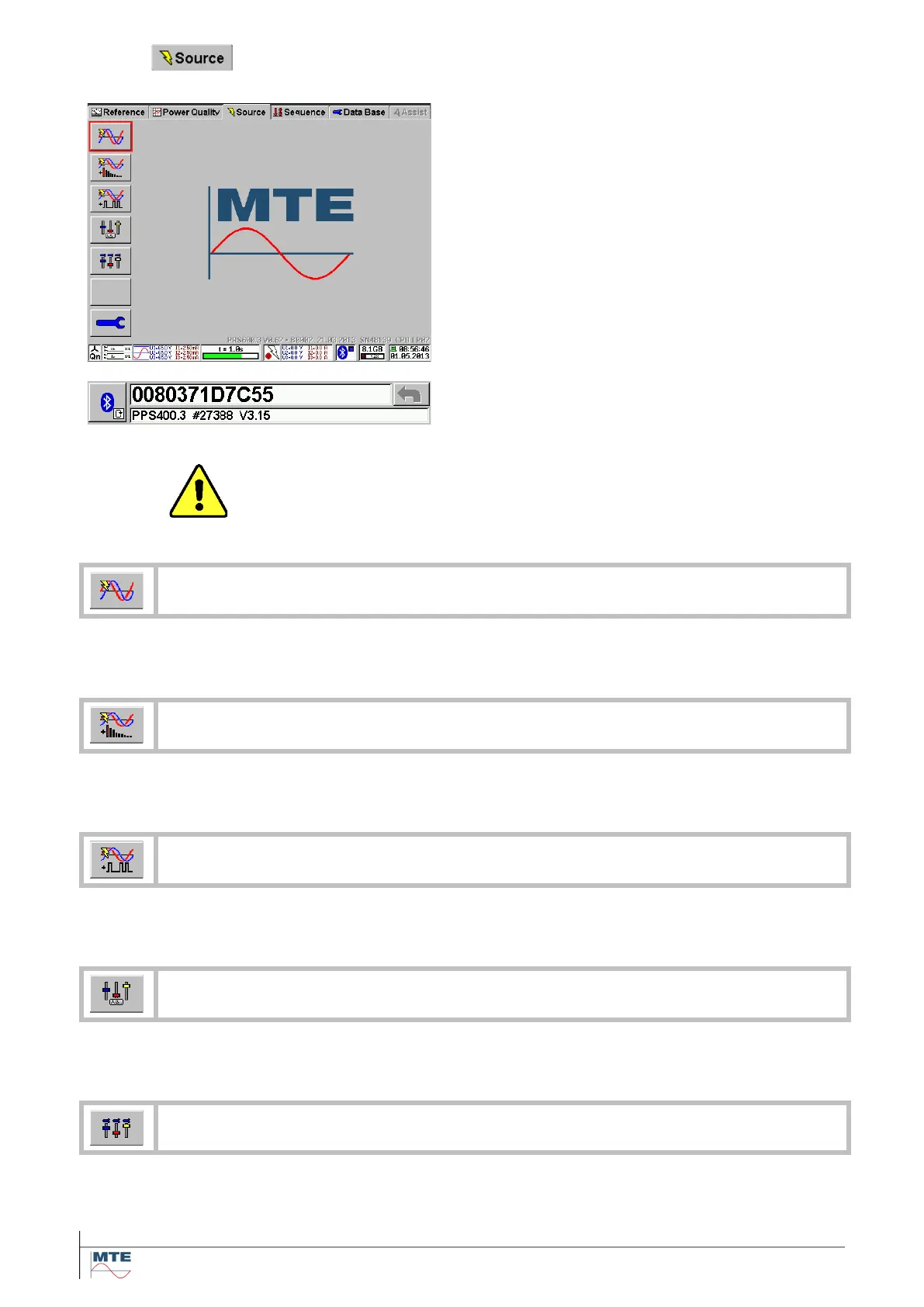
Power Source menu card
This menu card contains the following menus and
functions:
• Name of menu card
• Load Points menu
• Harmonics menu
• Ripple Control menu
• Slider Screen
• Slider Screen User-defined
• Power Source Setup menu
• Status line
The Name, Serial Number and Firmware Version
of the Power Source can be found in the Bluetooth
setup (see chapter [5.3.2])
Warning!
There might be dangerous voltages and currents at the terminals of the
power source after switching it ON. Regard the local safety precautions be-
fore working with the device.
Call Load Point menu [7.2]
The menu allows the handling and definition of the load points with the setting of all
possible parameters.
Call Harmonics menu [7.3]
The menu allows the handling and definition of harmonics with the setting of all possi-
ble parameters.
Call Ripple Control menu [7.4]
The menu allows the handling and definition of ripple control telegrams with the setting
of all possible parameters.
Call Slider Screen menu [7.6]
The menu allows to manually adjust load points with regulators for Voltage, Current
and Phaseangle.
Call User-defined Slider Screen menu [7.7]
The menu allows to manually adjust load points with regulators for 3 user defined val-
ues at once. Choose from Voltage, Current, Phaseangle, Baseangle and Frequency or
disable the slider.



 To Next Page