PTS 400.3 PLUS Operation Manual_R02 Page 40/306
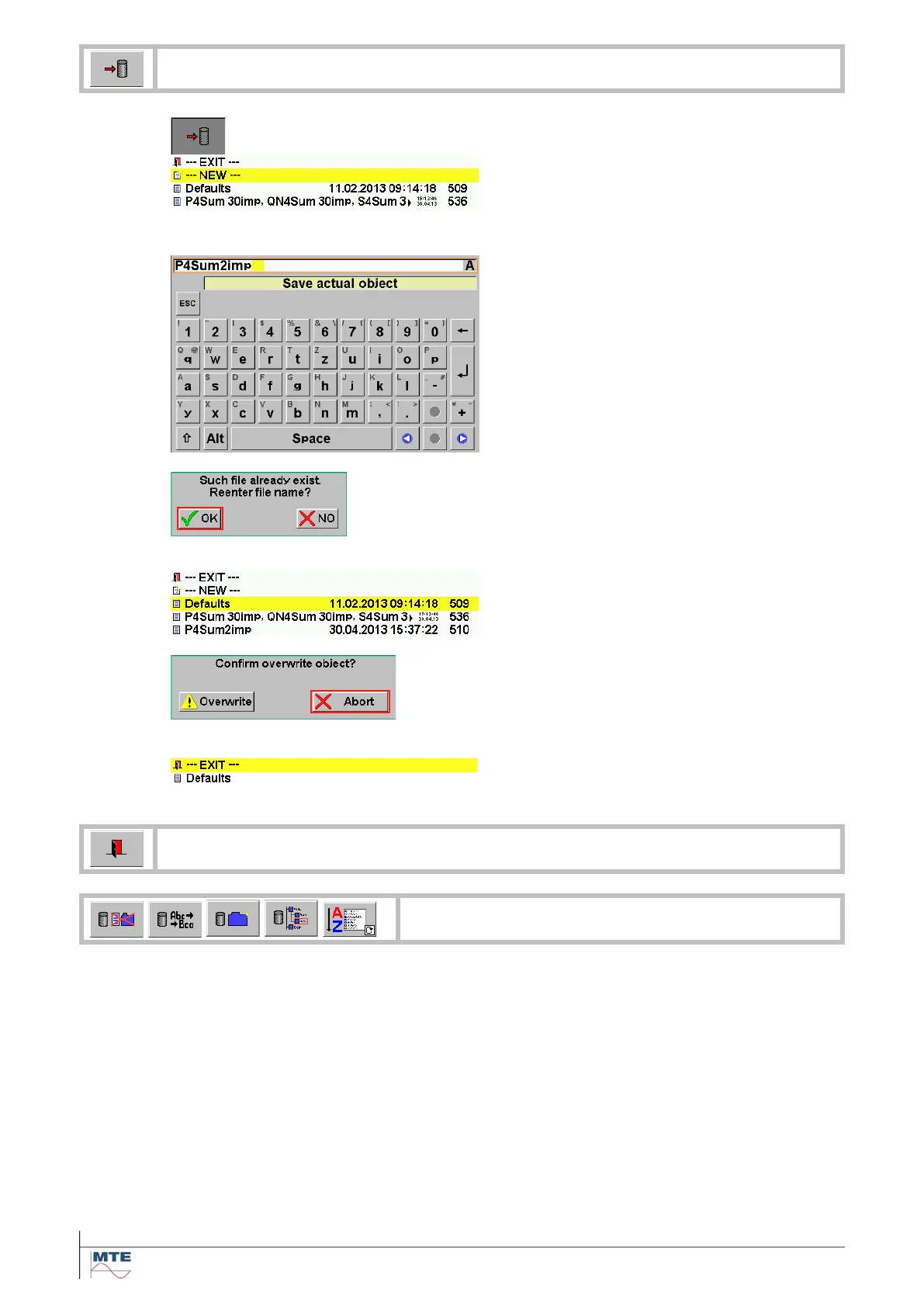
Activate save actual object by pressing the FB
Select / save as new settings
Press on NEW to activate input of new
name
Define name
Define a name using the virtual keyboard
and press enter to save the entry.
The proposed file name already exists.
OK: Entry field for define name appears
again.
NO: Cancel save function.
Select / save as defaults
Press on Defaults and confirm or abort the
action.
Overwrite: Overwrite Defaults with new
settings. At next power on these settings
will be loaded as default.
Abort: Cancel save function. The actual
defaults settings remain unchanged.
Cancel save settings
Press on EXIT to cancel the save function.
Exit, back to calling menu
Delete file / rename file / create folder / browse
folder / change sorting order
Description of these functions see [6.1]



 To Next Page