PTS 400.3 PLUS Operation Manual_R02 Page 53/306
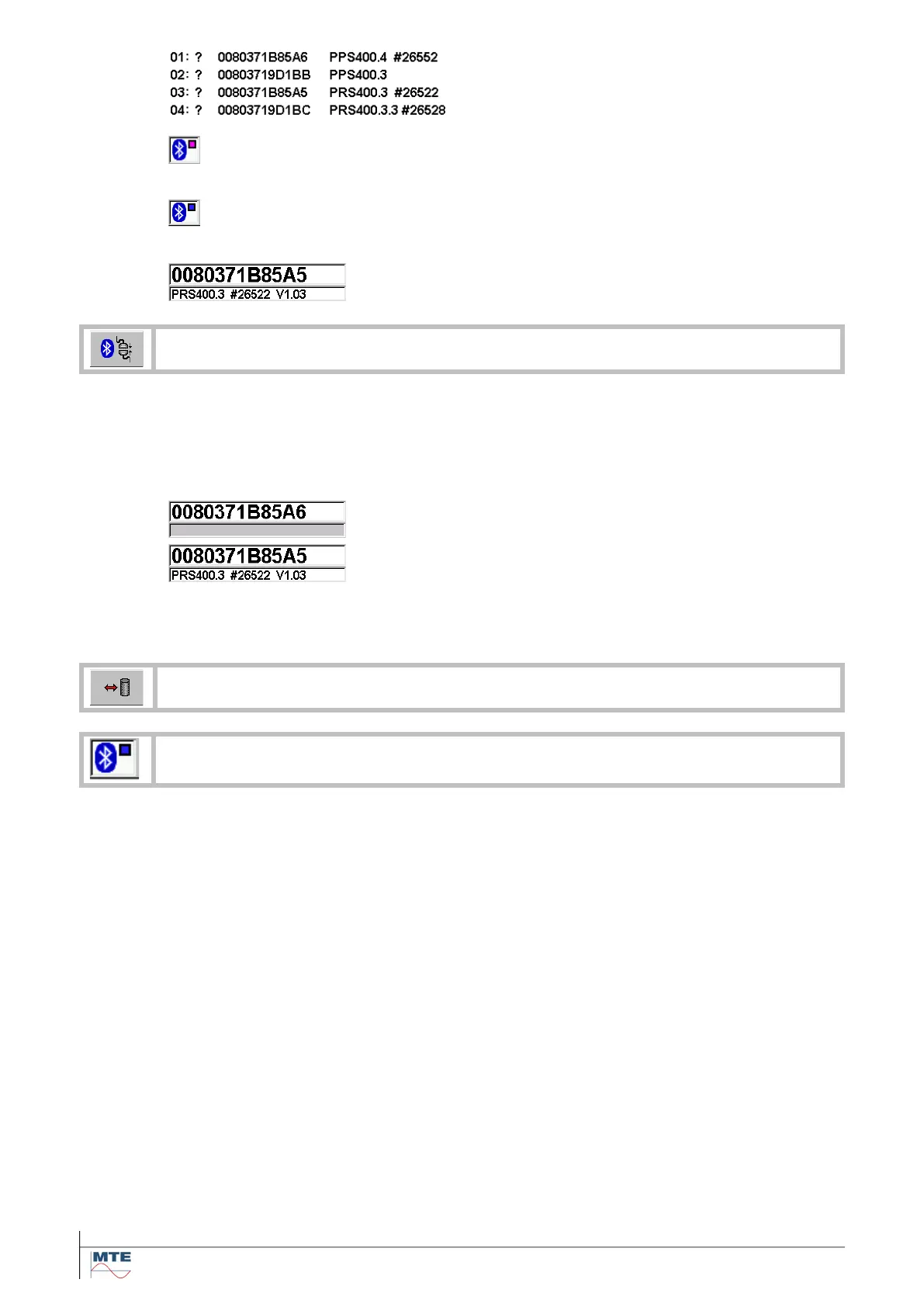
The available bluetooth devices will be shown
in the table.
The predefined bluetooth devices will be auto-
matically connected when possible.
Status indication (purple rectangle): shows that
the bluetooth module is searching for communi-
cation to the defined bluetooth devices.
Status indication (blue rectangle): shows suc-
cessful communication with the bluetooth de-
vice.
The successfully connected device will be
shown with the received identification code.
The PRS 600.3 tries to reconnect the bluetooth devices. When the first call failed, the
PRS 600.3 is trying to establish the communication up to three times before turning the
bluetooth device status to ‘communication failed’. The status indication changes three
times between white and purple. If the reconnection fails, the bluetooth device status
will turn to red.
The indication before pushing the FB shows that the de-
vice is not connected. The field is grayed out.
The lost communication to the device with the defined
address will be reconnected. The reconnected device will
be displayed with the received identification code. The
status indication of the source will change from grayed
out to active.
Load/save settings from/to directory Bluetooth settings
Description of status indication in chapter [4.2]



 To Next Page