PTS 400.3 PLUS Operation Manual_R02 Page 17/306
Ethernet connection
Connector type: 8 position 8 contact (8P8C) Registered Jack RJ45, used for connec-
tion to an Ethernet network
Universal Serial Bus (USB) connection
Connector type: Type A USB connector, used for connection of external keyboard and
mouse
Universal Serial Bus (USB) connection
Connector type: Type B USB connector, used for communication with PC
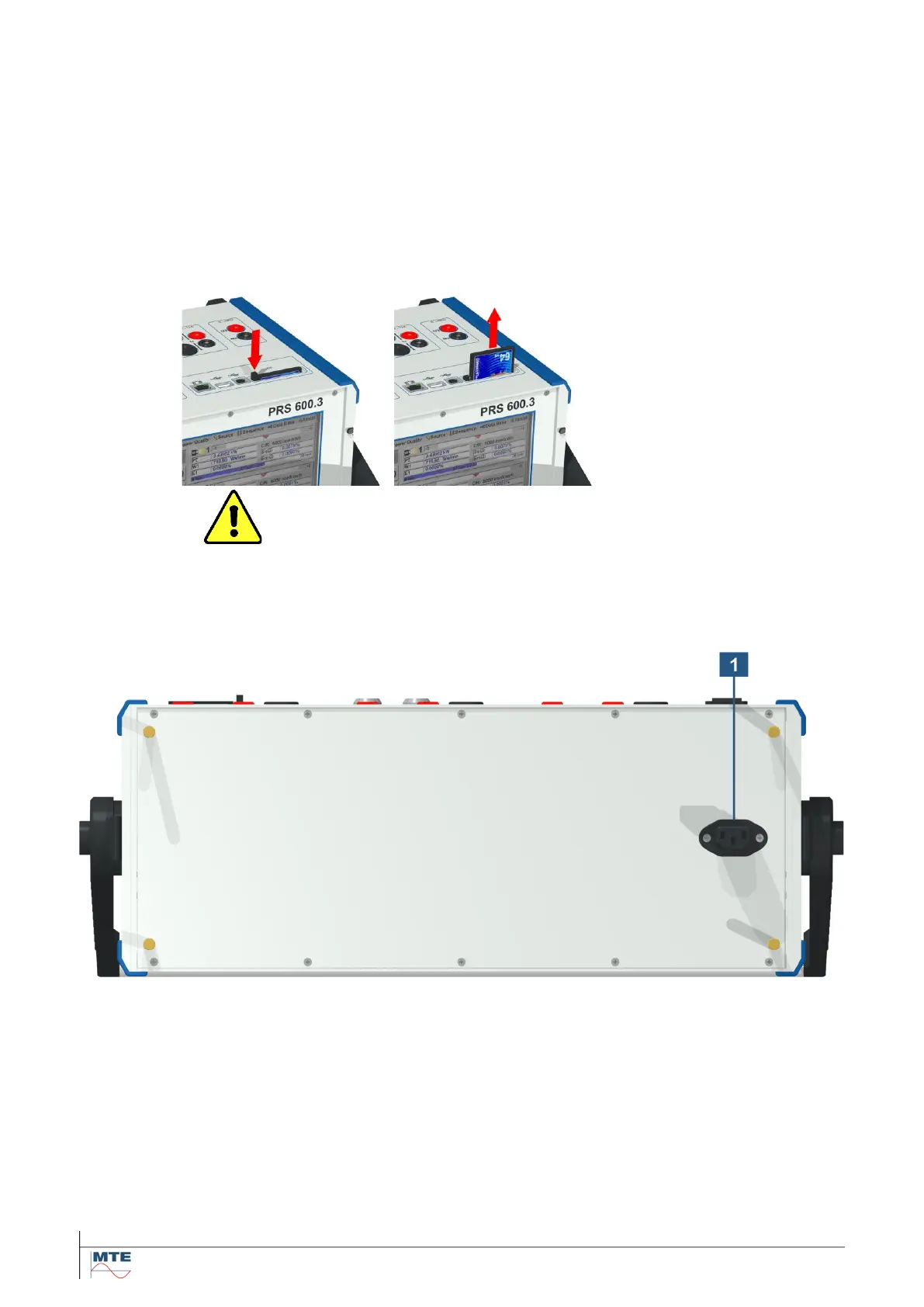
Compact flash card
Removable compact flash (CF) memory card for storage of measurement data,
administrative data and instrument settings.
Push on button to eject the
CF card and then pull out the
card.
When reinserting the card,
regard the correct orienta-
tion. The side near the eject
button has a thick guideway,
the opposite side a thin
guideway.
Warning! Do not remove the CF card, if the card is actually ac-
cessed, indicated with a red background of the CF status indication
on the display. Not following this procedure may lead to corrupted
files and loss of data.
The safest procedure is to switch off the PRS 600.3 before removing
or inserting the CF card.
Supply voltage connection to portable power source PPS 400.3



 To Next Page