MultiSmart Installation & Operation Manual
14.8.10 Configuring Remote and Local Level
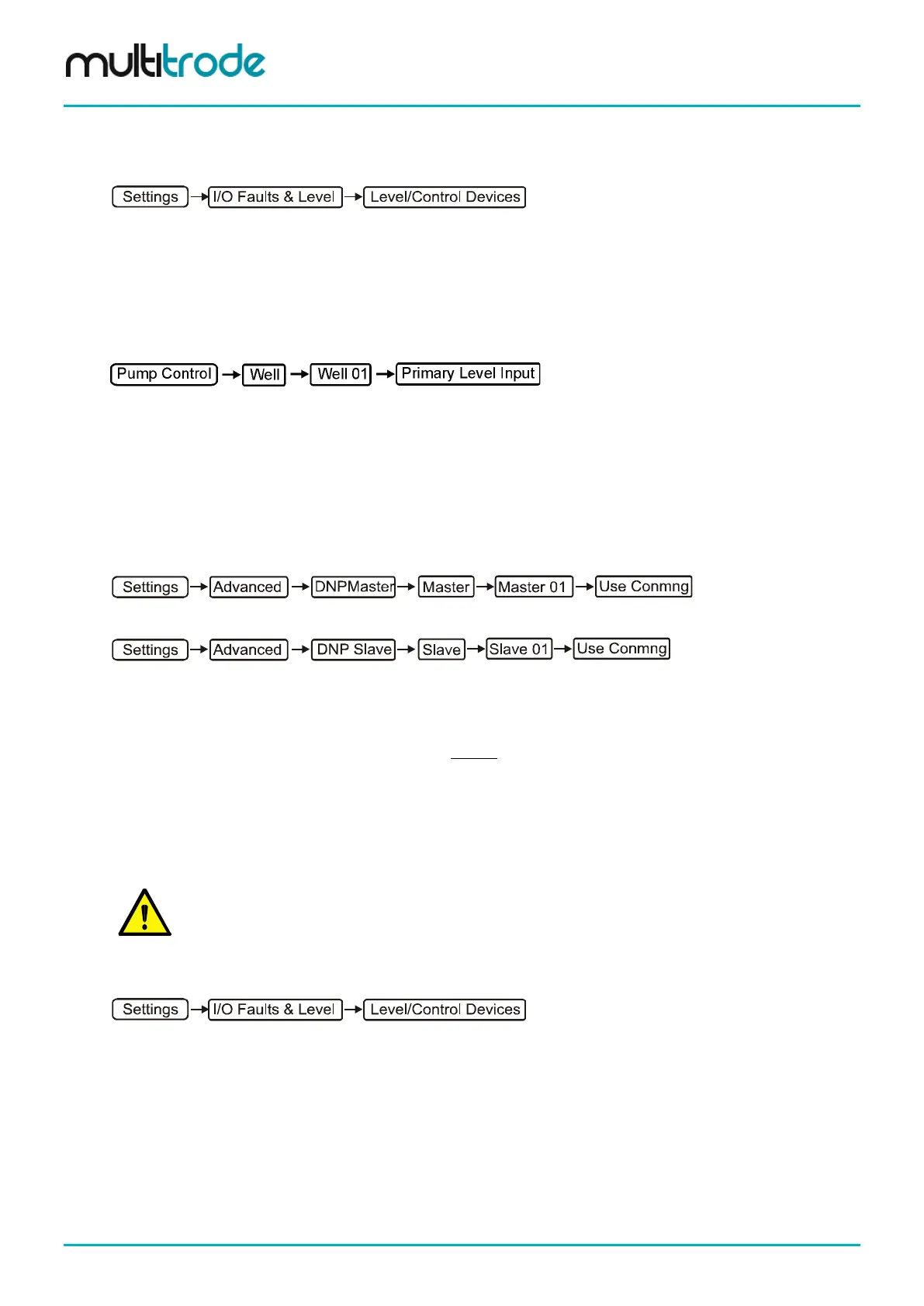
MultiSmart can be configured to switch to the local level if the remote level times out. To set this up navigate
to:
Configure the primary device to use the remote level and configure the backup device to the appropriate
source (e.g. probe, analog, or even another remote source).
The unit is already configured to use a remote and local level. However, by default, it will switch to use the
local level if there is a high or low range error defined. A high range error will occur, for example, when the
backup level is about a certain set point whilst the primary level (remote source) is below another level. If it is
not desired to switch over when these conditions occur, then it is possible to disable these features. To do
this, go the Advanced screen and locate:
Under this menu are two parameters called High range enabled and Low range enabled. It is possible to
disable these features later on. The local level will then only be used if the remote level becomes invalid. If
the remote level is being sourced via DNP, then when a communication fail alarm is raised to the remote
site, the remote level is marked as invalid and the local level will be used. When communications are
restored to the remote site, the remote level will be used again.
Note that if the Setup Wizard is used to configure and if a remote source is used, then DNP Master and
Slave on the unit will be configured to use Connection Manager as their communications channel. If it is
preferred to use separate channels for these applications, then the Use conmng parameter should be
disabled via the Advanced screen, which can be accessed via:
in the case of the DNP Master or:
in the case of DNP Slave.
14.8.11 Analog Level Compare
This feature is recommended for use when two analog level devices (a primary and a backup device) are
used in the same well.
When the primary and backup level devices differ by more than a predefined threshold, a Well 1 Analog
Compare fault is triggered. (The fault is disabled by default).
If the fault is triggered, the behaviour of the controller remains unchanged (i.e. the primary level device
continues to be used as the primary source of level).
NOTE:
If the primary analog device fails such that no 4-20mA signal is generated, then in this situation the
fault Well 1 Primary Level Ain Under Range is displayed and the backup analog level device
becomes the source of level information.
To configure Analog Compare, navigate to the following screen:
• Press the Compare button
• With the Enabled check box highlighted, press the Toggle button to check the box
• Scroll to Threshold % and enter the required threshold (5% is the default)
• Press Save
Page 120 of 260 MultiSmart_IO_Manual_R20



 To Next Page