MultiSmart Installation & Operation Manual
11 Security
The MultiSmart restricts access to the configuration menus and other screens by creating users. MultiSmart
supports different levels of security for accessing the screens. Users gain access to the secure screens by
either:
• Entering a PIN when prompted
• Activating a digital input (a key switch, for example)
• Placing a Security Key (Dallas iButton Key) on the reader
Each user is assigned a PIN or digital input access by an administrator.
The administrator user account is enabled and a password automatically generated by default at the factory
before despatch. The administrator password can be changed from the Security Screen accessed from the
Settings menus.
Security access for users is not activated until the first user has been configured. The administrator must go
to the Security Screen in the settings menus and configure a user before security is enabled.
NOTE: The factory set security password can be found on the sleeve of the product manual CD.
NOTE: It is important the administrator password is kept in a secure location. If the password is lost, the
unit may need to be returned to MultiTrode for re-configuration.
NOTE: The Admin user can use the admin password to enter secure screens. Press the admin button
on the login page to use the Admin password.
The administrator is the only user allowed to add, delete or edit user accounts.
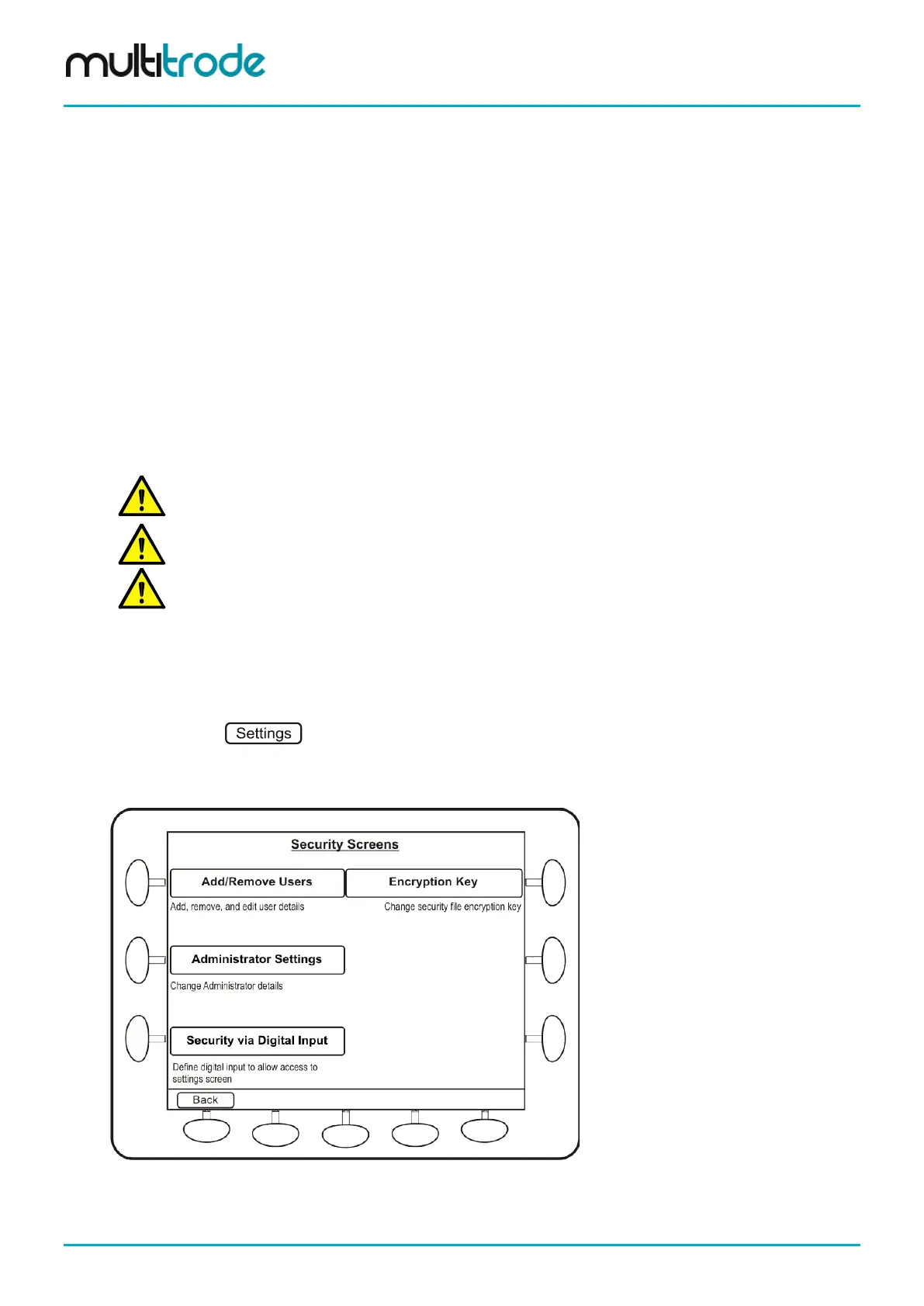
To access the security screen:
• Press
• Go to page 3 of the settings screens and press Security
• Enter the administrator password and press Continue
Figure 85 – Security Screen
Page 82 of 260 MultiSmart_IO_Manual_R20



 To Next Page